


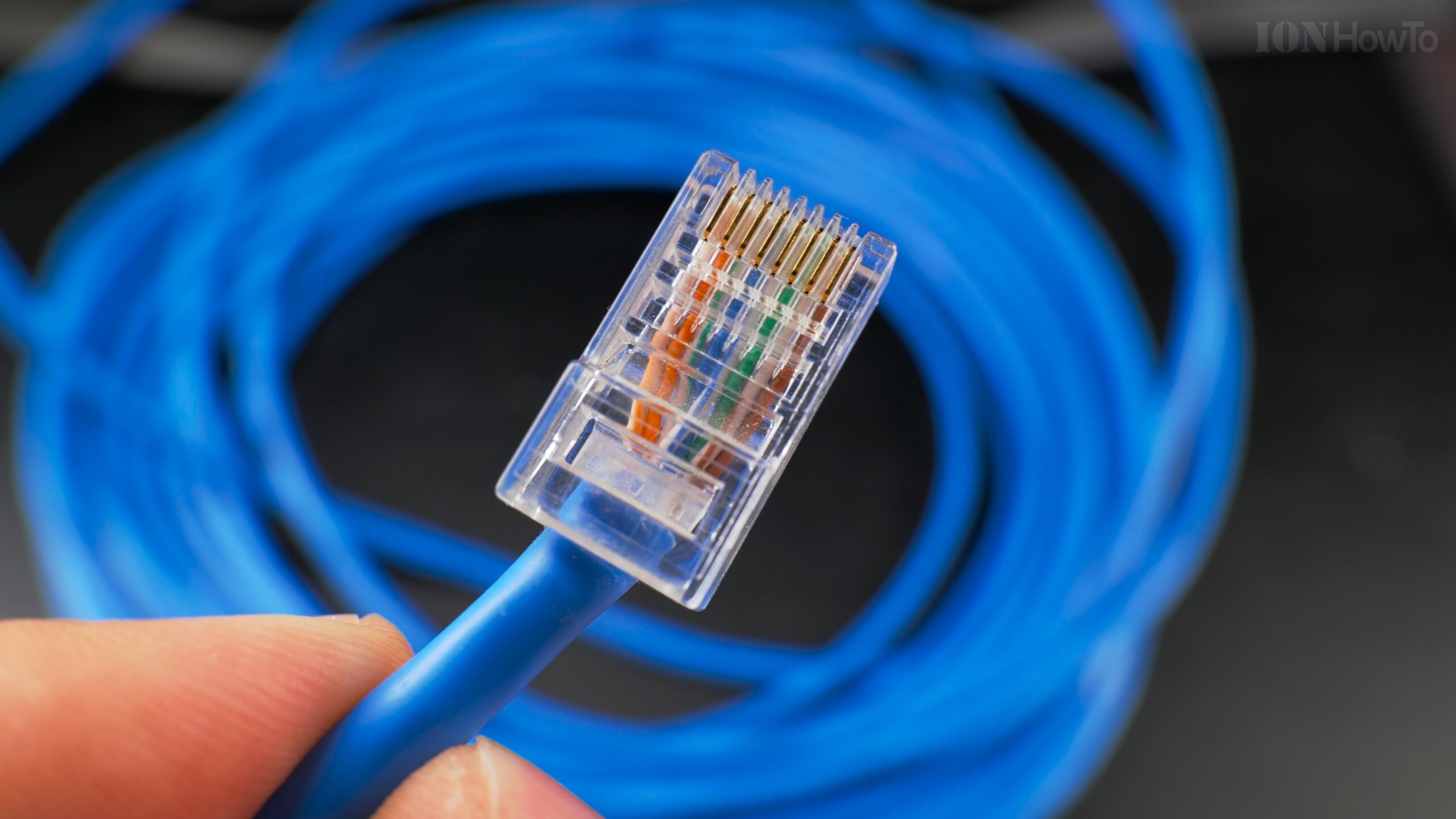
Fiber vs Ethernet Cable Comparison for 2.5Gb and 10Gb Networks.
Copper vs Glass for Modern Networks
When I planned my home network upgrade to multi-gigabit speeds, I faced a critical decision: stick with familiar Ethernet cables or venture into the world of fiber optics. After extensive testing of both technologies at 2.5Gb and 10Gb speeds, I discovered that the choice isn’t as simple as “which is better”, it’s about matching the right technology to specific needs, budgets, and future plans.
Remove Reinstall Fiber Optic Box Outlet Disconnect Fiber Port for GPON ISP Fiber Connection.

Let me walk you through every aspect of this comparison, from initial cost to long-term performance, based on real-world testing in a residential environment.
Understanding the Core Technologies
Ethernet (Copper) Technology
2.5GBASE-T (802.3bz):
- Medium: Copper wire (typically Cat5e/Cat6)
- Connector: RJ45 (familiar 8P8C)
- Maximum distance: 100m with Cat5e
- Power consumption: 2-3W per port
- Heat output: Moderate to high
10GBASE-T (802.3an):
- Medium: Cat6/Cat6A copper
- Connector: RJ45
- Maximum distance: 55m (Cat6), 100m (Cat6A)
- Power consumption: 4-8W per port
- Heat output: Significant (requires cooling)
Detailed Speed Test WiFi to Cat6A 2.5Gb Ethernet Cable iPerf Wi-Fi 6 vs Wi-Fi 7 6Ghz MLO.

LAN Speed Test Wi-Fi to Cat5E 2.5G Ethernet Cable iPerf WiFi 6 vs WiFi 7 6Ghz MLO.

Fiber Optic Technology
SFP+ (10Gb Fiber):
- Medium: Glass/plastic fiber
- Connector: LC (most common), SC
- Maximum distance: Varies by transceiver
- Power consumption: 1-1.5W per port
- Heat output: Minimal
Important Distinction: Fiber itself doesn’t have “speeds” the transceivers and equipment determine capability.
Physical Characteristics Comparison
Cable Construction
Ethernet Cable (Cat6A):
Structure:
- 4 twisted copper pairs
- Individual pair shielding (U/FTP or similar)
- Overall jacket
- Drain wire for grounding
Diameter: 6.8-7.2mm
Weight: ~60kg per 1000m
Bend radius: 4x diameter (~30mm)
Fiber Optic Cable (OM3/OM4):
Structure:
- Glass fiber core (50μm multimode)
- Cladding
- Coating
- Strength members
- Outer jacket
Diameter: 2.0-3.0mm (much thinner)
Weight: ~15kg per 1000m (4x lighter)
Bend radius: 10x diameter (20-30mm, but more flexible)
10Gb SFP+ Fiber LAN Home Network Setup.

Handling and Installation Differences
My Installation Experience:
Ethernet (Cat6A):
Pros:
- Familiar termination process
- Can be re-terminated if damaged
- Tools readily available
- Easy to test with basic equipment

Cons:
- Stiff and heavy (hard to pull through conduit)
- Requires proper grounding
- Susceptible to EMI during installation
- Bulkier at termination points
Cat 6A vs Cat 7 Ethernet Cable.

Fiber Optic:
Pros:
- Thin and lightweight
- Immune to EMI during installation
- Easy to pull through tight spaces
- Smaller termination footprint

Cons:
- Fragile (glass fibers break if bent too tightly)
- Specialized termination equipment needed
- Connectors must stay perfectly clean
- Cannot be field-terminated easily (usually pre-terminated)
Performance Analysis: Real-World Testing
Test Environment Setup
My Testing Configuration:
Ethernet Setup:
- Cable: Lexman Cat6A U/FTP 25m
- Switch: Netgear XS508M (10GBASE-T)
- NIC: Intel X550-T2
- Transceivers: N/A

Fiber Setup:
- Cable: OM3 LC-LC 25m
- Switch: Mikrotik CRS305 (SFP+)
- NIC: Mellanox ConnectX-3 (SFP+)
- Transceivers: 10G-SR multimode
2.5Gb Performance Comparison
Trendnet TEG-S562 Home Network Switch Upgrade to 2.5Gb and 10Gb SFP+.

Ethernet at 2.5Gb:
Speed test (iPerf3):
- Average: 2.48 Gbps
- Consistency: Excellent
- Latency: 0.15ms
- Packet loss: 0%

File transfer (10GB folder):
- Windows SMB: 280-300 MB/s
- Rsync: 305-310 MB/s
- Time: 33-35 seconds
Fiber at 2.5Gb (using 10Gb equipment at 2.5Gb):
Speed test (iPerf3):
- Average: 2.49 Gbps
- Consistency: Excellent
- Latency: 0.08ms
- Packet loss: 0%

File transfer (10GB folder):
- Windows SMB: 285-305 MB/s
- Rsync: 310-315 MB/s
- Time: 32-34 seconds
Key Finding at 2.5Gb: Performance is nearly identical. The bottleneck is the 2.5Gb interface, not the medium.
10Gb Performance Comparison
Ethernet at 10Gb (Cat6A):
Speed test (iPerf3):
- Average: 9.4-9.8 Gbps
- Consistency: Good, but temperature sensitive
- Latency: 0.10-0.15ms
- Packet loss: Occasional during temperature spikes

File transfer (100GB folder):
- Windows SMB: 900-950 MB/s
- Rsync: 1,100-1,150 MB/s
- Time: 1 minute 45 seconds to 1 minute 55 seconds

Temperature observation: After 15 minutes at full load, speed dropped to 8.2 Gbps due to thermal throttling
Fiber at 10Gb (OM3):
Speed test (iPerf3):
- Average: 9.8-9.9 Gbps
- Consistency: Perfect
- Latency: 0.03-0.05ms
- Packet loss: 0% even during extended tests

File transfer (100GB folder):
- Windows SMB: 950-980 MB/s
- Rsync: 1,180-1,200 MB/s
- Time: 1 minute 42 seconds to 1 minute 45 seconds

Temperature observation: No performance degradation even after 60 minutes at full load
Key Finding at 10Gb: Fiber provides more consistent performance, especially important for sustained transfers.
Cost Analysis: Initial Investment
Equipment Costs Comparison
2.5Gb Setup Costs:
Ethernet Solution:
2.5Gb switch (5-port): $100-150
2.5Gb NIC (PCIe): $40-60
Cat6A cable (25m): $45-60
Connectors/tools: $20-30
Total: $205-300
Fiber Solution (for 2.5Gb):
SFP+ switch (4-port): $150-200
SFP+ NIC: $50-80 (Mellanox used)
OM3 cable (25m pre-terminated): $25-40
10G-SR transceivers (2): $30-50
Total: $255-370
10GB Home Fiber Installation SFP+ Switch Transceivers and SFP+ Dual PCIe Network Card.

Observation: At 2.5Gb, Ethernet is generally cheaper, especially if reusing existing cables.
10Gb Setup Costs:
Ethernet Solution:
10GBASE-T switch (8-port): $500-700
10GBASE-T NIC: $100-150
Cat6A cable (25m): $45-60
Total: $645-910
Fiber Solution:
SFP+ switch (4-port): $150-200
SFP+ NIC: $50-80
OM3 cable (25m): $25-40
10G-SR transceivers (2): $30-50
Total: $255-370
Key Insight: At 10Gb, fiber is SIGNIFICANTLY cheaper for equivalent performance.
The SFP+ Advantage
Why SFP+ switches are cheaper:
- Less complex electronics (no 10GBASE-T PHY)
- Lower power requirements
- Passive cooling often sufficient
- Used enterprise gear readily available
The 10GBASE-T Heat Problem:
My measurements:
Intel X550-T2 NIC: 75-82°C under load
10GBASE-T switch port: 65-75°C
Required: Active cooling (fans)
Result: Higher cost, more noise, more power
Power Consumption and Heat
Detailed Power Measurements
Test Methodology:
- Kill-a-Watt meter for total system power
- Infrared thermometer for component temperatures
- 1-hour sustained transfer test for each configuration
2.5Gb Results:
Ethernet (2.5GBASE-T):
Total system power: 48W (baseline: 42W)
Increase due to networking: 6W
NIC temperature: 55-60°C
Switch port temperature: 50-55°C
Cooling required: Passive (good ventilation)
Cat 6 vs Cat 6A vs Cat 7 Ethernet Cable.

Fiber (SFP+ at 2.5Gb):
Total system power: 44W (baseline: 42W)
Increase due to networking: 2W
NIC temperature: 45-50°C
SFP+ transceiver temperature: 40-45°C
Cooling required: None (ambient airflow sufficient)
10Gtek 10Gb SFP+ Transceivers Unboxing.

10Gb Results:
Ethernet (10GBASE-T):
Total system power: 85W (baseline: 42W)
Increase due to networking: 43W (!)
NIC temperature: 75-82°C (HOT!)
Switch temperature: 65-75°C
Cooling required: Active (40mm fan mandatory)
Annual power cost (24/7): $45-55
Fiber (SFP+ at 10Gb):
Total system power: 50W (baseline: 42W)
Increase due to networking: 8W
NIC temperature: 50-55°C
SFP+ transceiver temperature: 45-50°C
Cooling required: Passive (good ventilation)
Annual power cost (24/7): $8-10
Fiber Optic cable for SFP+ Dual LC connectors unboxing.

Stunning Conclusion: 10GBASE-T uses 5x more power than fiber for the same performance.
The Cooling Cost Factor
My Cooling Solutions:
For 10GBASE-T equipment:
- Noctua NF-A4x20 FLX fan: $15
- USB power adapter: $5
- Additional power: 0.6W
- Noise: 14 dBA (barely audible)
- Total cooling cost: $20 per hot device
For SFP+ fiber equipment:
- No additional cooling needed
- Silent operation
- Total cooling cost: $0
Distance Limitations and Real-World Implications
Maximum Reliable Distances
Ethernet (Copper):
2.5GBASE-T over Cat5e: 100m (theoretical), 75m (practical)
2.5GBASE-T over Cat6: 100m
10GBASE-T over Cat6: 55m
10GBASE-T over Cat6A: 100m
Pull New Ethernet Cable using Old Cable in Conduit Upgrade Cat5E to Cat6A.

Fiber Optic:
Multimode OM3 (10G-SR): 300m
Multimode OM4 (10G-SR): 400m
Single-mode OS2 (10G-LR): 10,000m (10km!)
Detailed Remove Fiber Optic Box Outlet Disconnect Fiber Port for GPON ISP Fiber Connection.

Home Networking Reality: Most home runs are under 50m. Distance is rarely the deciding factor.
When Distance Matters
Scenario 1: Garage/Outbuilding Connection
Distance: 75m
Ethernet option: 10GBASE-T over Cat6A works
Fiber option: OM3 works easily
Decision: Fiber better for lightning protection
Scenario 2: Between Floors in Large Home
Distance: 40m through conduit
Ethernet option: Cat6 works for 10Gb
Fiber option: OM3 works
Decision: Cost and existing infrastructure decide
Scenario 3: Neighbor Sharing (Same Property)
Distance: 150m
Ethernet: Not possible for 10Gb
Fiber: Easy with OM4
Decision: Fiber is only option
Reliability and Maintenance
Failure Modes and Mean Time Between Failures
Ethernet Cable Failures:
Common issues:
1. Connector corrosion (especially in humid environments)
2. EMI/RFI interference (from new appliances)
3. Physical damage (pets, furniture, remodeling)
4. Termination degradation over time

My experience: 2 failures in 5 years across 12 runs
Both were connector issues, not cable issues
Fiber Optic Failures:
Common issues:
1. Dirty connectors (90% of problems)
2. Bend radius violations (fiber breakage)
3. Connector damage (dropped transceivers)
4. Transceiver failure (electronic, not fiber)

My experience: 1 failure in 3 years across 8 runs
Dirty connector (cleaned, worked fine)
Maintenance Requirements
Ethernet Maintenance:
Regular:
- Visual inspection of connectors
- Check for corrosion
- Verify grounding still good

As needed:
- Re-terminate if connectors degrade
- Test after electrical work nearby
Fiber Maintenance:
Regular:
- Inspect connectors for dust
- Keep dust caps on unused ports
- Check bend radii haven't been violated

Critical:
- Clean connectors before installation
- Use proper cleaning tools (never compressed air)
- Never look into active fiber
Troubleshooting Complexity
Ethernet Problems:
Tools needed: Basic cable tester ($25)
Diagnosis: Usually quick (which wire is broken)
Fix: Often re-termination (5 minutes, $2 connector)
Fiber Problems:
Tools needed: Fiber inspection microscope ($200+)
Diagnosis: Can be tricky (is it dirty, damaged, or broken?)
Fix: May require re-termination (specialized, $100+)
Or: Replace pre-terminated cable ($25-50)
Future-Proofing Considerations
Upgrade Path to Higher Speeds
Ethernet Cable Future:
Current capability: 10Gb (Cat6A)
Next generation: 25GBASE-T (Cat8)
Limitation: Distance drops significantly (30m for 25Gb)
Reality: Cat6A may be your last copper upgrade
Fiber Future:
Current capability: 10Gb (OM3/OM4)
Next generation: Same fiber supports 40/100Gb
OM4 supports: 40Gb to 150m, 100Gb to 100m
Reality: Today's fiber install supports next 2-3 upgrades
The 25Gb/40Gb/100Gb Reality
Cost to upgrade from 10Gb:
Ethernet path (to 25Gb):
New switches: $500+ per port
New NICs: $300+ each
New cabling: Cat8 required ($$$)
Likely outcome: Too expensive for home use
Fiber path (to 40Gb):
Same OM4 cable: Reuse
New transceivers: $50-100 each (40G-SR4)
New NICs: $150-300 (used Mellanox)
New switch: $400-800 (used enterprise)
Practical for enthusiasts today
Security Considerations
Physical Security Differences
Ethernet Vulnerabilities:
1. EMI leakage (can be intercepted nearby)
2. Power line coupling (theoretically detectable)
3. Physical tap possible (though noticeable)
4. More susceptible to lightning damage
Fiber Advantages:
1. No EMI leakage (light doesn't radiate)
2. Cannot be tapped without detection (light loss)
3. Electrically isolated (no lightning risk)
4. Difficult to intercept without physical access
Home Reality: Both are secure enough for residential use. Fiber’s lightning protection is its main security advantage for most homes.
Installation Scenarios: Which to Choose When
Scenario Analysis
New Construction Home:
Recommendation: Run both
- Fiber for backbone (switch to switch, between floors)
- Ethernet for endpoints (computers, APs, IoT)
- Conduit for future upgrades
Cost impact: Minimal during construction
Retrofit Existing Home:
Assessment needed:
- Existing conduit size/condition
- Access to run new cables
- Current cable quality

Often: Use existing Cat5e/6 for 2.5Gb
Add fiber for critical 10Gb links
Apartment/Condo:
Constraints: Limited space, cannot run new cables
Solution:
- Use existing Ethernet for 2.5Gb
- Consider DAC cables for short 10Gb runs
- Fiber if you can run one or two key links
Home Office with High Bandwidth Needs:
Mandatory: 10Gb for primary workstation
Recommendation: Fiber for 10Gb backbone
Ethernet for other devices
Result: Best performance where needed, cost-effective elsewhere
The Hybrid Approach (What I Actually Did)
My Network Today:
Fiber (10Gb):
- Between switches (Mikrotik CRS305)
- Server connections
- Primary editing workstation

Ethernet (Mixed speeds):
- 2.5Gb over Cat5e: Secondary computers
- 10Gb over Cat6A: Where fiber wasn't practical
- 1Gb: IoT devices, printers, guests

Result: Optimal balance of performance and cost
Environmental and Aesthetic Considerations
Physical Space Requirements
Ethernet Challenges:
- Bulk: 8 wires + shielding = thick cables
- Bend radius: Requires careful routing
- Termination space: RJ45 connectors need room
- Heat management: Switches need ventilation
Fiber Advantages:
- Thin: Single fiber can carry multiple signals
- Flexible: Easier to route in tight spaces
- Small connectors: LC duplex is tiny
- Cool operation: Can be bundled tightly
Aesthetic Impact
Visible Installations:
Ethernet:
- Thicker, more noticeable
- Standard colors (blue, gray, black)
- Familiar look

Fiber:
- Thin, less intrusive
- Often yellow (singlemode) or aqua (multimode)
- "High-tech" appearance
My Living Room Solution:
- Fiber run along baseboard (almost invisible)
- Ethernet in conduit where visible
- Both painted to match walls where needed
The Learning Curve Factor
Skill Requirements
Ethernet Termination:
Beginner level:
- Basic crimping: 1-2 hours to learn
- Tool cost: $30-50
- Success rate: 90%+ with practice

Advanced:
- Shielded termination: Additional complexity
- Testing: Basic equipment sufficient
Fiber Termination:
Beginner: NOT recommended
- Specialized equipment: $500+
- High skill requirement
- Low success rate for beginners

Better approach: Buy pre-terminated cables
- Lengths custom-made
- Guaranteed performance
- Only need to clean connectors
Community Support and Resources
Ethernet Advantages:
- Every electrician knows Ethernet
- Online tutorials abundant
- Parts available locally
- Forums full of experienced users
Fiber Challenges:
- Specialized knowledge required
- Fewer local resources
- More “magic” (invisible problems)
- Steeper learning curve
The Vendor Ecosystem
Equipment Availability
Ethernet Market:
Consumer grade: Abundant
Prosumer: Growing rapidly
Enterprise: Mature but expensive
Used market: Limited (10GBASE-T is relatively new)
Fiber Market:
Consumer grade: Limited (mostly SOHO)
Enterprise: Massive used market
Prosumer: Emerging (Ubiquiti, Mikrotik)
Used equipment: Excellent value (data center pull)
Compatibility Concerns
Ethernet (10GBASE-T):
Generally interoperable
Watch for: Auto-negotiation issues
Some switches: Limited to specific speeds
Fiber (SFP+):
Vendor locking: Some switches require "coded" transceivers
Compatibility lists: Check before buying
Third-party transceivers: Often work, save money
The 2.5Gb Specific Analysis
Why 2.5Gb Changes the Equation
The Cat5e Revelation:
2.5Gb works over existing Cat5e up to 100m. This makes Ethernet extremely compelling for 2.5Gb upgrades.
Fiber at 2.5Gb:
Usually means using 10Gb equipment at lower speed. Cost-ineffective unless you plan to upgrade to 10Gb soon.
My 2.5Gb Recommendation Matrix
Situation                      | Recommendation
-------------------------------|-------------------------------
Existing Cat5e in good condition | Ethernet (save money)
New construction                | Consider fiber backbone
Need to connect buildings      | Fiber (lightning protection)
High EMI environment           | Fiber
Planning 10Gb within 2 years   | Fiber now
Budget constrained            | Ethernet 2.5Gb
The 10Gb Decision Point
When Ethernet Makes Sense at 10Gb
- Short runs (under 30m) where Cat6 works
- Existing Cat6A already installed
- Equipment compatibility critical (all devices must work together)
- Minimal power budget (small office, limited cooling)
- Familiarity outweighs technical advantages
When Fiber is Mandatory at 10Gb
- Long distances (over 55m for Cat6)
- Between buildings (lightning protection)
- High EMI environments (workshops, industrial areas)
- Future upgrade path to 25/40/100Gb
- Heat/power concerns (small enclosures, silent operation)
The Verdict: Which Should You Choose?
For 2.5Gb Networks:
Choose Ethernet if:
- You have existing Cat5e/Cat6 cables
- Budget is primary concern
- Distances under 75m
- Don’t plan to upgrade to 10Gb soon
Choose Fiber if:
- Running between buildings
- High EMI environment
- Planning 10Gb upgrade within 2 years
- Need electrical isolation
For 10Gb Networks:
Choose Ethernet if:
- Runs are under 55m (Cat6) or 100m (Cat6A)
- You value simplicity and familiarity
- All equipment in same rack/closet
- Can manage heat/power requirements
Choose Fiber if:
- Any of these apply:
- Distance over 55m
- Between buildings
- Concerned about power/heat
- Planning future upgrades
- Need lowest latency
- Operating in noisy electrical environment
My Personal Journey and Conclusion
I started with 10GBASE-T Ethernet because it was familiar. I struggled with heat issues, power consumption, and occasional instability during summer months.
I switched to fiber for my backbone and critical connections. The results:
- Power savings: 35W less per 10Gb link
- Heat reduction: Equipment runs 20-30°C cooler
- Reliability: Zero link drops in 18 months
- Silence: No fans needed on fiber equipment
- Future-proof: Ready for 40Gb with transceiver change only
But I still use Ethernet:
- For 2.5Gb connections where Cat5e works fine
- For devices that only have RJ45 ports
- Where running new fiber wasn’t practical
The truth: There’s no one-size-fits-all answer. The best network uses each technology where it excels.
My final advice: Start with your needs, not the technology. If you need 10Gb and have runs over 55m or between buildings, fiber is probably your answer. If you’re doing 2.5Gb in a single-family home with existing Cat5e, Ethernet will serve you well and save you money.
The beauty of modern networking is that we have choices. Both technologies are mature, reliable, and capable. Your job is to match them to your specific situation, budget, and future plans. With this comprehensive comparison, you now have the information to make that choice confidently.
Leave a Reply Cancel reply