


While Voice over LTE (VoLTE) enables high-definition audio calls over 4G data networks, turning it off can resolve dropped calls or connectivity glitches in areas with weak 4G LTE coverage. Here is how to disable VoLTE and 4G calling on Android.

Open Android Settings and Tap Network & Internet
Open the Settings app on your Android phone and tap Network & internet (or Connections on Samsung Galaxy devices).
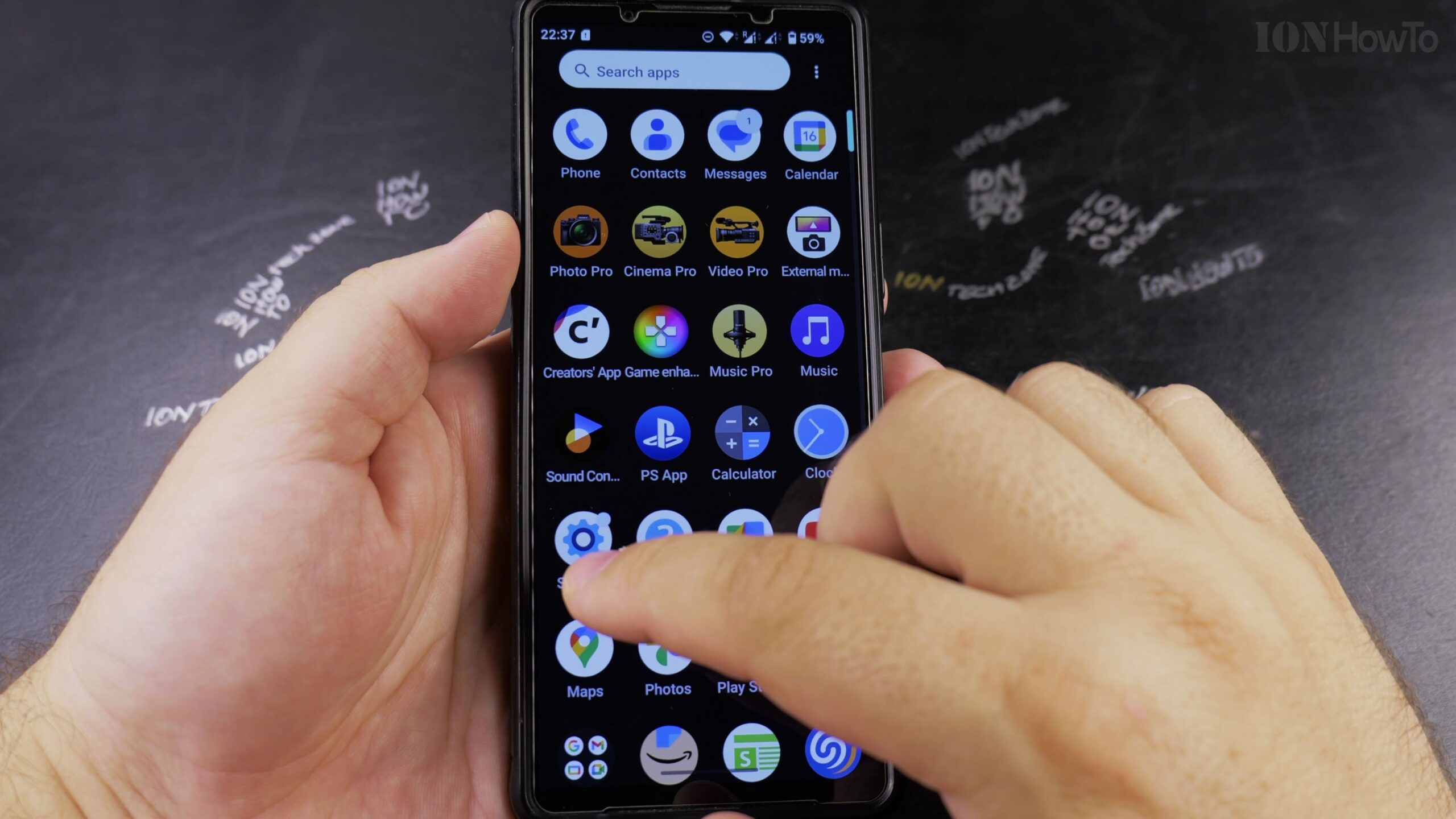
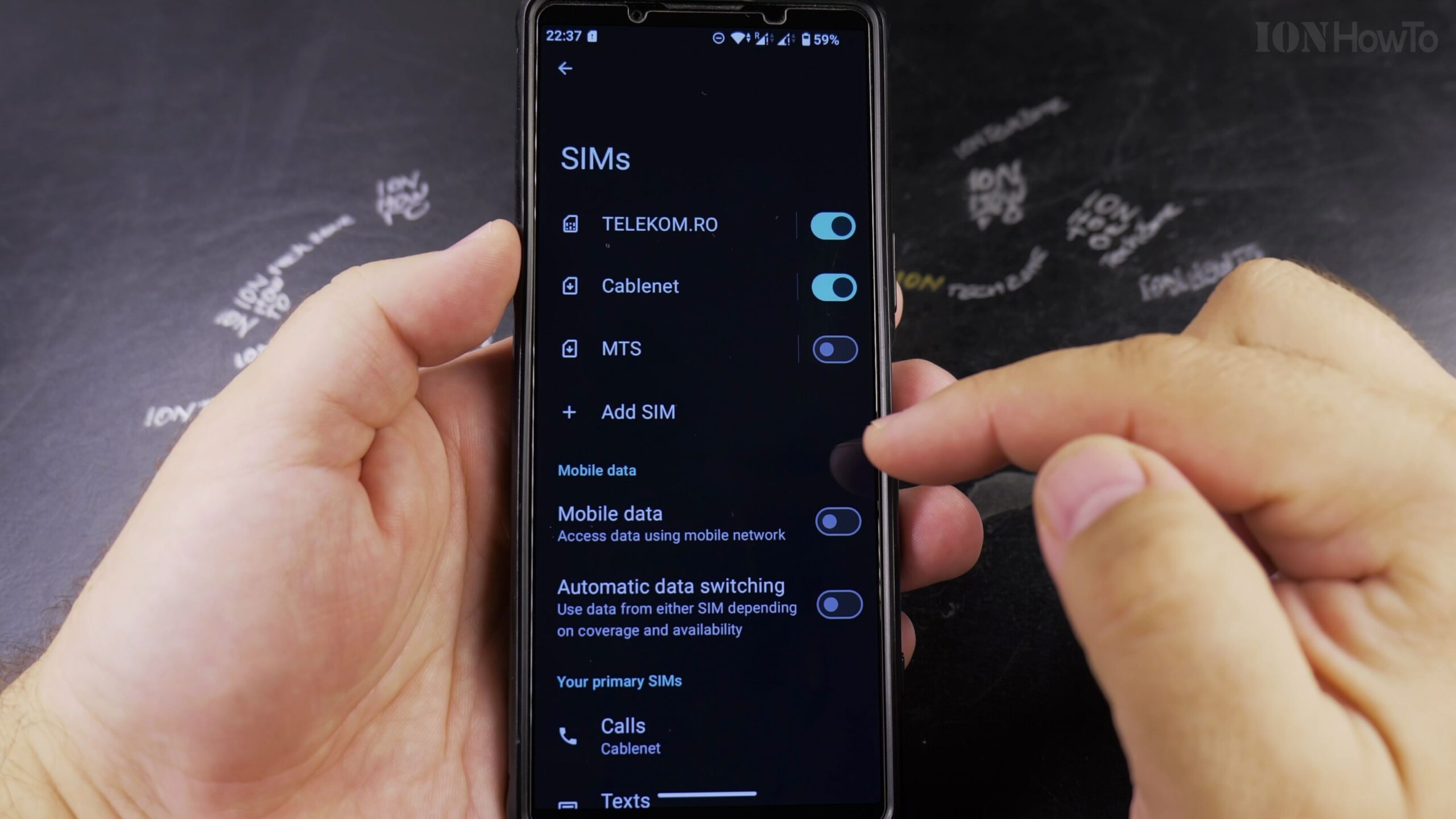
Select SIMs or Mobile Network
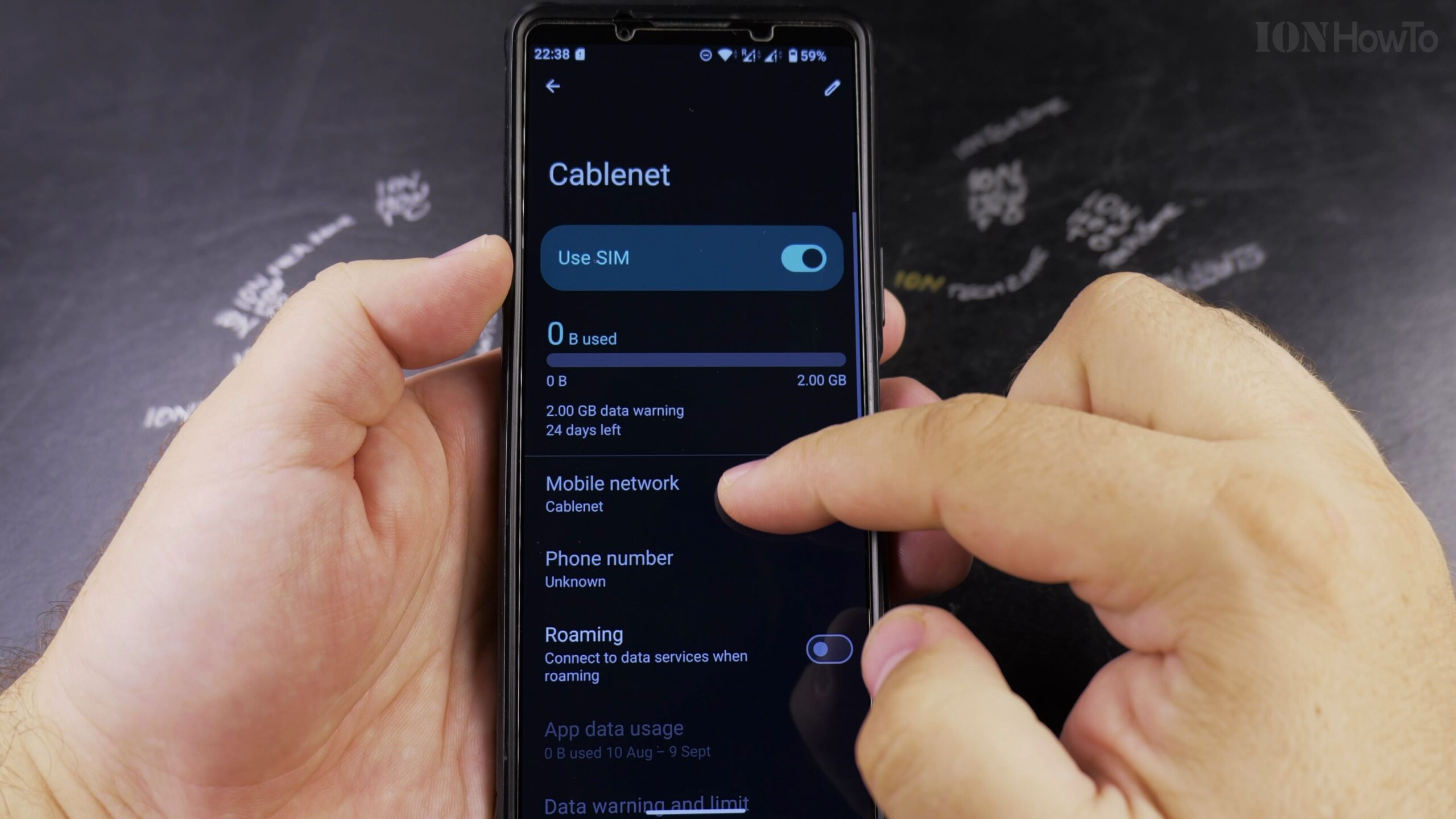
Tap on SIMs (or Mobile networks) and select the active cellular carrier card you want to adjust.
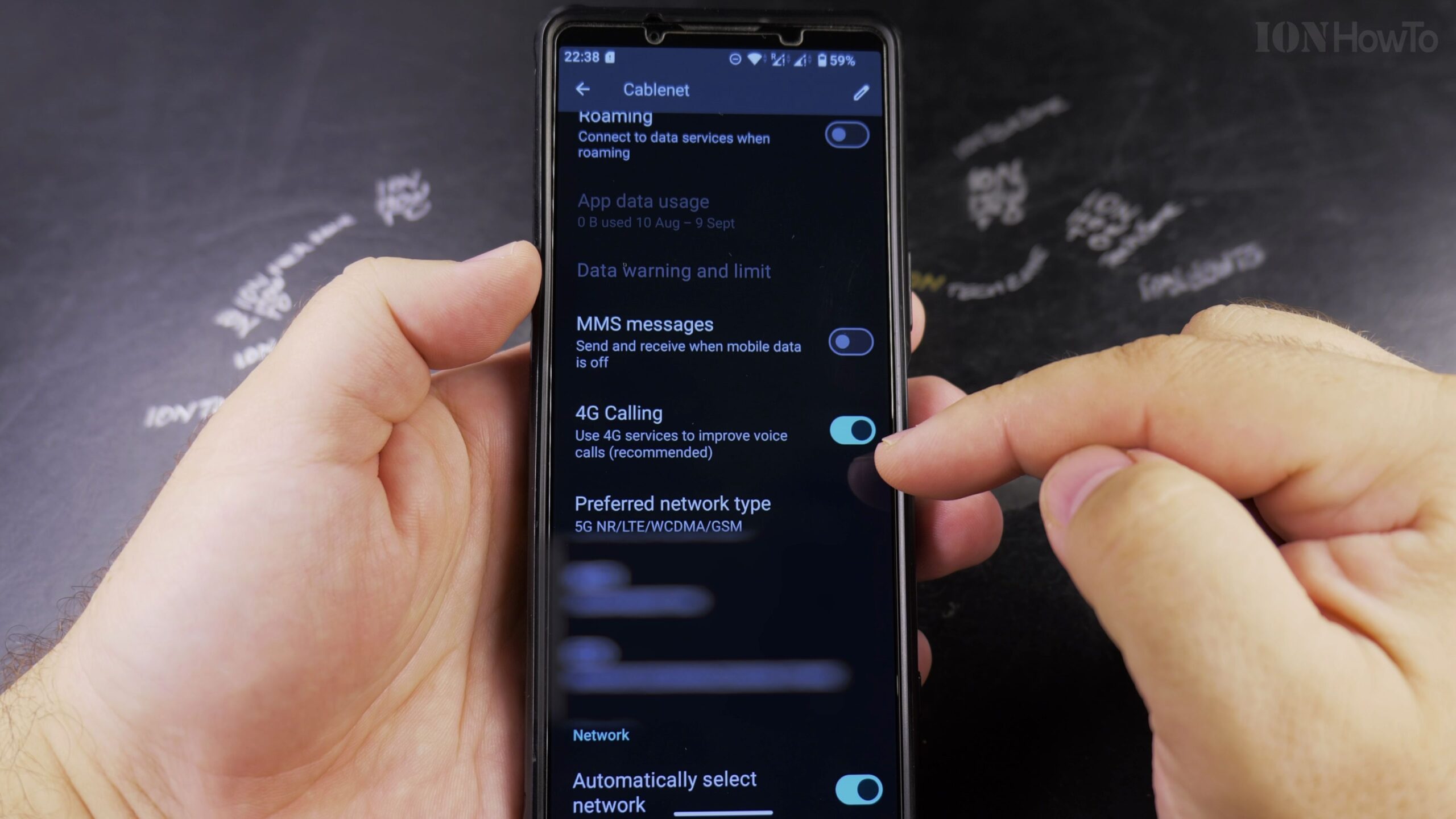
Locate the 4G Calling or VoLTE Toggle
Scroll through your carrier network preferences until you find the toggle switch labeled 4G Calling or VoLTE.
Switch Off the VoLTE Toggle
Tap the toggle switch to the Off position. The small VoLTE icon will disappear from your phone’s top status bar.
Place a Test Call to Verify Traditional Voice Routing
Dial a phone number to confirm that voice calls connect smoothly over standard 3G/2G voice channels.
Helpful Tips and Related Guides
If your cellular carrier enforces VoLTE-only networks due to legacy 3G network shutdowns in your country, the VoLTE toggle may be locked on by default. Read more in our Guide to Disabling 2G on Android, check our Android Tips hub, or browse Android.
Leave a Reply Cancel reply