


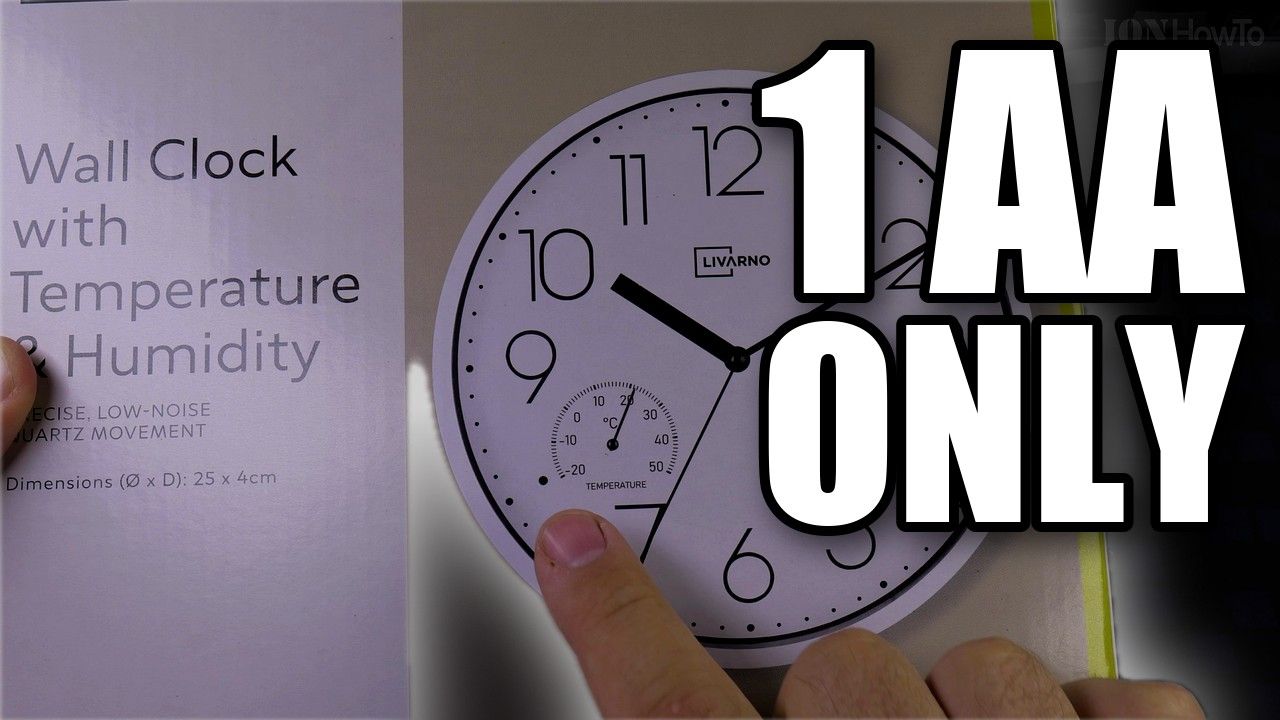
The Livarno wall clock from Lidl shows the time, the room temperature and the humidity. I unbox it, put in the battery, set the time and check how quiet it really is.

Your roadmap
- Check the box
- Unpack the clock and the battery
- Look at the temperature and humidity dials
- Insert the battery the right way
- Set the time with the dial on the back
- Check that it runs quietly
- Hang it on the wall or stand it on a table
Recommended Amazon Gear and Accessories
Disclosure: This article contains Amazon affiliate links. As an Amazon Associate, I earn from qualifying purchases at no extra cost to you.
- Silent Wall Clock
- Wall Clock with Temperature and Humidity
- Digital Hygrometer Thermometer
- AA Rechargeable Batteries
- Picture Hanging Kit
At a glance
- What it is: a Livarno quartz wall clock with temperature and humidity dials.
- Power: one AA battery, included in the box.
- The dials: temperature and humidity work mechanically, with no battery.
- Noise: smooth second hand with no ticking. I could not hear it.
What you need
- The Livarno wall clock.
- The AA battery from the box, or any AA battery.
- A nail or screw in the wall if you want to hang it.
- The current time from your phone.
1. Check the box
The box says it needs one AA battery and has a low-noise movement. There is also a QR code for product information, and the clock comes in a white and a dark version.
Why it matters: It is good to know the battery type before you open it. Some clocks use button cells, but this one uses a normal AA.
What you should see: The battery type and the low-noise note on the box.


2. Unpack the clock and the battery
Inside you get the clock, a basic AA battery and a paper manual in many languages.
Why it matters: The included battery means you can set it up straight away.
What you should see: The clock wrapped in plastic and the battery in the box.


3. Look at the temperature and humidity dials
The face has the normal hands plus two small dials. They show the room temperature and humidity.
Why it matters: These dials work on their own because the metal inside reacts to heat and moisture. You do not need to set them.
What you should see: The two small dials under the main hands.


4. Insert the battery the right way
The spring side of the battery holder takes the flat minus end of the battery. The plus end goes toward the other side. It is a bit tight, so press it in firmly.
Why it matters: A battery in the wrong way will not start the clock.
What you should see: The plus sign marked inside the battery holder.


5. Set the time with the dial on the back
There is only one dial on the back. Turn it to move the minute and hour hands until they match the current time.
Why it matters: The temperature and humidity dials do not change when you turn it. Only the time moves.
What you should see: The hands moving on the front as you turn the back dial.


6. Check that it runs quietly
Watch the second hand. It sweeps smoothly with no clicking. I put the microphone close and still could not hear it.
Why it matters: A silent movement is good for a bedroom or a quiet office.
What you should see: The second hand gliding instead of jumping.


7. Hang it on the wall or stand it on a table
There is a hook slot on the back for a nail or screw. You can also just lean it on a shelf or table.
Why it matters: Hanging it at eye level makes the small dials easier to read.
What you should see: The hook slot at the top of the back cover.


If it does not work as expected
- The clock does not start: check that the battery is the right way round and pushed fully in.
- The time is wrong after a few days: try a fresh AA battery. The included one is a basic battery.
- The humidity looks off: mechanical dials are approximate. Compare them with a digital meter if you need exact values.
- The clock hangs crooked: move the nail so it sits in the centre of the hook slot.
Helpful Tips
- Do not hang it right above a radiator or in the kitchen, or the temperature dial will show the heat source, not the room.
- Use a good alkaline or rechargeable AA battery for longer running time.
- Keep the manual for the article number, in case you need support.
Questions people ask
What battery does the Livarno wall clock need?
One AA battery. One is included in the box.
Do the temperature and humidity dials need a battery?
No, they work mechanically.
Is the Livarno wall clock silent?
Yes, the second hand moves smoothly and I could not hear any ticking.
How do I set the time?
Turn the single dial on the back until the hands show the right time.
Related Guides
- Replace the Battery in the Lidl Silvercrest Smart Tracker – How to Open and Replace the Battery in the Lidl Silvercrest Smart Tracker SSTS3 A1 HG12823.
- Smart Battery 12Ah 20V X20V Lidl Parkside Smart PAPS 2012 A1 240Wh – If your cordless angle grinders or lawn mowers run out of juice too quickly, this massive 12Ah pack delivers maximum runtime.
- Lidl Crivit LED Bike Light Set – Lidl Crivit LED Bike Light Set Unboxing & Review 70 Lux Tested.
Leave a Reply Cancel reply