


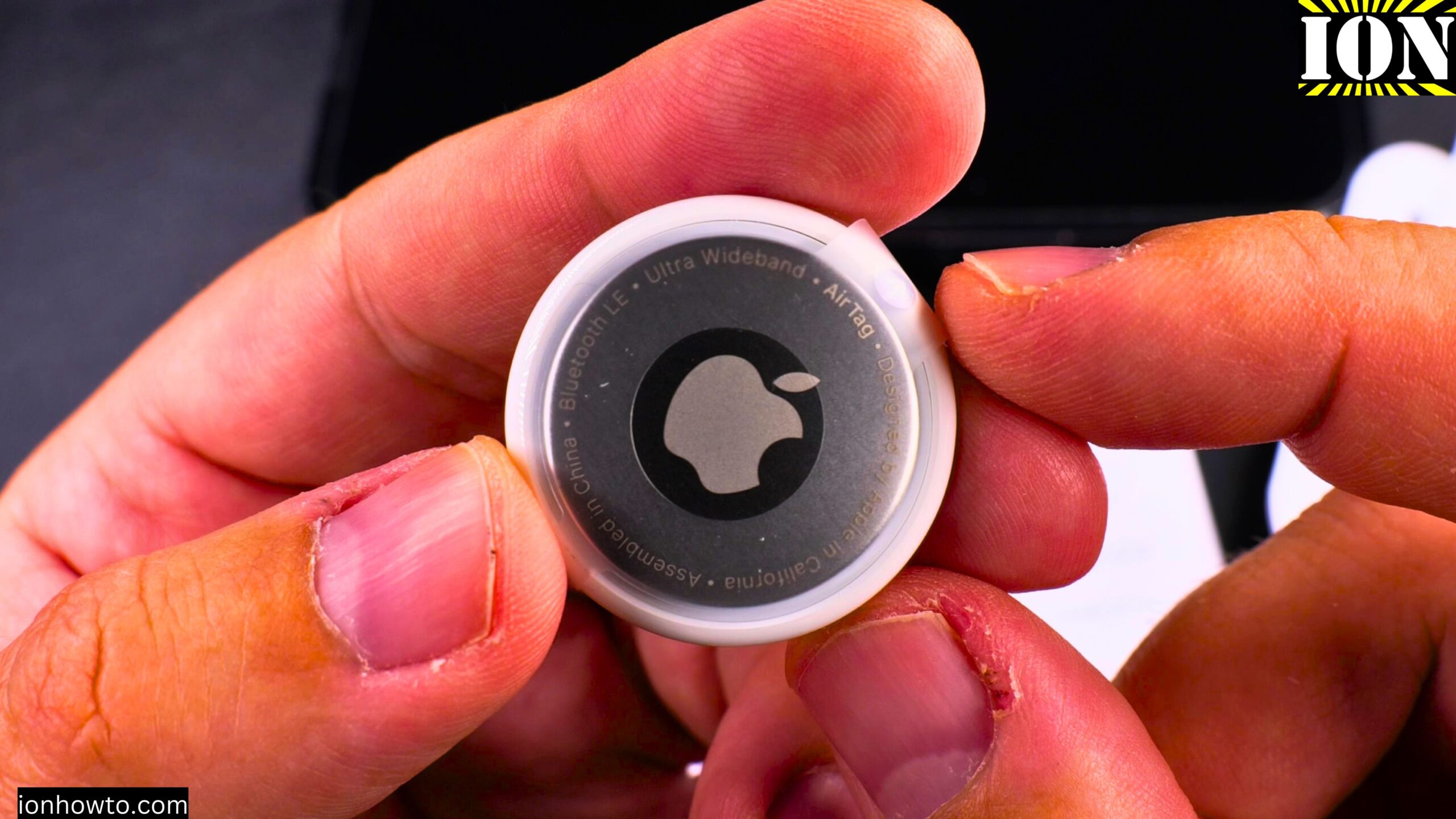
Unboxing the Lidl Silvercrest Smart Tag Finder – An Affordable AirTag Alternative for Apple Find My Network.
Today I show you an unboxing of the Silvercrest Smart Tag Finder. This is a big deal because this smart tag works with the Apple Find My network. You do not need a separate app. It just works with the Apple system.
Amazon links
As an Amazon Associate I earn from qualifying purchases:
- iPad Pro M5 13 inch
- Apple Pencil Pro
- iPad Pro M5 Folio Case
- iPad Pro M5 Screen Protector
- iPhone Accessories
- iPhone Charger
- iPhone Cases
- iPhone Screen protector
- iPhone Magsafe
- iPhone Wallet
- iPhone Usb c cable
I bought two packs to compare these with the Apple AirTag. The AirTag cost me 29.90 Euros. The Silvercrest pack cost 12 Euros for three tags. That is 4 Euros each.
That is a pretty good deal.

Product Model Information
- Lidl Silvercrest Smart Tag Finder pack of 3
- Model No. HG12823 Version 01/2025
- IAN 502773_2407 – SSTS3 A1
- EAN Barcode 40529165000095
- Made in China by OWIM Germany
Why I Bought Two Packs
12 Euros for three tags works out to 4 Euros each. Two packs cost 24 Euros for six AirTag replacements. That is nice to have for:
- Keys
- Inside any bag
- The car
- Luggage
- Anywhere you want to track something
It is a nice option at this price.
What Is Inside the Box
Here is what you get when you open the Silvercrest Smart Tag Finder pack:
- 3 smart tracking tags
- 3 silicone lanyards (flexible and rubbery)
- 3 CR2032 batteries (already installed with a plastic tab)
- Quick start guide
- Warranty information
- Service information
The lanyards are made of silicone. They are elastic and flexible. They will not scratch things. You can attach them using a lark’s head knot (also called a cow hitch knot).
How the Tracker Compares to Apple AirTag – Size
The Silvercrest tracker is a bit square shaped. It is actually not as bulky as the Apple AirTag. This means it could fit in a wallet much easier than an AirTag.
The AirTag is round and thick. It creates a noticeable bump. The Silvercrest is thinner and more wallet-friendly.
Technical Specifications from the Box
Here are the specs printed on the packaging:
- Bluetooth range: 10 meters indoor and outdoor (probably less indoors if you are in another room)
- Bluetooth version: 5.4
- Standby time: 8 months
- Battery: CR2032 (3 volts)
- Compatibility: Apple iPhone or iPad with iOS 14.5 or above
- Maximum transmitting power: 10 milliwatts or microwatts (the text is small)
- Made in 2025 (version 01/2025)
Important Safety Warning – CR2032 Batteries
The box has a clear warning. Keep these batteries away from children. CR2032 batteries are dangerous if swallowed. The warning says: “Contains button batteries that could be swallowed. Keep out of reach of children.”
The same warning applies to the Apple AirTag. But the AirTag is much harder to open, so it is safer around children.
If you use these trackers around children, tape the case closed with electrical tape.
How to Power On the Tracker
Before you use the tracker for the first time, you need to remove a plastic strip. This piece of plastic prevents the battery from making contact while the tracker is in the box.
- Find the small plastic tab sticking out of the tracker
- Pull the tab out completely
- The battery will now make contact inside
- The tracker powers on
- Press the button – you will hear one beep (there is no light)
What the Tracker Looks Like in Find My
When you add the device to the Find My app, it will show up with the name “SSTS3 A1”. That is the default name. You can change it during setup.
The box includes a picture showing exactly how it will appear in the Find My app.
How the Find My Network Works with This Tracker
The tracker uses Bluetooth. It does not have GPS built in. Here is how it works:
- The tracker sends out a Bluetooth signal
- When an iPhone comes within range (about 10 meters), that iPhone detects the tracker
- The iPhone sends the tracker’s location to the Find My network
- You can then see that location on the map in your Find My app
An iPhone needs to be within 10 meters of the tracker to register it on the map. That is the range.
Range Comparison – Silvercrest vs Apple AirTag
The current Apple AirTag has better range than the Silvercrest. And Apple is expected to release new AirTag models soon. From what I understand, the new AirTags will have a range of about 100 meters using ultra wideband technology.
The Silvercrest has a range of about 10 meters. That is a big difference.
But the Silvercrest costs 4 Euros. The AirTag costs 30 Euros. You get what you pay for.
Battery Life
The standby time is 8 months. That is less than the Apple AirTag. The AirTag generally lasts over a year on a single battery.
If you need longer battery life for something like a car, bicycle, or motorcycle, you could modify the Silvercrest to work with AA NiMH rechargeable batteries. That would last much longer.
How to Attach the Silicone Lanyard
The box includes flexible silicone lanyards. Here is how to attach one:
- Take the silicone lanyard
- Put the small loop through the hole on the tracker
- Do not twist it
- Put the bigger loop through the small loop
- Pull tight to form a lark’s head knot (cow hitch knot)
The lanyard is flexible and elastic. It might break over time, but it is soft and will not scratch your things.
What the Tracker Does Not Have
The Silvercrest does not have the precise nearby location feature that the Apple AirTag has. With an AirTag, your iPhone can show you an arrow and exact distance in centimeters. The Silvercrest only gives you a general location on a map and a “Play Sound” option.
The AirTag is much better built. The materials are more robust. The seal is tighter. The battery change is tool-free.
What the Tracker Does Well
It works with the Apple Find My network without any extra app. That is the main feature. For 4 Euros, that is impressive.
It is thinner than an AirTag, so it fits in a wallet.
The button lets you make it beep manually.
Final Thoughts on the Unboxing
The Silvercrest Smart Tag Finder is not as good as the Apple AirTag. That is clear from the moment you open the box. The build quality is lower. The range is shorter. The battery life is shorter.
But it costs 4 Euros. The AirTag costs 30 Euros.
If you need to track many items on a budget, these are worth trying. They work with the Apple Find My network. No separate app needed. That is the main thing.
In future videos, I will show you how to set them up in the Find My app, how to attach them to keys and bags, and how they compare to the AirTag in real use.
I hope this unboxing helps you decide if these trackers are right for you. If you have any questions, let me know in the comments below.
Leave a Reply Cancel reply