


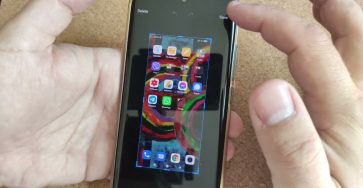
There are 3 ways to screenshot on a Xiaomi MIUI 12 smartphone or tablet.
1. Swipe down to show the top menu then press on Screenshot.
this will take a screenshot and save it for you.
2. Press the power button + Volume down button simultaneously. a screenshot is taken in the same way and tou have the option to edit it, doodle, highlight, etc.
3. 3 Finger swipe down multi-touch gesture. This is the easiest way the take a screenshot on Android.
You can also edit the screen capture same as with the other methods.
hope this helps.

Join this channel to get access to perks:
https://www.youtube.com/channel/UCx4Qbp3iC97kQzj7e7g7slg/join
SUBSCRIBE and CLICK the BELL to be notified.
DIY Projects https://rex.red/diro
RedNumberONE https://rex.red/rno
Buy T-Shirts https://rex.red/ditees
Check it out, buy it, post it online and
tag it #dragoswefixit
Any questions?
Feel free to ask in the comments section bellow.
Subscribe, Like and SHARE!
Related Guides and Helpful Resources
If you found this guide helpful, check out these related step-by-step tutorials and category resources on ION HowTo:
- How to Add a Picture to a Contact on Android: Personalize your contacts with custom profile photos for caller identification.
- How to Disable 2G on Android: Enhance network privacy and prevent insecure 2G connections.
- Turn Off Automatic Updates on Samsung Android: Manage app and firmware updates to save battery and mobile data.
- Android Tips and Tricks: Explore our full collection of tutorials and step-by-step articles in this category.
Leave a Reply Cancel reply