


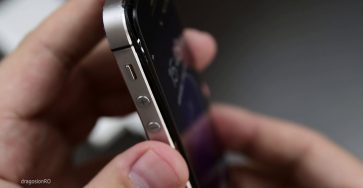
How to fix an iPhone that has a Boot Loop problem.
Also the LCD screen of the iPhone 5S is separating and it needs to be glued back in place.
Things to do:
Fix the boot loop problem and RECOVER ALL YOUR FILES, copy your files first before going forward;
Order a new iPhone battery and the B-7000 special glue for fixing the screen.
Don’t use the iPhone until you have the new battery.
Replace the battery.
Glue the LCD frame using the B-7000 glue, DO NOT USE SUPER GLUE on the LCD frame or anywhere in the iPhone.
Recommended Amazon Gear and Accessories
Disclosure: This article contains Amazon affiliate links. As an Amazon Associate, we earn from qualifying purchases at no extra cost to you.
- iPhone Accessories
- iPhone Charger
- iPhone USB-C Cable
- iPhone MagSafe Accessories
- iPhone Case
- iPhone Screen Protector
Subscribe to our YouTube channel see how to glue the LCD screen on the LCD display frame.
LCD frame glue
B-7000 https://dr.mg/b-7000
Check prices and buy iPhone battery using the links bellow:
iPhone 5S https://dr.mg/iphone5s-battery
iPhone 6https://dr.mg/iphone-6-battery
iPhone 6 Plushttps://dr.mg/iphone6p-battery
iPhone 6S https://dr.mg/iphone6s
iPhone 6S Plus https://dr.mg/phone6sp-battery
iPhone 7 https://dr.mg/iphone7-battery
iPhone 7 Plus https://dr.mg/iphone7p-battery
iPhone 8 https://dr.mg/iphone8-battery
iPhone 8 Plus https://dr.mg/iphone8p-battery
iPhone X https://dr.mg/iphonex-battery
Any questions?
Feel free to ask in the comments section bellow.
Subscribe, Like, and SHARE it too!
Show how much you LIKE this video!
Buy our FAVORITE products.
USA https://dr.mg/us-amzn
UK https://dr.mg/uk-amzn
There are are free trials available using our Amazon Page.
Buy T-Shirts https://dr.mg/ditees
Check it out, buy it, post it on yt/fb/tw/ig tag it #dragoswefixit
Some of the links are affiliate links from Amazon.
When you make a purchase we get a small amount, you do not pay more than usual
and you might even get a better deal using these links.
Helpful Tips
Take your time and check the screen carefully after each tap so you can confirm the setting changed as expected. If an option appears in a slightly different spot on your device, watch the embedded video above for a closer look.
Related Guides
- iPhone How to Show App Labels Customize Home Screen – If the names beneath your iPhone app icons disappeared after updating, your icons were switched to the large view.
- How to Add Flashlight Button to iPhone Lock Screen – If your iPhone lock screen is missing the flashlight button in the bottom corner, you can put it back in seconds.
- How to Add an App Icon Back to the Home Screen on iPhone – If an application icon disappeared from your iPhone Home Screen even though the app is still installed on your device, it is…
- iPhone How-To Guides – Browse more tutorials and practical guides in this section.
Leave a Reply Cancel reply