
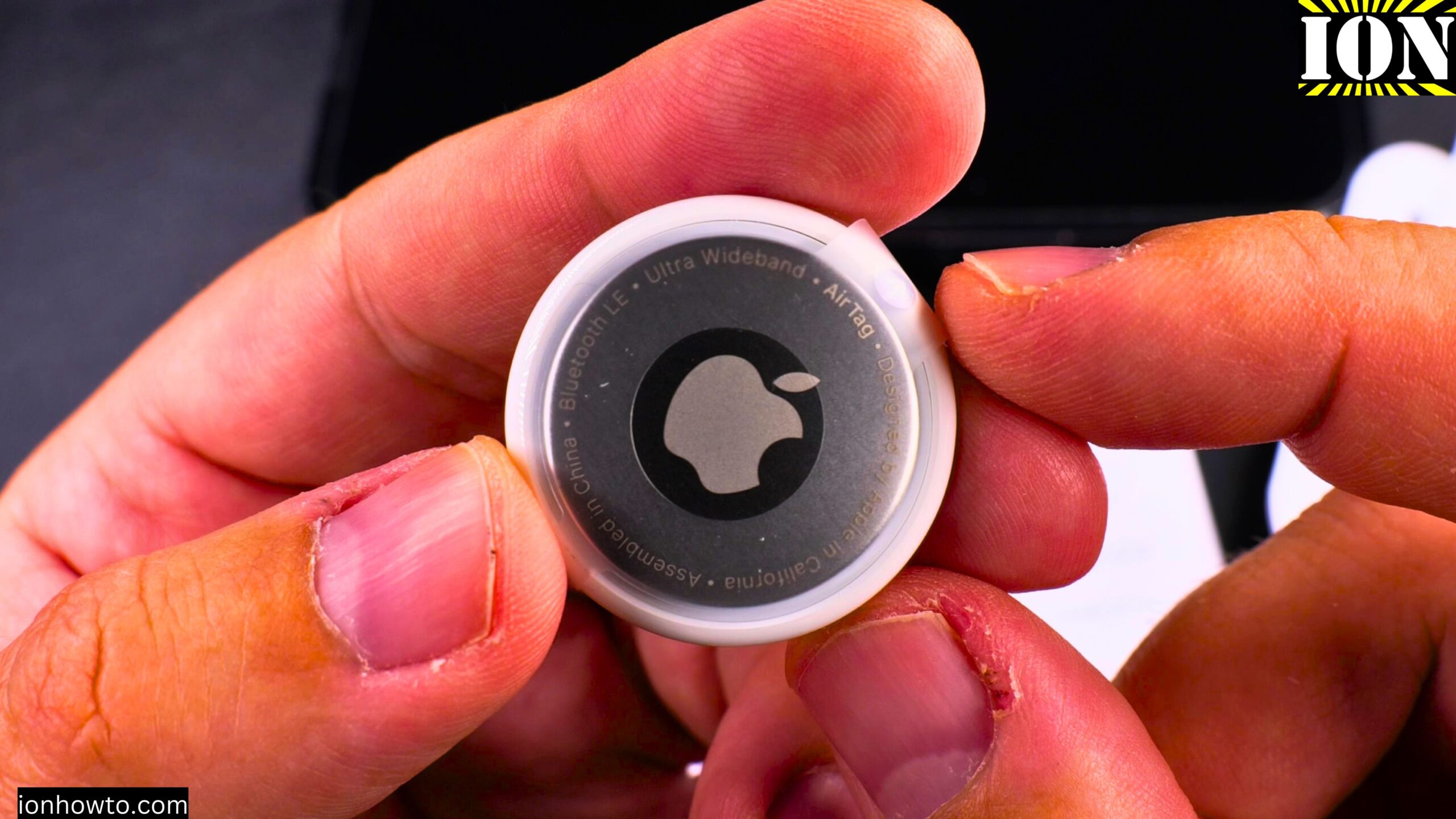
Apple AirTag vs Lidl Silvercrest Smart Tag Finder – An Affordable AirTag Alternative.
Amazon links
As an Amazon Associate I earn from qualifying purchases:
- iPad Pro M5 13 inch
- Apple Pencil Pro
- iPad Pro M5 Folio Case
- iPad Pro M5 Screen Protector
- iPhone Accessories
- iPhone Charger
- iPhone Cases
- iPhone Screen protector
- iPhone Magsafe
- iPhone Wallet
- iPhone Usb c cable
Learn how to use the Lidl Silvercrest Smart Tag Finder. This is a 3-pack of Bluetooth trackers that work as an affordable alternative to similar devices. I show you how to set them up, get them connected to your phone, and see if they are right for you.
In this post, I cover unboxing, physical comparison with the Apple AirTag, setup and removal in the Find My app, and adding the smart tag finder to keys or bags.
Price Difference – Big Savings
The Silvercrest trackers cost 12 Euros for 3 smart tags in the box. That works out to 4 Euros each.
The Apple AirTag cost me 29.9 Euros for a single tag.
That is a big price difference. But there is also a big difference in build quality and functionality. The AirTag is much better than the third-party tracker from Silvercrest.
Product Model Information
- Lidl Silvercrest Smart Tag Finder pack of 3
- Model No. HG12823 Version 01/2025
- IAN 502773_2407 – SSTS3 A1
- EAN Barcode 40529165000095
- Made in China by OWIM Germany
What These Trackers Do
These Silvercrest smart tag trackers work with the Apple Find My network. That is a big positive point because you do not need to install a separate app. You add them directly in the Find My app as “other items.”
They use the Apple Find My Network to find your item anywhere on the map where there is an iPhone within about 10 meters range. The tracker connects to a nearby iPhone, and that iPhone sends its GPS location to the Find My network. This helps you locate items you have lost outside of your own Bluetooth range.
Setup – How to Add a Silvercrest Tracker to Find My
Here are the steps to set up your Silvercrest Smart Tag Finder:
- Pull the plastic tab out of the tracker to power it on. You will hear a beep.
- Open the Find My app on your iPhone
- Tap the plus sign (+) in the top right corner
- Tap “Add Other Item”
- The app will search for nearby trackers
- When it finds the Silvercrest tracker, it will show the default name (usually something like “Keys”)
- Tap “Connect”
- Choose a name for your tracker – you can add initials or a custom name
- Pick an emoji to help identify it
- Tap “Agree” when the notification appears about linking to your Apple account
- Tap “Finish”
That is it. The tracker is now linked to your Apple account.
How to Remove or Reset a Silvercrest Tracker
If you want to remove a tracker from your account:
- Open the Find My app
- Tap on the item you want to remove
- Scroll all the way down
- Tap “Remove Item”
- Tap “Remove” to confirm
- The tracker will beep twice to confirm it has been removed from your account
After removal, you can set it up again by following the same setup steps above.
How to Play a Sound to Find Your Tracker
Once set up, you can make the tracker play a sound:
- Open the Find My app
- Tap on the item
- Tap “Play Sound”
- The tracker will beep to help you find it
This works well when you are nearby and need to hear where your keys, wallet, or bag is hiding.
Key Differences Between Silvercrest and Apple AirTag
What the Silvercrest Tracker Does Not Have
The Silvercrest tracker does not have the precise nearby location feature that the Apple AirTag has. With an AirTag, your iPhone can show you an arrow and distance to guide you exactly to the item. The Silvercrest only offers the “Play Sound” option.
The range is also shorter. The Silvercrest needs an iPhone within about 10 meters to update its location. The AirTag has better range and more reliable connections.
Build Quality
The AirTag feels more solid and premium. The Silvercrest tracker is lighter and feels less expensive – because it is.
Battery Life and Modifications
You get about 8 months of battery life from a standard 3V CR2032 battery. That is the same type of battery the AirTag uses.
If you want even longer battery life, you could potentially modify the tracker to work with AA NiMH rechargeable batteries. That would make it last much longer – good for putting on a car, bicycle, or motorcycle.
Safety Note for Households with Children
If you use these trackers around children, I recommend using electrical tape to tape the smart tag closed. This makes it harder to open. CR2032 batteries are dangerous if swallowed. The same safety advice applies to the Apple AirTag.
How to Silence the Speaker
The speaker on the Silvercrest tracker can easily be disabled. Open the battery compartment and put a small piece of tape on the Piezo speaker terminals. This stops the beeping while the tracker still works for location tracking.
Real World Uses
You can put these trackers on:
- Keys
- Wallet (the Silvercrest is flatter than an AirTag and fits better in a wallet pocket)
- Backpack or bag
- Bicycle
- Scooter or larger toys
- Camera bag
A Smart Strategy – Use Both
For important bags, you could put one AirTag and one Silvercrest tracker in different pockets. If one gets damaged, lost, or thrown out, the other one still works. Having two trackers in one bag gives you backup protection.
How the Find My Network Works
These trackers do not have GPS built in. They use the GPS information from iPhones and iPads around them. When an iPhone comes within range (about 10 meters for the Silvercrest), that iPhone anonymously sends the tracker’s location to the Find My network.
This only works with iPhones. Android phones do not help with this network. Someone with an iPhone has to pass by your lost item for you to get a location update.
If you need precise location finding and better range, the Apple AirTag is a much better option. Apple may also release new AirTag versions with even better range in the future.
Presence Detection for Smart Home
If you have smart home features, you could use these trackers for presence detection. The system can know when you are home to turn on lights, start a heater, turn on air conditioning, or start the coffee machine when you are within about 10 minutes of home.
Final Thoughts
The Silvercrest Smart Tag Finder does the biggest thing right – it works with the Apple Find My network. That network is much larger than any custom network a company could build on its own.
The AirTag is better overall, but the Silvercrest is a solid budget option at 4 Euros each. If you need to track many items without spending much money, these are worth trying.
I hope this helps you see how the Silvercrest Smart Finder works with the Apple Find My network and how it compares with the Apple AirTag.
If you have any questions about setting up or using these trackers, let me know in the comments below.


Leave a Reply