
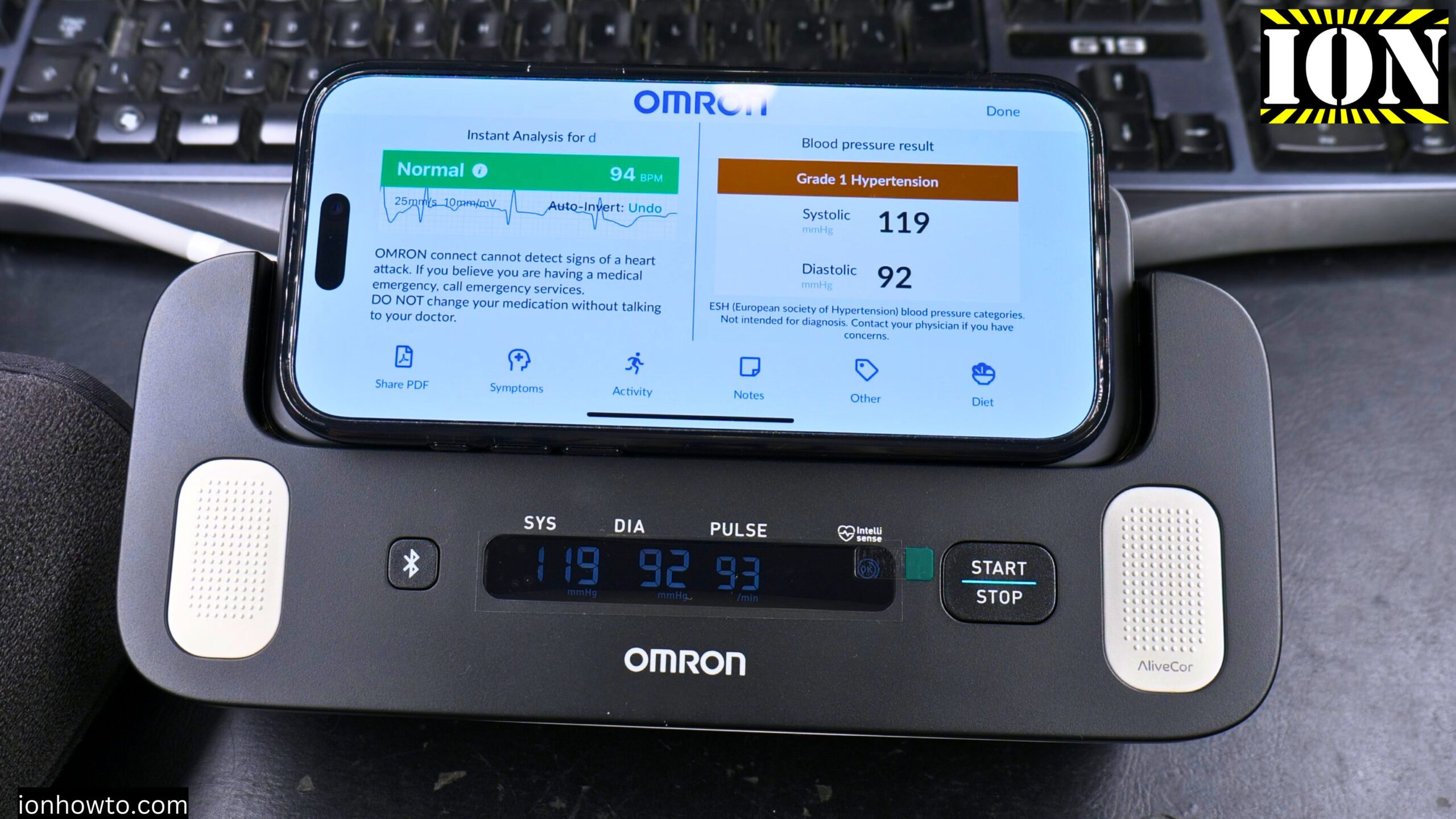
Omron Complete Blood Pressure and ECG Monitor Setup.
Important note: This is not medical advice. If you have any questions about your health, please ask your doctor, not the internet. I am just a regular user showing how I set up and use this device.
This is part of a multi-part video series. Each step is separate so you can watch only the parts you need.
What you get in this series
- Part 1: Unboxing
- Part 2: Setting up the arm cuff and installing batteries
- Part 3: Connecting to the app and Bluetooth (this guide)
- Part 4: Taking actual blood pressure and ECG measurements
Before you start
Make sure you have:
- The Omron Complete device
- The arm cuff (22-42 cm size included)
- 4 AA batteries (included in the box)
- A smartphone (iPhone or Android)
- The Omron Connect app installed
Step 1: Install the batteries
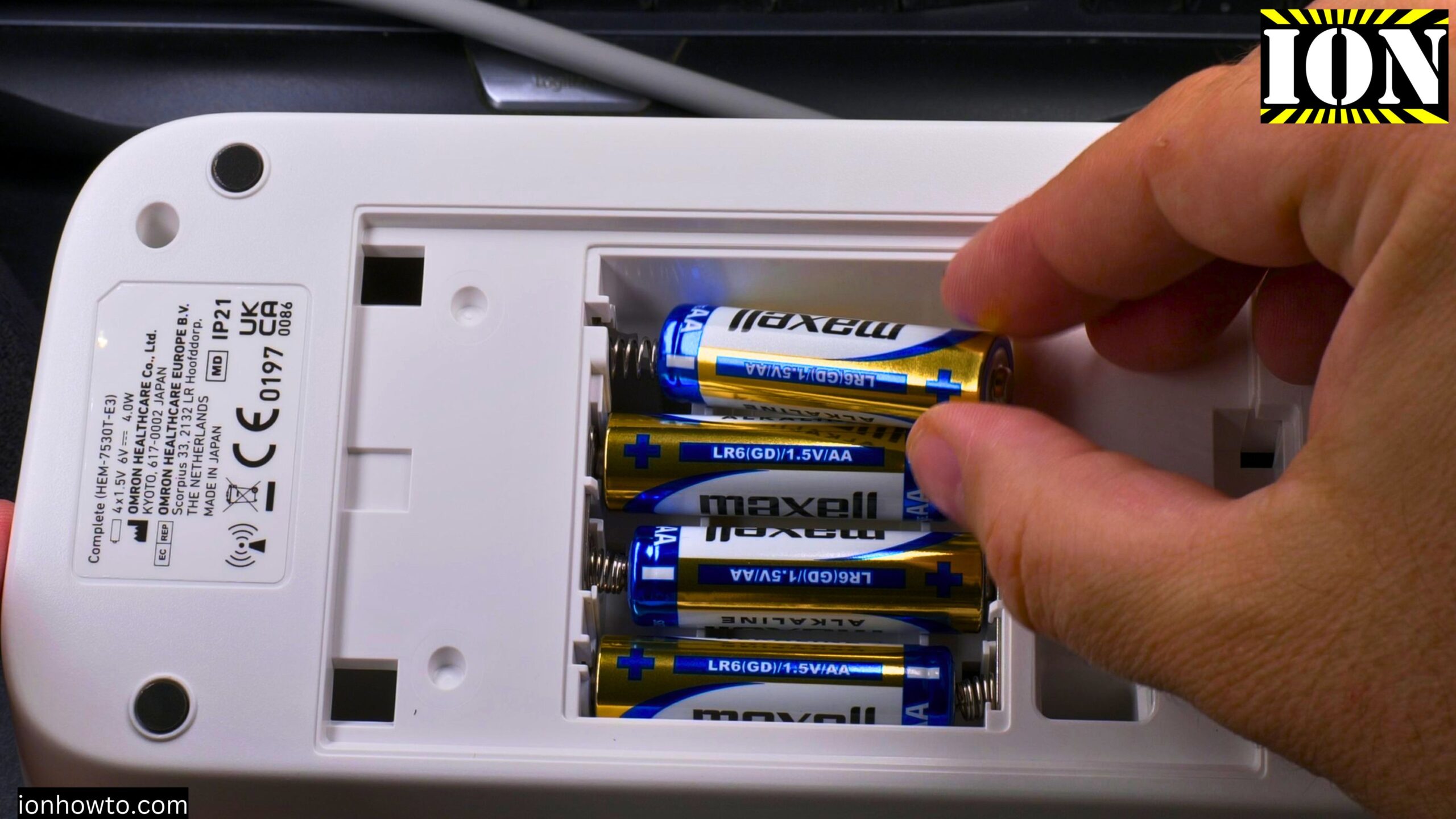
Step 1: Turn the device over so you see the back
Step 2: Remove the battery cover (you may need a small screwdriver or a pen)
Step 3: Insert the 4 AA batteries. Make sure the plus (+) and minus (-) ends match the markings inside
Step 4: Replace the battery cover
Step 2: Connect the arm cuff
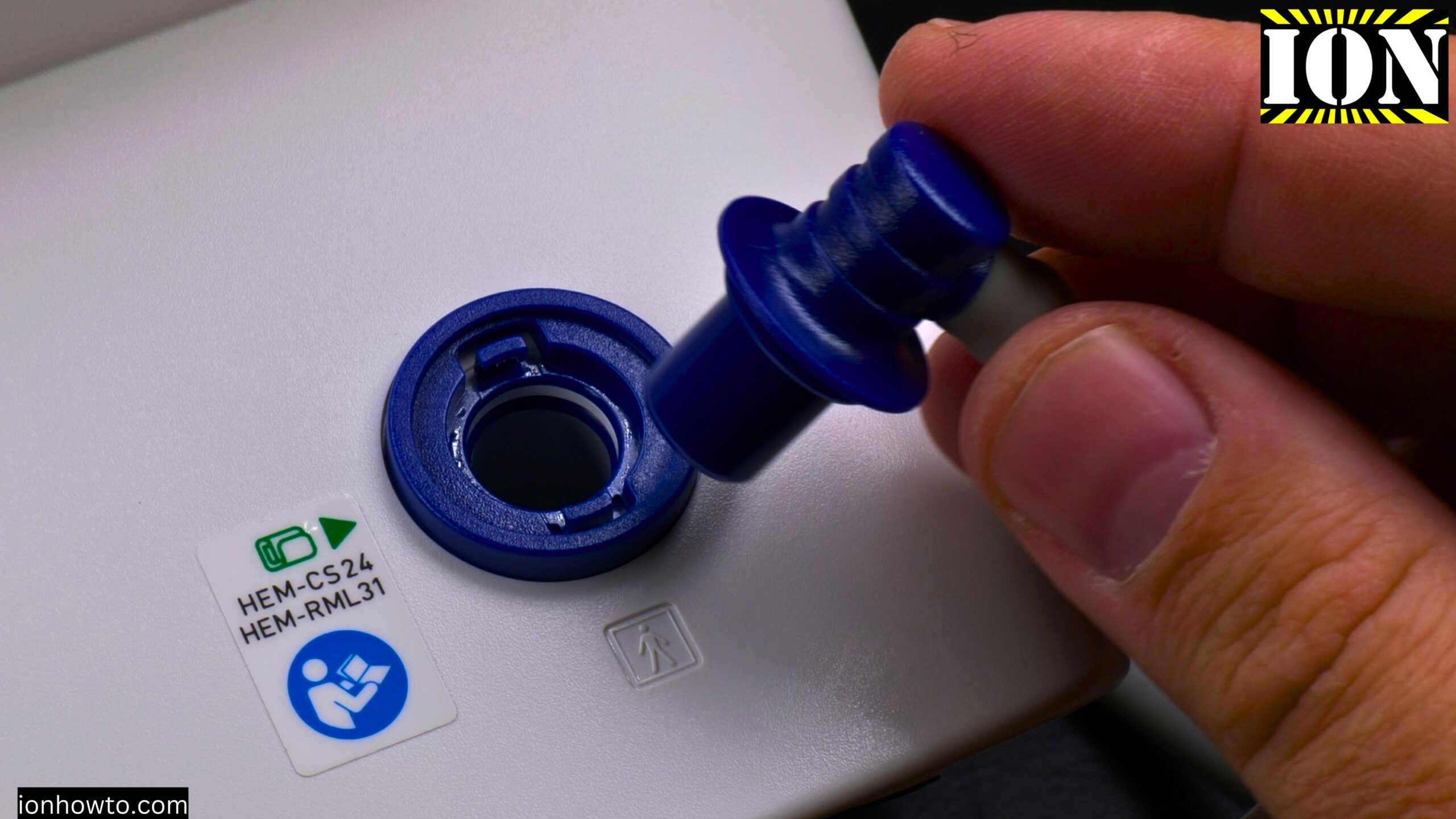
The cuff comes with a plastic tube and plug attached.
Step 1: Find the air port on the side of the Omron Complete device
Step 2: Insert the cuff plug firmly into the port
Step 3: Make sure it clicks or fits snugly. Air should not leak.
Step 3: Put the cuff on your arm
Step 1: Take the cuff. It is already wrapped in a cylindrical shape.
Step 2: Slide your arm through the cuff
Step 3: Position the cuff about 1-2 cm above your elbow
Step 4: The tube should run down the front of your arm toward your hand
Step 5: Pull the end of the cuff to tighten it. It should be snug but not painfully tight.
The cuff has vertical bars that help it stay in place. This is much better than cheaper cuffs that twist around. I have a larger arm (over 42 cm at the top), but the cuff fits fine below the elbow.
Step 4: Download and open the Omron Connect app
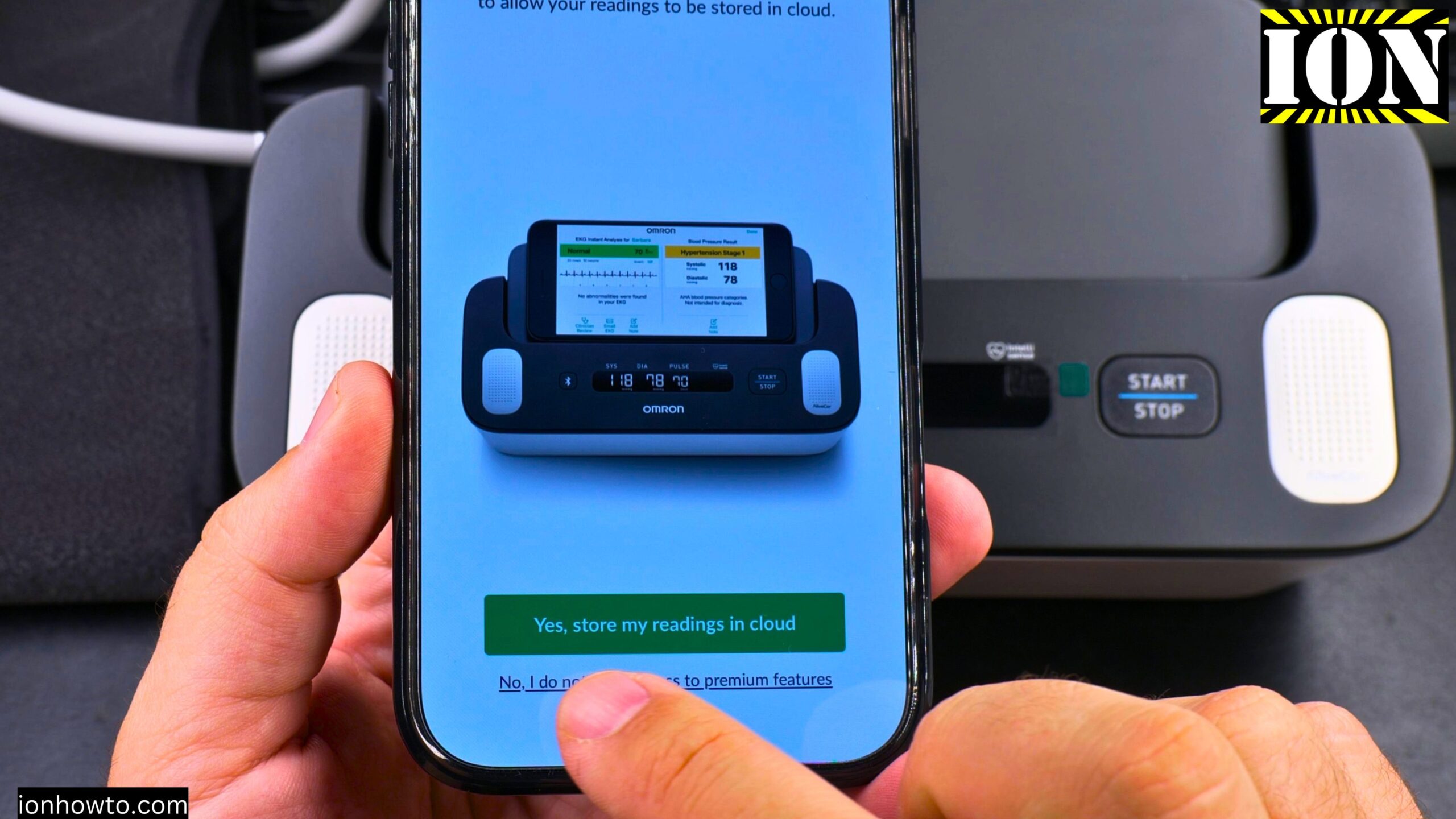
Step 1: On your iPhone or Android phone, open the App Store or Google Play Store
Step 2: Search for “”Omron Connect””
Step 3: Download and install the app
Step 4: Open the app
Step 5: Create an Omron account (you need an email address and password)
Step 6: Choose whether to sync your data to the Omron cloud or keep it only on your phone
Step 5: Connect the device via Bluetooth
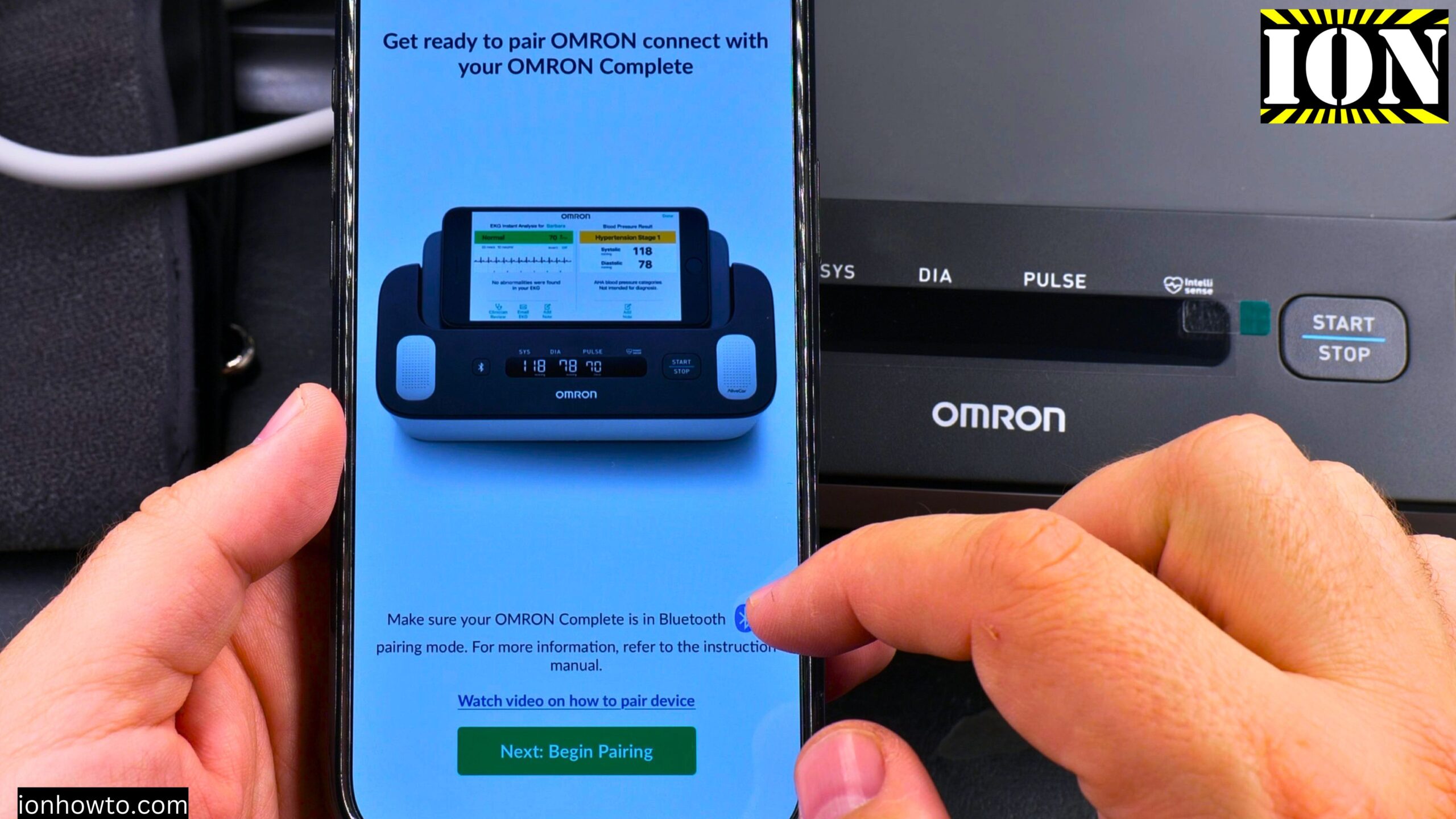
Step 1: Make sure Bluetooth is turned on on your phone
Step 2: Press the Bluetooth button on the Omron Complete device (looks like a Bluetooth symbol)
Step 3: In the Omron Connect app, follow the prompts to add a new device
Step 4: The app should find the Omron Complete. Tap to pair.
Step 5: Confirm the connection. The device may show a Bluetooth symbol when connected.
Step 6: Get ready for your first measurement
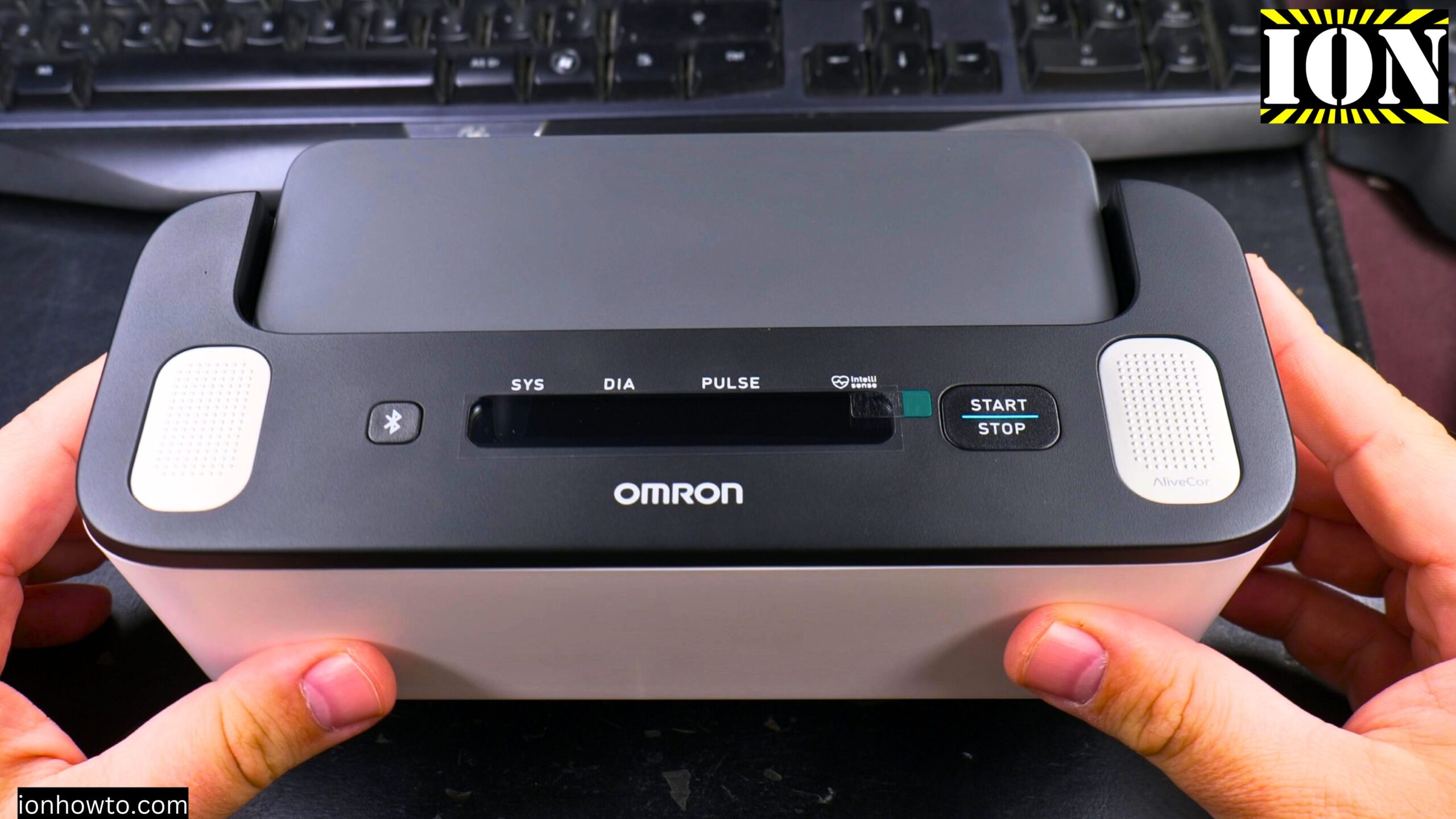
Before you take a measurement, here is what you need to know.
For accurate blood pressure readings:
- Sit in a comfortable chair with your back supported
- Keep your feet flat on the floor
- Do not cross your legs
- Rest your arm at heart level on a table or desk
- Relax for 5 minutes before measuring
- Do not talk during the measurement
For accurate ECG readings:
- Your fingers need to be slightly moist for good electrical contact
- Dry fingers may not work well
- Place your thumbs on the top electrodes
- Place your other fingers on the side electrodes (two fingers on each side)
- Do not move during the 30-second ECG recording
Step 7: Take your first measurement
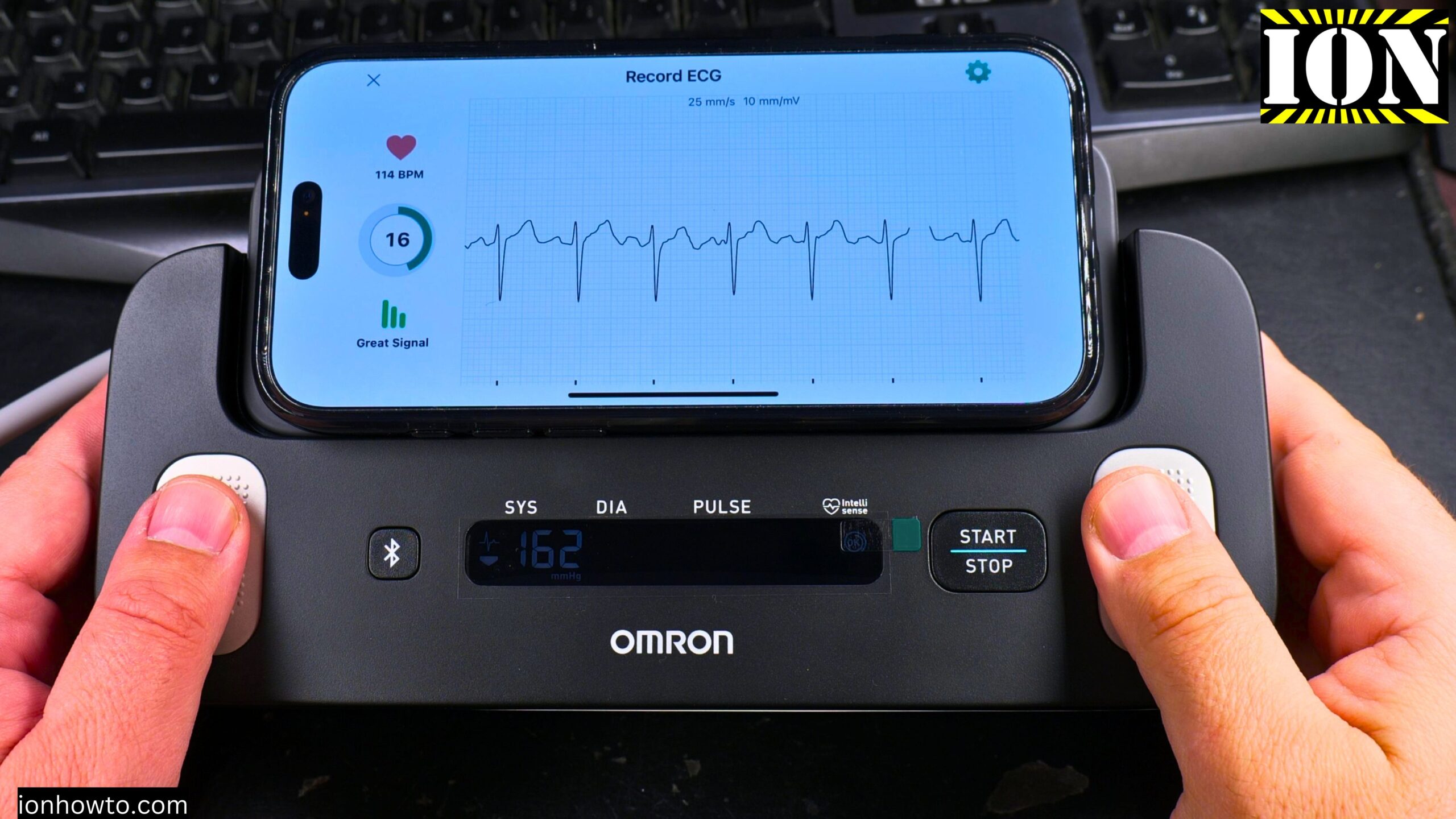
Step 1: Sit down in a relaxed position. Put your arm with the cuff on a table or desk at heart level.
Step 2: Place your phone in the cradle on top of the device (optional but helpful)
Step 3: In the app, select “”Blood Pressure + ECG””
Step 4: Press the Start/Stop button on the device
Step 5: The cuff will inflate. Remain still.
Step 6: When the app tells you, place your fingers on the ECG electrodes:
- Thumbs on the top electrodes
- Two fingers on each side electrode
Step 7: Do not move until the results appear on your phone
What happened during my first measurements
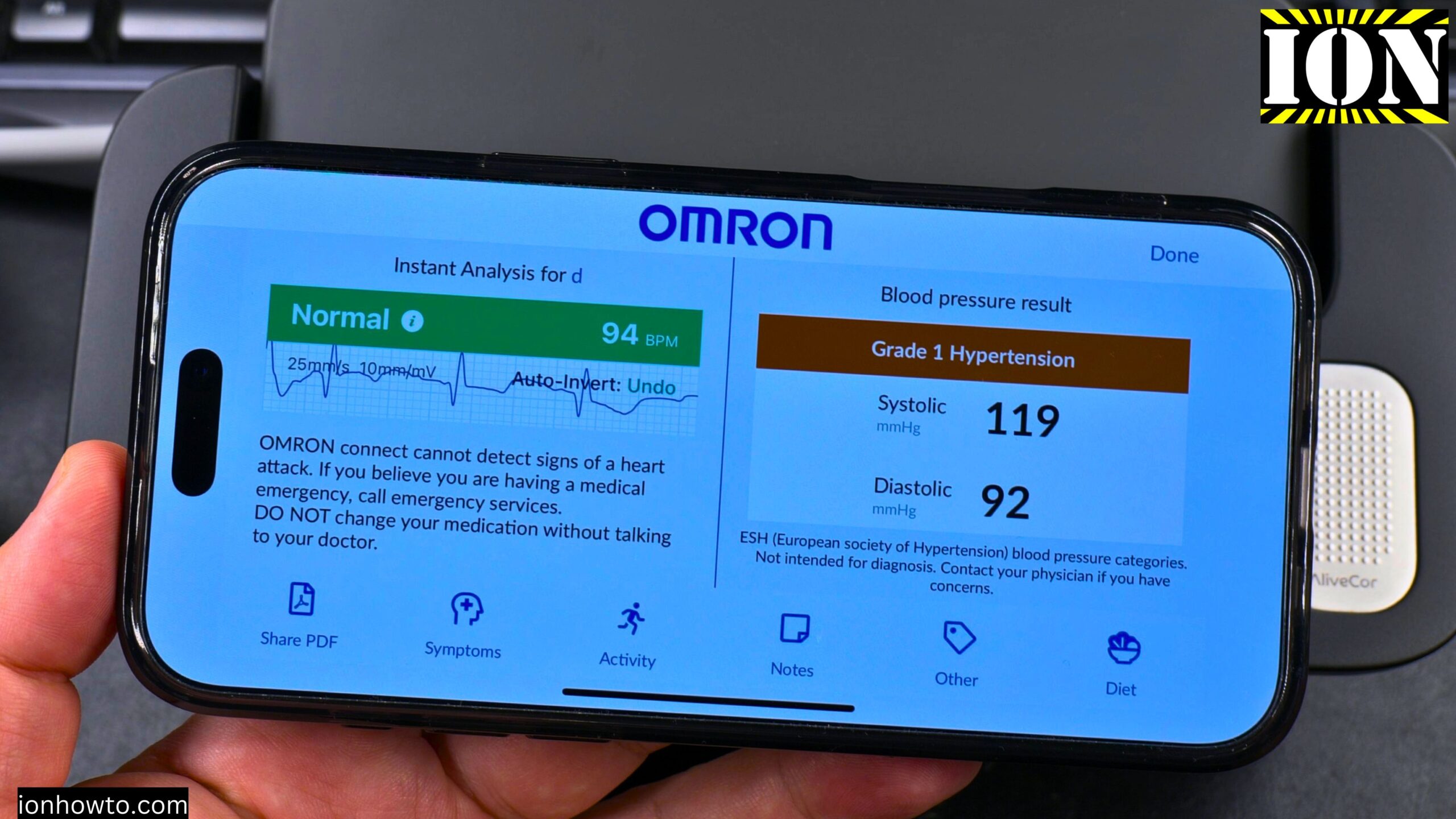
My first readings were unusually high. I was getting worried. The device showed tachycardia (high heart rate) and high blood pressure numbers like 163.
But here is what I learned: I was tense. I was sitting in an uncomfortable position trying to film. I was not relaxed.
After taking a break and relaxing for a few minutes, my readings came down to more normal levels like 119/84.
The ECG readings were all over the place at first because my fingers were too dry. The app actually tells you: “”For an accurate and consistent ECG recording, please make sure your fingers are moist when taking the reading.””
Tips for better readings
From my experience using this for weeks:
Relax before measuring. If you are tense, your blood pressure will be higher. Sit still for 5 minutes before pressing start. Do not think about the measurement. Just breathe normally.
Keep your arm relaxed. I noticed my blood pressure readings are better when I keep my arm relaxed and not tensed up on the ECG pads. When holding the ECG pads, I tend to be a bit tense, which makes the numbers look worse.
Moisten your fingers for ECG. Slightly damp fingers make better electrical contact. Run them under water and dry them just a little, or lick them (but maybe not in public).
Do not panic if the first reading is high. If you see a high number, do not panic. That will make the next reading even higher. Take a break. Walk around. Relax for 10-15 minutes. Then try again.
Take breaks between readings. Do not take multiple readings back to back. Wait at least 10 minutes between measurements. Your arm needs time to return to normal after the cuff inflates.
A note about my cuff placement
In the measurements video, I realized I had the arm cuff placed wrong at first. The tube should run straight down the front center of your arm. If it is twisted to the side, the reading may be off.
The app and data storage
Everything is stored in the Omron Connect app. You can see your history of both blood pressure and ECG readings over time.
You can share your measurements with your doctor easily through the app. This is one of the best features.
Omron Complete vs Omron X7
I was trying to decide between the Omron X7 and the Omron Complete. The X7 was on offer with a great price. I almost bought the X7 because it also has Afib detection.
But the Complete has Afib detection plus ECG as an extra feature. The display on the Complete is very basic compared to the Omron X7. But most useful features for logging are in the app anyway. Both support the same Omron Health app.
Why I chose Omron
I read good feedback from people who compared the ECG and blood measurements from this device with what their doctor got. The results were close.
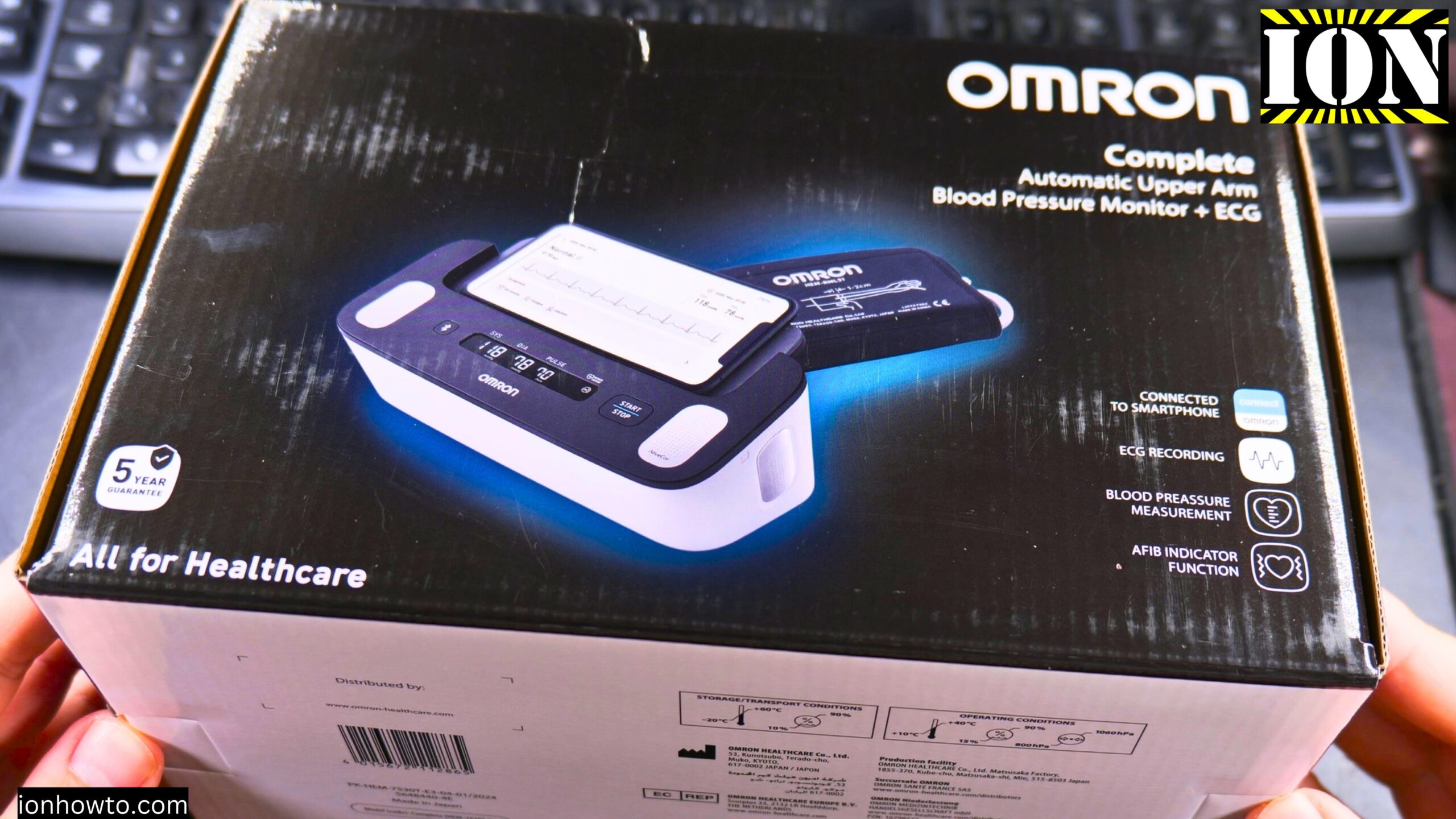
The best part is the measurement history. You can share everything with your doctor easily for both blood pressure and ECG.
We already have an Omron nebulizer (inhaler device) at home and it works really well. That made me trust the brand more.
What this device is NOT
This is not a replacement for going to the doctor. These home devices are nice gadgets, but they do not replace professional medical care.
If you get concerning readings, talk to your doctor. Do not diagnose yourself from the app.
After a few weeks of use
I have used this device for a few weeks now. Here is what I noticed:
- The ECG shows normal all the time now
- Blood pressure readings are better when I relax before measuring
- The more I relax, the lower the numbers get
- The cuff size is really good (fits my larger arm well)
- The app keeps good history
Quick summary
To set up the Omron Complete:
- Install the 4 AA batteries
- Connect the cuff air plug to the device
- Put the cuff on your upper arm (1-2 cm above elbow)
- Download the Omron Connect app
- Create an account
- Pair the device via Bluetooth
- Sit down and relax for 5 minutes
- Press Start on the device
- Place moist fingers on the ECG electrodes when prompted
For accurate readings:
- Relax for 5 minutes before measuring
- Sit with back supported, feet flat, legs uncrossed
- Keep arm at heart level
- Moisten fingers for ECG
- Do not talk or move during measurement
- Take breaks between readings
If readings seem high:
- Do not panic. Panic makes it worse.
- Take a 10-15 minute break
- Relax your arm and mind
- Try again
- If still high over multiple days, talk to your doctor
Thanks for watching. The device works as it should. Just remember to relax before using it. Your first few readings might be high because you are tense or nervous. That is normal. Take a break and try again.


Leave a Reply