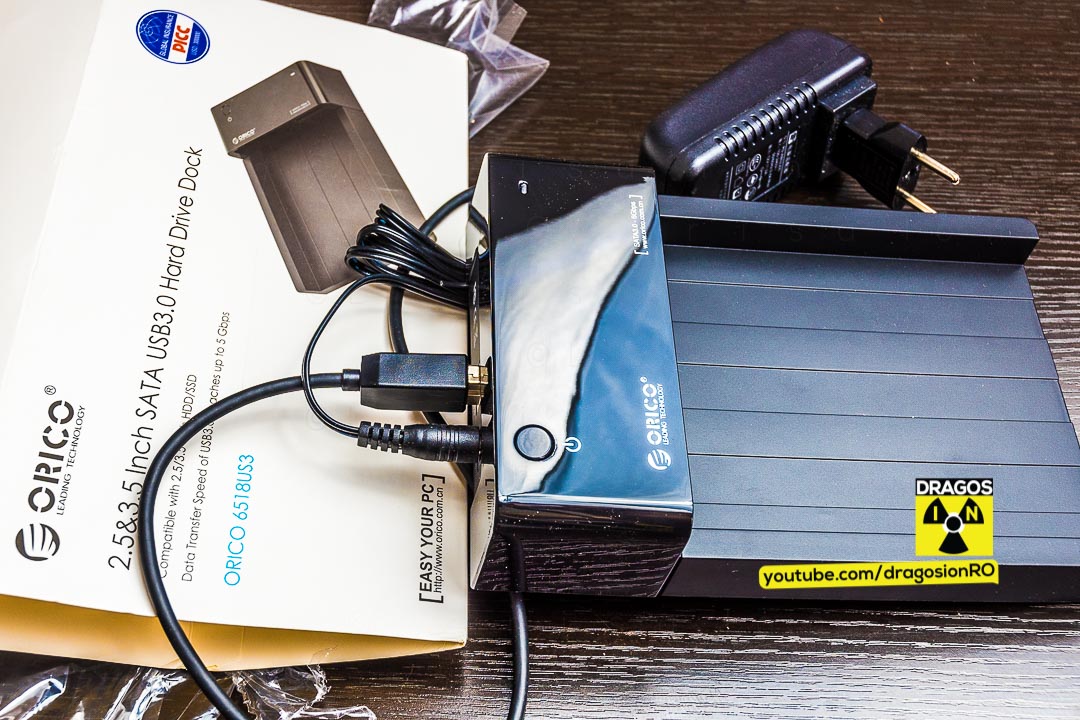
The ORICO HDD Docking Station Enclosure is a hard drive and SSD docking station enclosure. Showing unboxing and testing.
Tested HDD spin-down sleep mode when the hard disk is inactive.
Tested hard disk spin down on Windows safe remove event.
Checked on Windows 10, worked from the beginning, plug and play no need to install any drivers.
This is a hard disk docking station HDD enclosure.
It needs no tools to use. It’s a tool-free installation for the HDD or SSD.
The ORICO HDD Docking Station supports HDD and SSD of 2.5 inch and 3.5 inch form factor size.
Connects to the PC with USB 3.0 for fast data transfer.
Supports SATA 3Gbps – SATA 2 (SATA II) and SATA 6Gbps SATA 3 (SATA III).
In the video I say it supports only SATA II but it actually suppots SATA III too, I was confused, sorry.
ORICO HDD docking station unboxing and tests video
Specifications:
Manufacturer: ORICO Technologies
Product Name: 2.5 & 3.5 Inch SATA USB 3.0 Hard Drive Dock
Product: ORICO 6518US3
Code: ORICO 6518US3-V1-BK
Dimensions: 180*122*41mm
Meets USB 3.0 standard for data transfer, rate up to 5Gbps.
Power adapter specifications:
RS-AB02J00
Input AC 100-240V
50/60Hz 0,8A Max
Output: DC 12V 2A
Power connector: 2.5mm power jack, center pis is positive.
Made in: China
It supports SATA2 (SATA II) and SATA 3 (SATA III).
I have tested this enclosure with the WD Mycloud. Tried to connect it to the USB 3.0 host port of the My cloud and it DID NOT WORK.
It may be possible to force the drive to be mounted. Tried ssh but couldn’t mount the drive.
Also I did not format the HDD to check if after formatting the WD Mycloud will see the drive.
If you have this hard disk dock and it works with the Mycloud write bellow in the comment how you did it! 🙂
If you want this for Mycloud backups it might be better to look at other enclosures.
The enclosure will power-down the hard disk after approx 5-10 min. of inactivity and it will power-up the hard disk once the drive it’s accessed. This works perfectly.
I refer the HDD to be powered down when not in use to reduce power use and reduce heat and wear in the summer.
Sometimes too many power-up power-down cycles are not good but in my case it will be for backups so it won’t be accessed all the time.
If you want to ask anything about the enclosure, just ask in the comment section bellow and please subscribe! 🙂
Thanks for Watching and reading.
Please SUBSCRIBE and help me out with a like & let your friends know about my channel. 🙂
Related Guides and Helpful Resources
If you found this guide helpful, check out these related step-by-step tutorials and category resources on ION HowTo:




Leave a Reply Cancel reply