
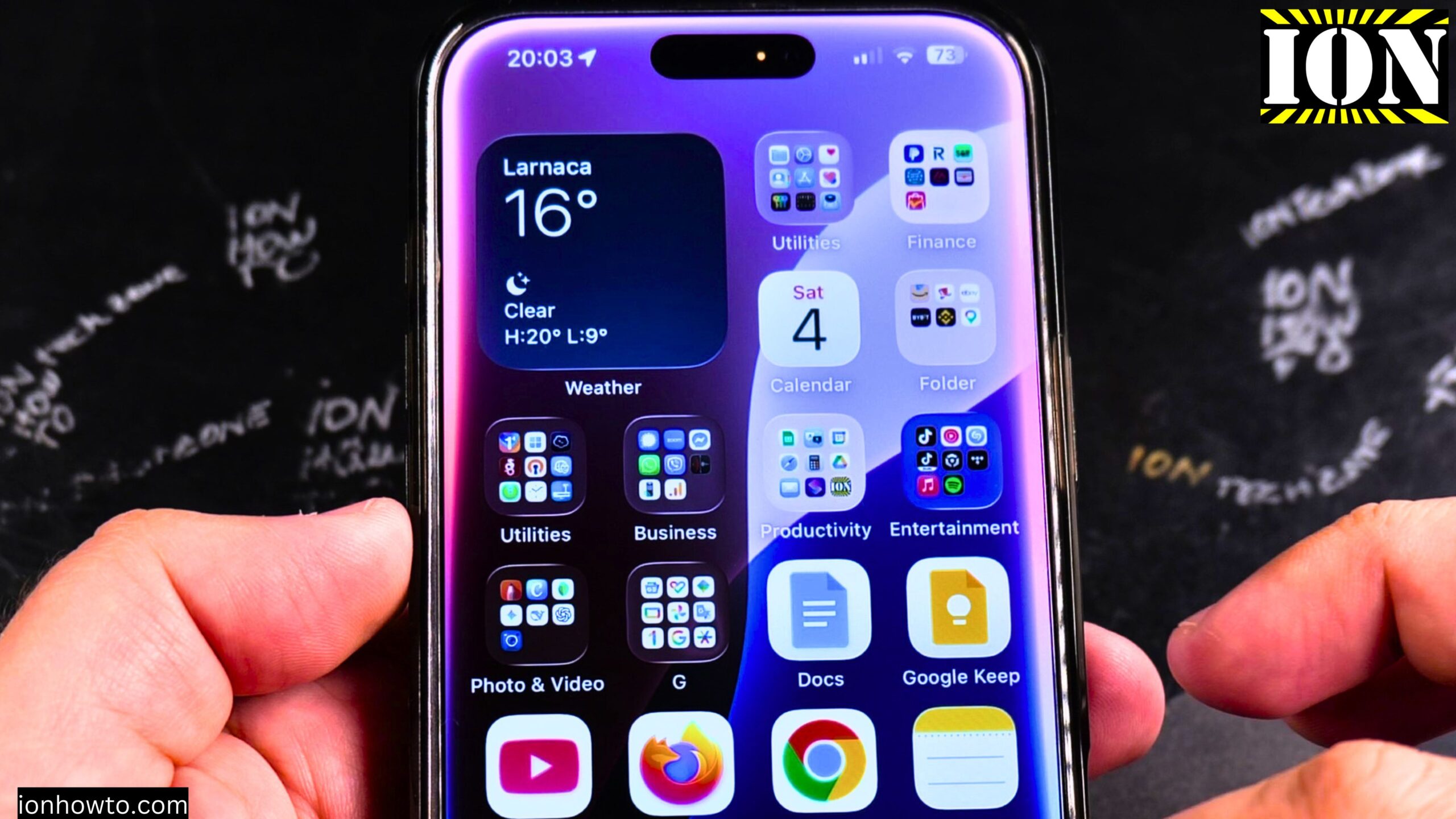
Installed iOS 26 Fixed Transparency in Control Center Beta 2 on iPhone 16 Pro Max.
I show you how the iOS 26 Developer Beta 2 looks after updating from Beta 1. This post covers what changed with transparency in the Control Center and what you can expect from the beta software.
I am showing you on an iPhone 16 Pro Max Titanium Black 256 GB version Global model A3296 – MYWV3ZD/A. I updated from iOS 26 Beta 1 to Beta 2.
What Changed with Transparency in iOS 26 Beta 2
The initial Developer Beta 1 release for iOS 26 introduced a new design language called Liquid Glass. This added transparency effects in many places around the system. You could see it especially when moving folders around on the home screen and in the Control Center.
The transparency in the first beta was too much for many users. It made things harder to read and looked overly busy. Apple heard the feedback and fixed it already in Beta 2. The transparency is now more balanced and easier on the eyes.
Other Improvements in Beta 2
Beyond the transparency fix, Beta 2 brings better performance. The animations on the iPhone 16 Pro Max are much faster compared to iOS 18.5. The phone feels snappier overall.
If you are testing the beta, you will notice that the Liquid Glass effect is still present but more refined. It does not get in the way of using your phone anymore.
A Note About the Notes App in iOS 26
One small issue remains in Beta 2. When you try to select all text in the Notes app, it takes an extra step. Here is what happens:
- Tap once on the text you want to select
- A menu appears with limited options
- You have to tap an arrow to expand the menu
- Then you can tap “Select All”
Triple tapping still works to select a whole paragraph. That part is fine. But selecting all text in a note requires that extra menu tap. This may change in a future beta if enough people report it.
When Will iOS 26 Be Available to Everyone
A public beta of iOS 26 should be available from July 2025. This means anyone can try iOS 26 before the official release, not just developers.
The final version of iOS 26 will be available to everyone after all the beta bugs have been fixed. This will most likely happen in the fall or autumn of 2025. Apple usually releases major iOS updates in September.
Learn How to Install iOS 26 Beta on Your iPhone
Learn how to update your iPhone 16 Pro Max to the iOS 26 Developer Beta and later the Public Beta. If you want early access to the newest iOS features before the official release, this guide shows you how to safely install the beta software.
Before You Install Any iOS Beta
Beta software is not finished. It can have bugs, crashes, and battery drain. Some apps may not work correctly. Here is what you should do first:
- Back up your iPhone completely
- Make sure your photos and videos are saved somewhere safe (iCloud, computer, or external drive)
- Back up all your important data before installing beta software
- Understand that beta versions are for testing, not everyday use
If you rely on your phone for work or important tasks, wait for the public release instead.
How to Install iOS 26 Developer Beta
If you have an Apple Developer account, here are the steps:
- Go to developer.apple.com on your iPhone
- Sign in with your Apple ID that is enrolled in the Developer Program
- Go to the Downloads section
- Tap “Install Profile” for iOS 26 Developer Beta
- Go to Settings > General > VPN & Device Management
- Tap on the iOS 26 Beta profile and follow the instructions
- Restart your phone when prompted
- Go to Settings > General > Software Update
- The iOS 26 Beta should appear – tap Download and Install
How to Install iOS 26 Public Beta (When Available)
When the public beta launches in July 2025, here is how to get it:
- Go to beta.apple.com on your iPhone
- Sign in with your Apple ID
- Enroll your device in the Apple Beta Software Program
- Follow the on-screen instructions to install the beta profile
- Go to Settings > General > Software Update
- Download and install the public beta
What to Expect from Beta Software
If you are wondering if the iOS 26 beta works well on iPhone 16 Pro Max, here is the honest answer. Beta software can have:
- Bugs that affect how apps work
- Shorter battery life than normal
- Features that change or disappear between beta versions
- Occasional crashes or freezes
- Some apps that do not work at all
The later betas get more stable. Beta 2 is better than Beta 1. Beta 6 or 7 will be better than Beta 2. The final release will be the most stable version.
How to Report Bugs and Send Feedback
You can help make iOS better. Apple wants you to report bugs during the beta testing period.
Here is how to send feedback:
- Install the Feedback Assistant app on your iPhone (it comes with the beta)
- Open the app when you find a problem
- Describe what happened in detail
- Include steps to reproduce the bug if you can
- Attach screenshots if possible
- Send your report to Apple
The issue with Select All in the Notes app is a good example of something you could report. Apple may not know about every bug unless users tell them.
Should You Install the iOS 26 Beta
Here is a quick list to help you decide.
Install the beta if:
- You are a developer who needs to test your apps
- You enjoy trying new features early
- You have a spare iPhone that is not your daily driver
- You are willing to deal with bugs and issues
Wait for the public release if:
- Your iPhone is your only phone
- You need your phone to work reliably for work or school
- You do not want to deal with bugs or battery issues
- You are not comfortable troubleshooting problems
Final Thoughts
iOS 26 Beta 2 fixes the overly strong transparency that was in Beta 1. The Control Center and home screen look much better now. Performance is also improved compared to iOS 18.5.
Learn how to install the beta safely if you want early access. Just remember to back up your iPhone first. And if you find bugs like the Notes app select-all issue, send feedback to Apple so they can fix it before the public release in fall 2025.


Leave a Reply