
MacBook Air M5 13 inch German Keyboard ISO with modified Z and Y keys swapped might be good enough to convert QWERTZ German to English Qwerty But there were many other keys that needed to change.
Recommended Amazon Gear and Accessories
Disclosure: This article contains Amazon affiliate links. As an Amazon Associate, we earn from qualifying purchases at no extra cost to you.
- MacBook Air
- MacBook Pro
- Mac mini
- MacBook Air Case
- MacBook Air MagSafe 3 Charger
- MacBook Air Thunderbolt 4 Dock
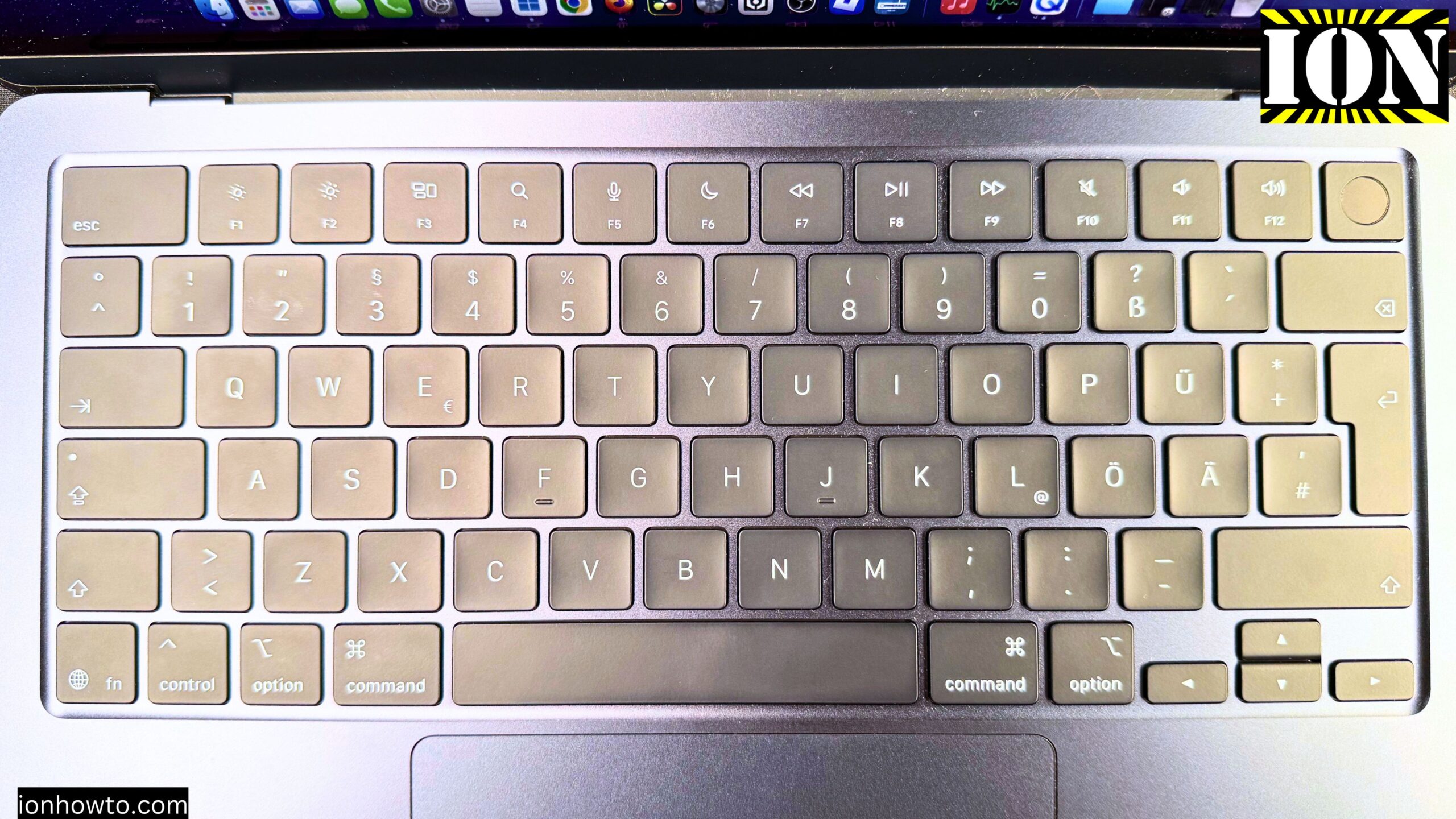
Got the MacBook Air m5 13 inch key caps super kit for iso keyboards.
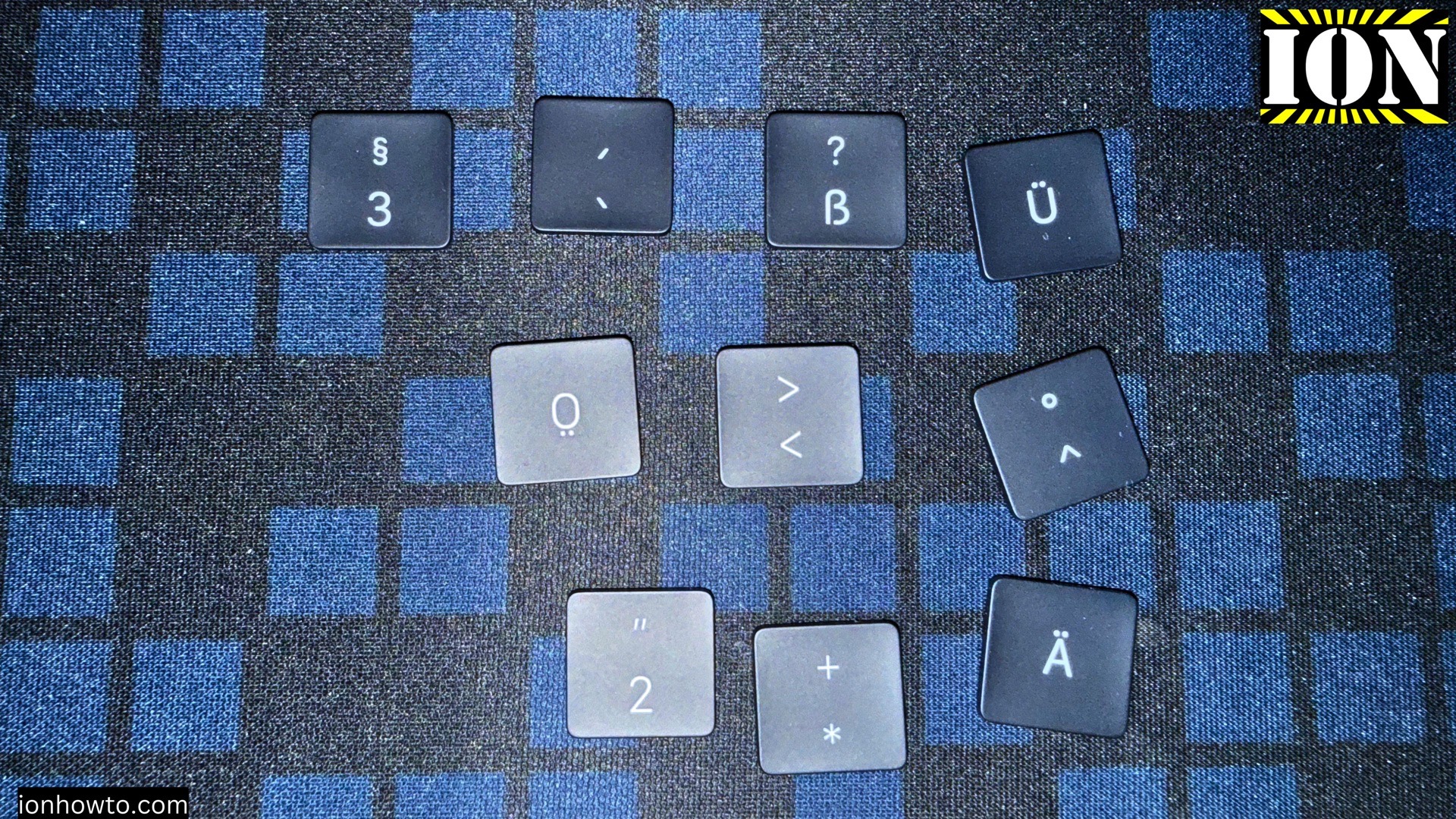
MacBook Air M5 13 inch German Keys Removed from ISO Keyboard.
These are the keys I removed from the original German keyboard. These were replaced with some keys that were either a good match or a close match to the English international keyboard layout on MacBook Air M5.
I have the German layout and wanted to convert it to English international ISO layout.
Asked them thru emails if I could do that and they recommended eventually this kit.
I had German ISO layout and didn’t want English UK but international.
This is the original Apple self service repair MacBook Air M5 13 inch Keycaps ISO Super Kit for Midnight and blue colors contents. These are all the keys included so you can see if this is what you want to buy. For some reason, I couldn’t find any image of this.
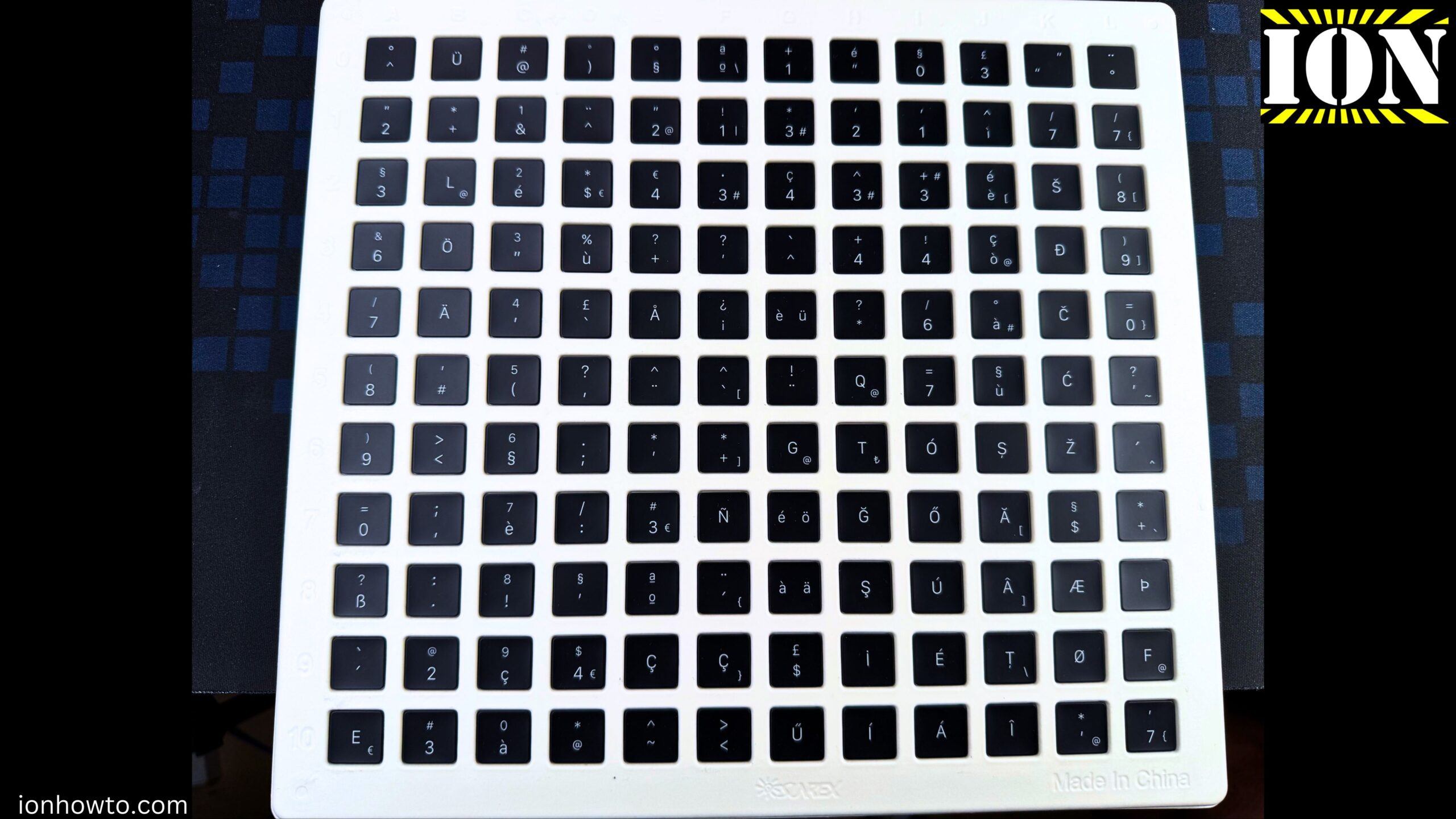
Last night I opened the super kit and there are many keys with lots of custom characters and even duplicate keys but not all the characters to make a proper EN intl keyboard.
I replaced some keys and left some as they were.
now I have a better keyboard kind of but not as proper one especially using original Apple spare parts. …
These are the unused keys from the ISO Super Kit Midnight and blue colors.
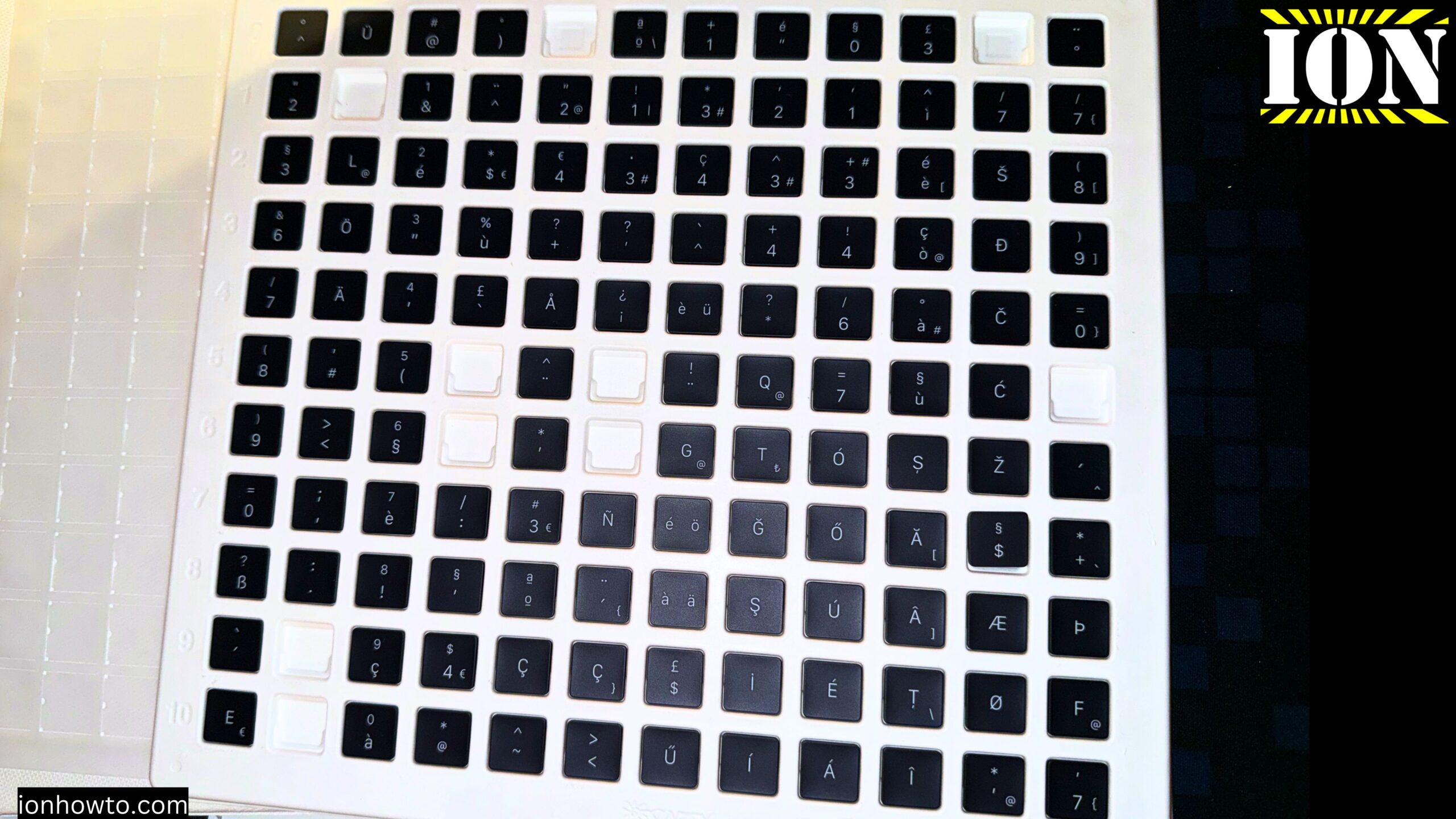
On the selfservicerepair website there was no image for the keycaps sets for some reason and didn’t think to ask for a photo confirmation of the keys before ordering them.
Also the keycaps opener tool and stickers were not included in the package. Only the keycaps in a well protected tray.
Noticed later for MacBook Pro they have images for The English ISO or ANSI kits and those do have all the keys so don’t buy the super kit Unless you know what’s include.
MacBook Air M5 13 inch Midnight After Replacing Keycaps from ISO Super Kit. This is the result. Not a proper English international keyboard layout but much better than before I believe.
Final results
The software is set to English international and you can have any keyboard language within macOS without having to change any keys.
you can use stickers or a keyboard cover to read the keys better but eventually you don’t need to look at the keys typing so this doesn’t matter much if you do type a lot. I don’t type a lot and I also use a PC US international keyboard so I try to make them as similar as possible especially for punctuation characters.
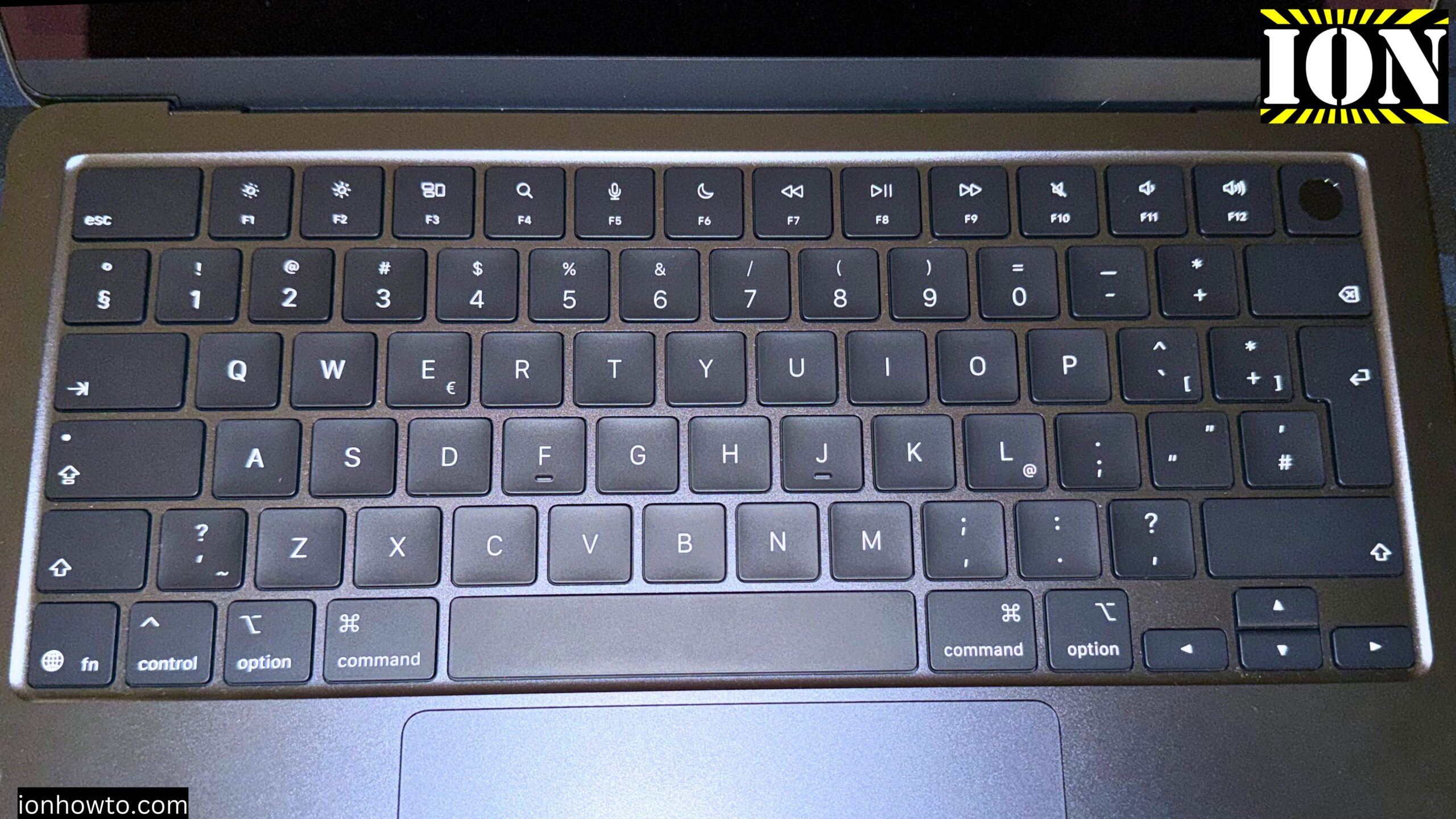
Its better than before but yeah… full video coming up.
Helpful Tips
Take your time and check the screen carefully after each tap so you can confirm the setting changed as expected. If an option appears in a slightly different spot on your device, watch the embedded video above for a closer look.
Related Guides
- MacBook Air M5 13-Inch First Time Setup as a New Mac Using an iPhone (macOS 26.5) – When you open a brand-new 13-inch MacBook Air M5 for the first time, macOS 26.5 lets you either configure the laptop…
- MacBook Air M5 15-Inch vs MacBook Pro M5 14-Inch: Size, Display, and Port Comparison – Choosing between the 15-inch MacBook Air M5 and the 14-inch MacBook Pro M5 comes down to if you prioritize a larger…
- How to Install and Activate DaVinci Resolve Studio 21 on MacBook Air M5 Using a Speed Editor Key (Full Guide) – If you purchased a Blackmagic Design DaVinci Resolve Speed Editor keyboard, the box includes a plastic activation card that…
- MacBook Air M5 – Browse more tutorials and practical guides in this section.


Leave a Reply