


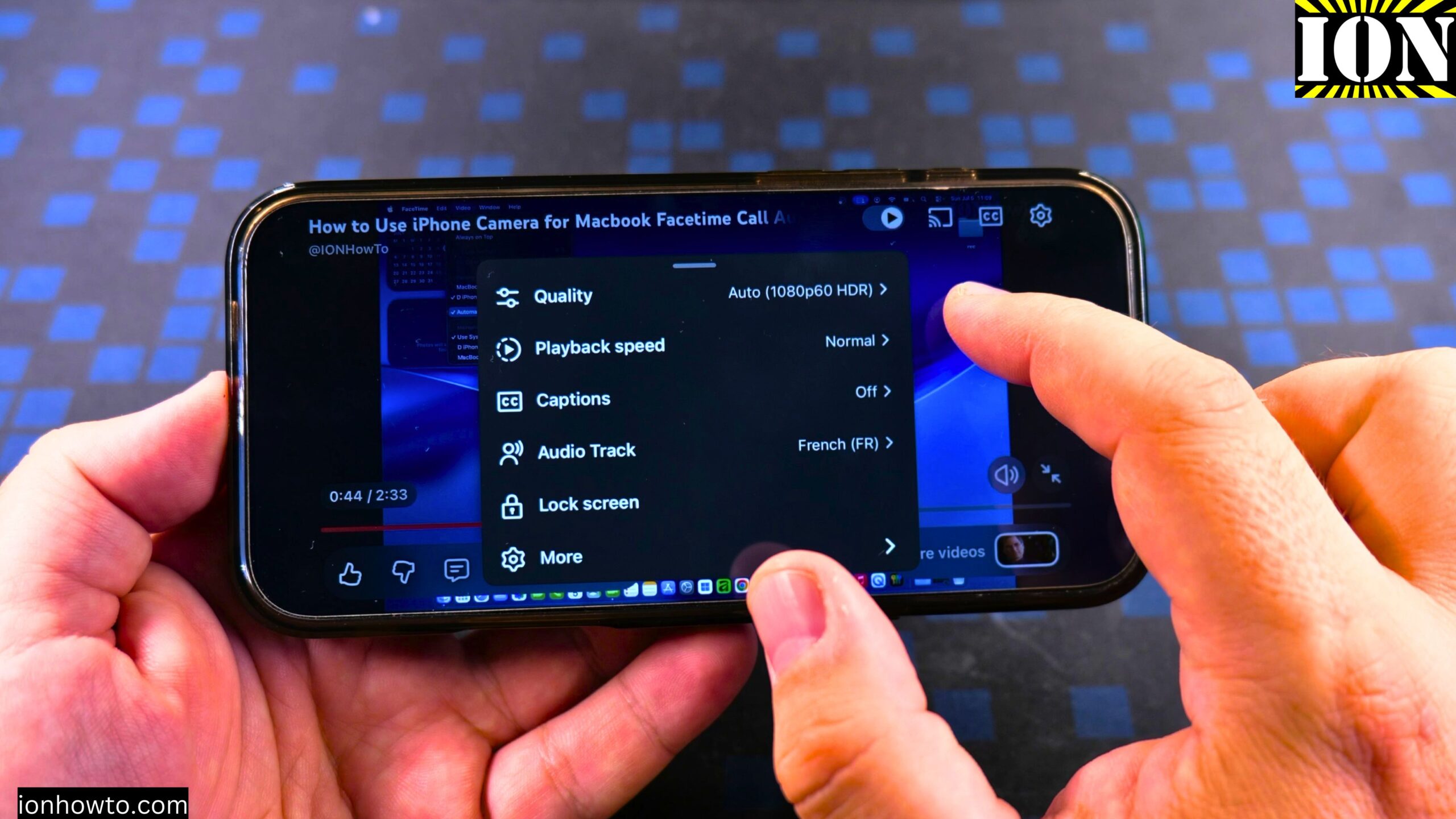
How to Enable YouTube Video Auto Dubbing Language Switch Audio Track on iPhone.
What This Feature Does
YouTube has a feature called auto dubbing. When you watch a video, you can hear the original sound of the video. But you can also hear a translated version in your own language. This works on iPhone, Android, Mac, and on the computer.
If you prefer to watch YouTube videos in your own language, this is a great feature to use. I show you how to turn it on.
How to Enable YouTube Video Auto Dubbing Language Switch Audio Track on iPhone Video

Step 1: Open a YouTube Video
Start playing any YouTube video on your iPhone.
Step 2: Tap on Settings
While the video is playing, tap on the settings icon in the YouTube player.
Step 3: Choose Audio Track
In the settings menu, tap on Audio Track.
Step 4: Pick Your Language
You will see the original track and the auto-dubbed track. Tap on the language you want. For example, you can choose French or German.
Step 5: Listen
Once you pick a language, the video will play in that language. It is that easy.
Where This Works
This works the same on iPhone, Android, on the computer, and on Mac. You just choose the language you want from the audio track settings.
Final Thoughts
That is all you need to do. I hope this helps you watch YouTube videos in the language you want. Thanks for watching.
Related Guides and Helpful Resources
If you found this guide helpful, check out these related step-by-step tutorials and category resources on ION HowTo:
- Disable iPhone eSIM Instead of Deleting: Learn how to temporarily toggle off an electronic SIM without deleting cellular plans.
- Turn Off Siri Caller Name Announcement: Silence Siri from announcing incoming caller names aloud through headphones.
- How to Remove an Apple AirTag Speaker: Step-by-step guide to silencing an AirTag for specialized anti-theft item tracking.
- Apple iPhone Guides: Explore our full collection of tutorials and step-by-step articles in this category.
Leave a Reply Cancel reply