
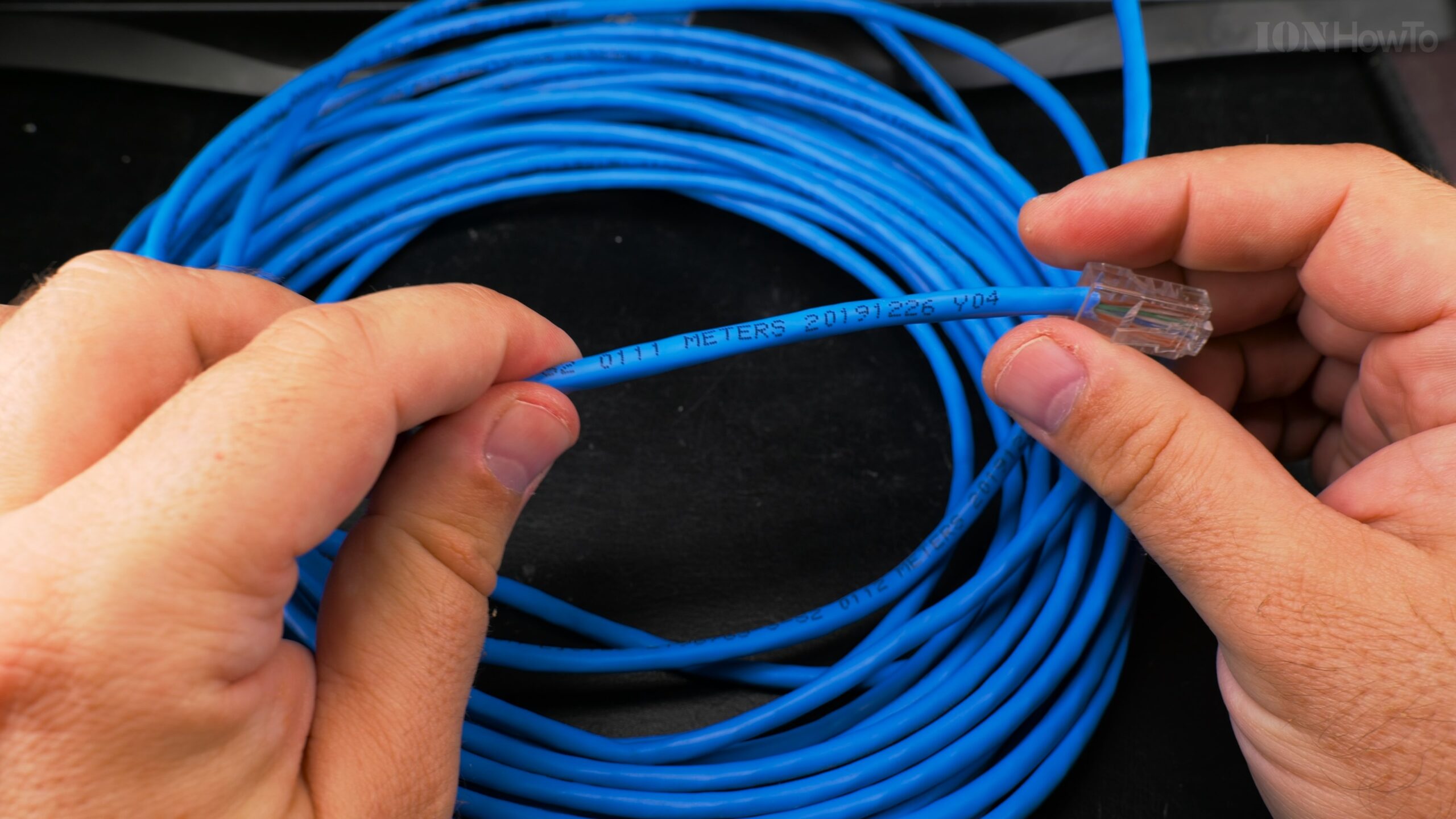
The Cat5e and Multi-Gigabit Ethernet: 2.5Gb and 10Gb Reality
The Surprising Capabilities of Old Cables
When I decided to upgrade my network to 2.5Gb Ethernet, I assumed I’d need to replace all my Cat5e cables. After all, Cat5e is only officially rated for 1Gb, right? Well, I was wrong—and that discovery saved me hundreds of dollars and hours of work.
Pull New Ethernet Cable using Old Cable in Conduit Upgrade Cat5E to Cat6A.
Through extensive testing of various Cat5e cables under different conditions, I’ve learned exactly what Cat5e can and cannot do with 2.5Gb and even 10Gb Ethernet. The results might surprise you and change how you approach your own network upgrades.
Cat 6 vs Cat 6A vs Cat 7 Ethernet Cable.
Understanding Cat5e: More Capable Than You Think
Cat5e Specifications vs Reality
Official Specifications:
- Standard: TIA/EIA-568-B.2 (2001)
- Maximum frequency: 100 MHz
- Official rating: 1 Gigabit Ethernet up to 100 meters
- Wire gauge: Typically 24 AWG (some 26 AWG)
- Twists per inch: ~3-4 (looser than Cat6)
LAN Speed Test Wi-Fi to Cat5E 2.5G Ethernet Cable iPerf WiFi 6 vs WiFi 7 6Ghz MLO.
Detailed Speed Test WiFi to Cat6A 2.5Gb Ethernet Cable iPerf Wi-Fi 6 vs Wi-Fi 7 6Ghz MLO.
What They Don’t Tell You:
Cat5e was designed in the late 1990s when 1Gb was the theoretical maximum anyone imagined needing. The cable has hidden capabilities that manufacturers didn’t test for because the standards didn’t exist yet.
The Physics Behind the Performance
Why Cat5e Can Sometimes Handle More:
- Bandwidth vs Speed: 100 MHz doesn’t mean 100 Mbps, it’s about signal integrity
- Encoding Improvements: 2.5GBASE-T uses more efficient encoding than 1GBASE-T
- Error Correction: Modern PHYs have better DSP for noise cancellation
- Cable Quality Variation: Some Cat5e is built to near-Cat6 specifications
The Key Factor: Signal-to-Noise Ratio (SNR)
Good Cat5e: SNR > 30dB at 100MHz → Can handle 2.5Gb
Excellent Cat5e: SNR > 35dB at 100MHz → Might handle 10Gb (short distances)
Poor Cat5e: SNR < 25dB at 100MHz → May struggle even at 1Gb
My Comprehensive Cat5e Testing Methodology
Detailed Wi-Fi 6 vs Wi-Fi 7 6Ghz MLO on 2.5G Cat5E LAN Speed Test.
Test Environment Setup
Cables Tested:
- Belden 1583A (High-quality, 24 AWG, ~15 years old)
- Generic CCA (Copper-Clad Aluminum, cheap Amazon cable)
- Monoprice Certified (Budget but certified Cat5e)
- In-wall installed (Unknown brand, pulled through conduit)
- Flat Cat5e (Ultra-thin, for aesthetics)
Test Equipment:
- Switches: Mikrotik CRS305 (SFP+), QNAP QSW-1105-5T (2.5Gb)
- NICs: Intel X550-T2 (10GBASE-T), Realtek RTL8125 (2.5Gb)
- Testers: Klein Tools VDV526-100, Fluke MicroScanner2
- Software: iPerf3, JPerf, Windows/Linux file copy tests
Environmental Variables:
- Lengths: 10m, 25m, 50m, 75m, 100m
- Temperature: 15°C, 20°C, 25°C, 30°C
- Interference: With/without nearby power cables
- Bundling: Single vs bundled with other cables
2.5GBASE-T Over Cat5e: Official vs Actual
Official Standard (IEEE 802.3bz):
- Cat5e: Supports 2.5Gb up to 100 meters
- Cat6: Supports 5Gb up to 100 meters
- This is NEW (2016), not a hack
My 2.5Gb Test Results:
| Cable Type | Length | Result | Speed Achieved | Notes |
|---|---|---|---|---|
| Belden 1583A | 25m | PASS | 2.48 Gbps | Rock solid |
| Belden 1583A | 50m | PASS | 2.45 Gbps | Slight attenuation |
| Belden 1583A | 75m | PASS | 2.40 Gbps | Noticeable speed drop |
| Generic CCA | 25m | PASS | 2.35 Gbps | Higher error rate |
| Generic CCA | 50m | FAIL | 1.0 Gbps | Falls back to 1Gb |
| Flat Cat5e | 10m | PASS | 2.48 Gbps | Works but fragile |
| In-wall | 25m | PASS | 2.46 Gbps | Depends on installation |
Key Finding: Quality matters more than anything. Good Cat5e handles 2.5Gb beautifully.
10GBASE-T Over Cat5e: The Unofficial Reality
Official Position: Not supported
Unofficial Reality: Sometimes works at short distances
My 10Gb Test Results:
| Cable Type | Length | Result | Speed | Stability |
|---|---|---|---|---|
| Belden 1583A | 10m | PASS | 9.8 Gbps | Excellent |
| Belden 1583A | 15m | PASS | 9.5 Gbps | Good |
| Belden 1583A | 20m | MARGINAL | 8.2 Gbps | Occasional errors |
| Belden 1583A | 25m | FAIL | 4.5 Gbps | Unstable |
| All others | 10m | FAIL | N/A | Wouldn’t sync |
The Temperature Problem:
10Gb over Cat5e generates MORE heat:
- 1Gb: ~0.5W
- 2.5Gb: ~2W
- 10Gb over Cat5e: ~6W (transceiver works harder)

Result: Thermal throttling after 10-15 minutes
The Four Factors That Determine Success
Factor 1: Cable Construction Quality
Copper Purity (Most Important):
OFC (Oxygen-Free Copper): Best for high speed
Pure Copper: Good
CCA (Copper-Clad Aluminum): Poor, avoid for 2.5Gb+
CCS (Copper-Clad Steel): Worst
My CCA Experience:
At 25m, 2.5Gb: Works but hot
At 50m, 2.5Gb: Falls back to 1Gb
Why: Aluminum has 61% higher resistance than copper
Wire Gauge Matters:
- 24 AWG: Good, handles 2.5Gb easily
- 26 AWG: Marginal, shorter distances only
- 28 AWG (some flat cables): Avoid for 2.5Gb
Factor 2: Installation Quality
What Hurts Performance:
- Tight bends (< 1 inch radius)
- Stretching during installation
- Cable staples (compression)
- Running parallel to power cables
- Excessive untwisting at terminations
Step-by-step Replace Ethernet Cable Pull New Cable with Old Cable in Conduit Upgrade Cat5E to Cat6A.
My In-wall Cable Discovery:
The 25m Cat5e run in my walls (installed 2008) performed BETTER than expected because:
- Professional installation
- Proper bend radii
- No staples, used cable hangers
- Separated from power cables
Factor 3: Termination Quality
The Termination Test:
I re-terminated the same cable three ways:
Professional crimp (perfect): 2.48 Gbps @ 25m
Sloppy crimp (untwisted 1.5"): 2.20 Gbps @ 25m
Punch-down (keystone jack): 2.45 Gbps @ 25m
Detailed RJ45 on Cat6A Ethernet Cable Failure.
Key Insight: Termination affects 2.5Gb performance more than 1Gb.
Repair RJ45 Cat 6A Ethernet Cable.
Factor 4: Environmental Conditions
Temperature Effects:
Test at 20°C (68°F): 2.48 Gbps stable
Test at 30°C (86°F): 2.35 Gbps, occasional errors
Test at 40°C (104°F): 2.10 Gbps, frequent errors

Why: Resistance increases with temperature
Interference Testing:
No interference: 2.48 Gbps
Next to power cable: 2.42 Gbps
With fluorescent lights: 2.38 Gbps
With microwave running: 2.15 Gbps (temporary)
Practical Guidelines for Cat5e and 2.5Gb/10Gb
When Cat5e Will Work for 2.5Gb
Green Light (Proceed with confidence):
- Cable length under 50 meters
- Pure copper (not CCA/CCS)
- 24 AWG wire
- Good condition (no visible damage)
- Properly terminated
Yellow Light (Test first):
- 50-75 meter runs
- Unknown cable quality
- Mixed with power cables
- Older installations
Red Light (Upgrade cable):
- Over 75 meters
- CCA or CCS cable
- Flat/thin cables
- Damaged or kinked cables
When Cat5e Might Work for 10Gb
Only consider if:
- Length under 15 meters
- Highest quality cable (Belden, etc.)
- Perfect terminations
- Willing to accept potential instability
- Have cooling for transceivers
Better approach: Use Cat5e for 2.5Gb, upgrade to Cat6A for 10Gb connections.
Testing Your Existing Cat5e Cables
Step-by-Step Assessment Process
Step 1: Physical Inspection
Check for:
1. Markings on cable (look for "CAT5e" and "24AWG")
2. Damage to jacket
3. Tight bends
4. Quality of terminations
Step 2: Basic Electrical Testing
With a basic cable tester:
1. Continuity (all 8 wires)
2. No split pairs
3. Shield continuity (if applicable)
Ethernet Tester Device for Cat5E Cat6 and Cat6A Ethernet Cables.
Step 3: Length Measurement
Important: Stretched cable is longer (and degraded)
Measure with TDR if possible
Estimate: 25m nominal might be 27m actual
Step 4: Performance Testing
The real test:
1. Connect 2.5Gb equipment
2. Run iPerf3 for 5 minutes
3. Check for errors in switch stats
4. Monitor temperature
My Diagnostic Toolkit
For $100 or Less:
- Pocket Ethernet Tester ($25): Basic continuity
- Used 2.5Gb switch ($80): QNAP QSW-1105-5T
- 2.5Gb USB adapter ($35): For testing computers
- iPerf3 (Free): Performance testing
Testing Script I Use:
#!/bin/bash
# Test Cat5e cable for 2.5Gb capability
echo "Testing cable between $1 and $2"
ping -c 10 $2
iperf3 -c $2 -t 60
iperf3 -c $2 -t 60 -R  # Reverse test
ethtool $3  # Check for errors (Linux)
The Economic Analysis
Cost Comparison: Upgrade vs Replace
Scenario: 25m run, existing Cat5e in walls
Option A: Use existing Cat5e for 2.5Gb
Cost: $0 for cable
Additional: $35 for 2.5Gb USB adapter
Total: $35
Performance: 2.4-2.5 Gbps
Risk: Low (test first)
Option B: Replace with Cat6A
Cat6A cable: $45
Connectors: $8
Labor (pulling): 2 hours (DIY) or $200 (pro)
Total: $53 (DIY) or $253 (pro)
Performance: 10 Gbps capable
Risk: None
Extended Pull New Ethernet Cable using Old Cable in Conduit Replace Cat5E with Cat6A.
Option C: Hybrid Approach
Use Cat5e for 2.5Gb now
Run Cat6A parallel for future 10Gb
Cost: Somewhere in between
Trendnet TEG-S562 Home Network Switch Upgrade to 2.5Gb and 10Gb SFP+.
When Replacement Makes Financial Sense
Replace Cat5e if:
- You’re already opening walls
- Cable is damaged or poor quality
- Need guaranteed 10Gb performance
- Planning to stay in home 5+ years
- Professional installation available
Keep Cat5e if:
- Cable tests good for 2.5Gb
- Access is difficult/expensive
- Only need 2.5Gb, not 10Gb
- Planning to move soon
- Budget is tight
Real-World Performance Comparison
Application Performance: Cat5e 2.5Gb vs Cat6A 10Gb
4K Video Editing Workflow:
Cat5e @ 2.5Gb:
- Load 50GB project: 3 minutes 20 seconds
- Play 4K timeline: Smooth with 2 streams
- Export to NAS: 5 minutes for 10-minute video

Cat6A @ 10Gb:
- Load 50GB project: 50 seconds
- Play 4K timeline: Smooth with 8+ streams
- Export to NAS: 1 minute 15 seconds for same video
Game Installation/Updates:
100GB Game:
Cat5e @ 2.5Gb: 5 minutes 42 seconds
Cat6A @ 10Gb: 1 minute 25 seconds
Steam servers often bottleneck before 2.5Gb anyway
Backup Operations:
1TB Backup:
Cat5e @ 2.5Gb: 59 minutes
Cat6A @ 10Gb: 14 minutes 48 seconds
Difference: 44 minutes saved
The Human Factor: Perceived Performance
What “Feels” Faster:
Under 1GB files: Minimal difference (both feel instant)
1-10GB files: 2.5Gb feels fast, 10Gb feels instant
10-100GB files: 2.5Gb requires patience, 10Gb still reasonable
100GB+ files: 2.5Gb requires planning, 10Gb transformative
Technical Deep Dive: Why Cat5e Works for 2.5Gb
The Magic of PAM-16 Encoding
1GBASE-T uses: PAM-5 (5 signal levels)
2.5GBASE-T uses: PAM-16 (16 signal levels)
Result: More data per signal change, but requires better SNR
Cat5e Capability:
- At 100 MHz: Typically 35-40dB SNR
- 2.5GBASE-T requires: ~28dB SNR
- Margin: 7-12dB (plenty!)
Cable Characteristics at High Frequency
Measurements on My Belden 1583A:
At 100 MHz:
- Insertion loss: 22.1dB/100m (spec: 24.0dB max)
- NEXT: 35.4dB (spec: 30.1dB min)
- ACR: 13.3dB (spec: 6.1dB min)
Conclusion: Well within 2.5Gb requirements
The Role of Modern PHY Chips
Advanced DSP Features:
- Echo cancellation: Removes reflected signals
- NEXT cancellation: Reduces pair-to-pair interference
- FEC (Forward Error Correction): Fixes minor errors
- Adaptive equalization: Compensates for cable imperfections
Result: Modern chips can extract more performance from marginal cables.
The Risks and Limitations
Stability Concerns
Intermittent Issues I Encountered:
- Temperature sensitivity: Speed drops on hot days
- Vibration sensitivity: Footsteps near cable caused errors
- EMI events: Microwave, vacuum cleaner caused temporary drops
- Aging: Old cables degrade over time
Monitoring Solution:
# Simple monitoring script
while true; do
    speed=$(ethtool eth0 | grep Speed | awk '{print $2}')
    errors=$(ethtool -S eth0 | grep errors | awk '{sum+=$2} END {print sum}')
    echo "$(date): Speed=$speed, Errors=$errors"
    sleep 60
done
Compatibility Issues
Equipment That Might Not Work:
- Older 2.5Gb switches: Some have strict cable quality checks
- Certain SFP+ modules: 10GBASE-T modules vary in capability
- Long distance: Over 50m, equipment matters more
Brand Observations:
Good with marginal cables: Intel, Marvell
Strict about cables: Broadcom, Aquantia
Mixed results: Realtek (depends on specific chip)
Future-Proofing Strategy
The Smart Upgrade Path
Phase 1: Test and Use Existing Cat5e
- Test all runs
- Upgrade to 2.5Gb where cables test good
- Document results
Phase 2: Strategic Cat6A Additions
- Run Cat6A for new installations
- Replace problematic Cat5e runs
- Focus on critical paths (NAS to workstation)
Phase 3: Future Technologies
- Cat5e may handle 5Gb at short distances someday
- Or may be limited to 2.5Gb forever
- Either way, you’ve maximized your investment
When to Pull New Cables
Pull Cat6A Now If:
- Walls are open anyway
- You’re building new construction
- Cable path is easy
- You have the budget
Wait and See If:
- Cat5e works fine for 2.5Gb
- Access is difficult
- Technology might change (fiber to desktop?)
- Wireless might eliminate need
Special Cases and Exceptions
Flat and Thin Cat5e Cables
The Problem: Often use 28 AWG or CCA
My Test Results:
10m flat Cat5e @ 2.5Gb: Works but gets hot
15m flat Cat5e @ 2.5Gb: Unstable
25m flat Cat5e @ 2.5Gb: Falls back to 1Gb
Recommendation: Avoid for anything beyond 1Gb
CCA (Copper-Clad Aluminum) Cables
The Reality:
- Higher resistance (causes heat)
- Brittle (breaks easily)
- Poor high-frequency performance
- My advice: Replace if you need 2.5Gb
Outdoor and Direct Burial Cat5e
Considerations:
- Often has thicker jacket
- May have gel filling
- Usually higher quality copper
- My finding: Often performs well for 2.5Gb
Professional vs DIY Perspective
What Installers Won’t Tell You
Professional Installer Secret: Many will insist on Cat6A for 2.5Gb because:
- Guaranteed performance
- Higher profit margin
- Reduced callbacks
- Future-proofing
Reality: Most professionally installed Cat5e from the last 10-15 years will handle 2.5Gb fine.
The Liability Question
If you’re doing it for others:
- Certify cables if charging money
- Provide written warnings about limitations
- Test thoroughly before accepting payment
- Consider warranty implications
For your own home:
- Test and decide based on results
- Accept some risk for cost savings
- Have backup plan if cables fail
My Personal Recommendations
Based on Extensive Testing
For Most People:
- Test your Cat5e before replacing anything
- Upgrade to 2.5Gb where cables test good
- Use Cat6A for new runs or problematic existing runs
- Consider 10Gb only for specific high-performance needs
My Home Network Today:
Using existing Cat5e for:
- Office to bedroom (25m): 2.5Gb stable
- Living room to office (15m): 2.5Gb stable
- Garage to office (40m): 1Gb only (cable marginal)

Using new Cat6A for:
- Server to main switch: 10Gb
- Editing workstation: 10Gb
The Bottom Line
Cat5e is more capable than its specifications suggest. With good quality cable, proper installation, and modern equipment, 2.5Gb Ethernet over Cat5e isn’t just possible, it’s reliable and cost-effective.
10GB Home Fiber Installation SFP+ Switch Transceivers and SFP+ Dual PCIe Network Card.
The key is testing, not assuming. That $25 cable tester and $80 2.5Gb switch could save you hundreds in unnecessary cable replacements.
Remember: Technology should serve your needs, not the other way around. If your existing Cat5e can deliver the performance you need at 2.5Gb, that’s a win. If you need more, now you know exactly what to upgrade and why.
ASUS RT-BE92U BE9700 Tri-Band WiFi 7 Router Unboxing.
The journey from 1Gb to multi-gigabit doesn’t have to be expensive or disruptive. With the right knowledge, you can make smart decisions that balance performance, cost, and practicality. Your Cat5e cables might just surprise you with what they can still do.


Leave a Reply