
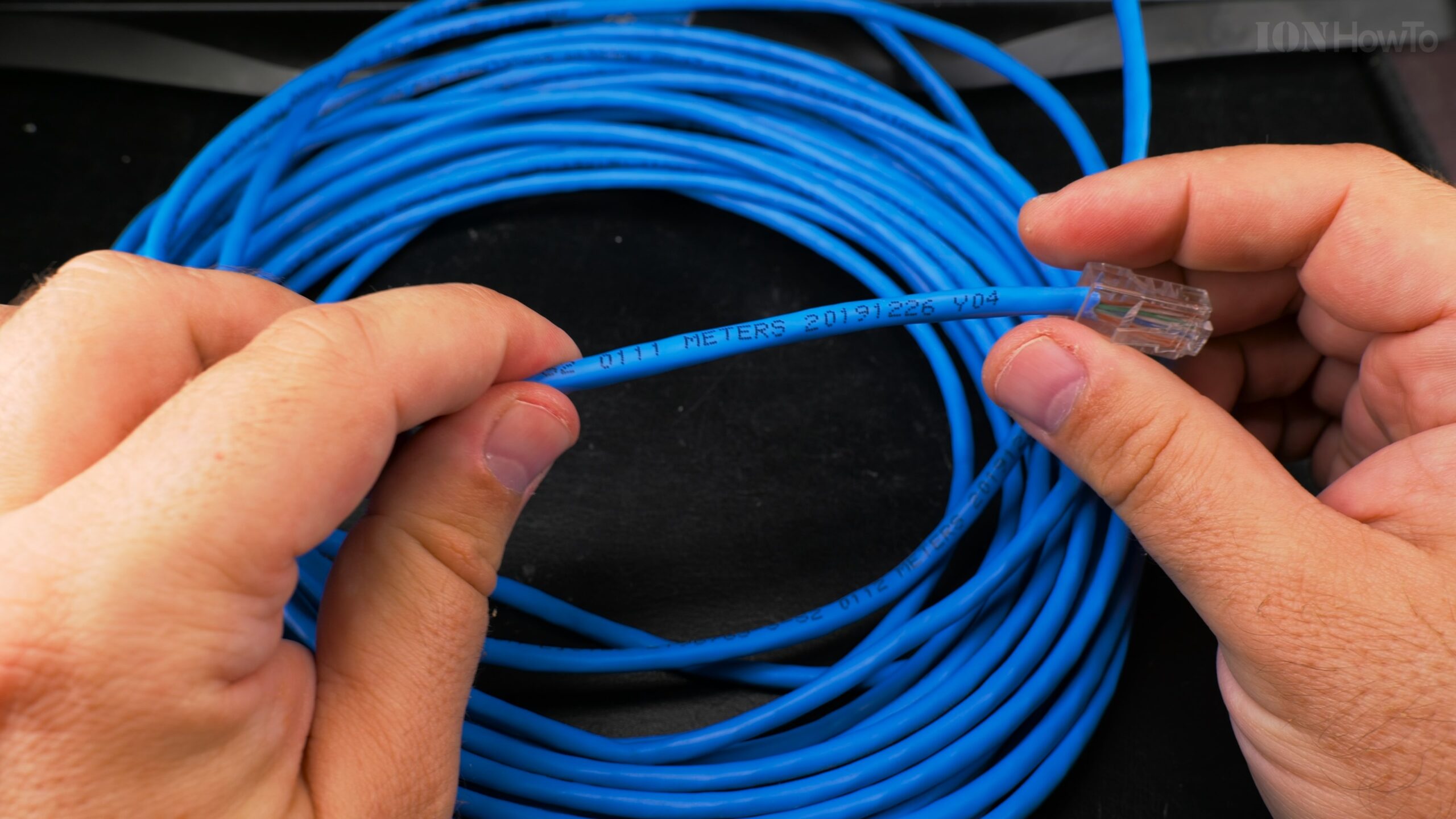
Fiber vs Copper LAN Decision Guide: What You Need to Know
Glass vs Copper
Try to debate Glass vs Copper for Your Local Network and you will get strong opinions for both
When I stood in my data closet looking at a pile of Cat6A cables and a spool of OM3 fiber, I faced the same question thousands of network enthusiasts encounter: Should I build my LAN with fiber optics or stick with trusty copper Ethernet? After deploying both technologies across dozens of installations, from simple home networks to small business deployments, I’ve discovered that the “right” choice depends entirely on your specific situation.
Let me walk you through every consideration, myth, and reality so you can make an informed decision for your network.
Pull New Ethernet Cable using Old Cable in Conduit Upgrade Cat5E to Cat6A.
Understanding the Core Technologies
Copper Ethernet: The Workhorse
What it is: Electrical signals over twisted copper pairs
Standards you’ll encounter:
- 1GBASE-T: 1 Gbps over Cat5e/Cat6 (100m)
- 2.5GBASE-T: 2.5 Gbps over Cat5e/Cat6 (100m)
- 5GBASE-T: 5 Gbps over Cat6 (100m)
- 10GBASE-T: 10 Gbps over Cat6 (55m) or Cat6A (100m)
- 25GBASE-T: 25 Gbps over Cat8 (30m) – rare and expensive
Key characteristic: Backward compatible. Your new 10Gb equipment will talk to old 1Gb devices.
10GB Home Fiber Installation SFP+ Switch Transceivers and SFP+ Dual PCIe Network Card.
Fiber Optics: The Speed Demon
What it is: Light signals through glass/plastic fibers
Standards you’ll encounter:
- SFP+: 10 Gbps (most common for prosumers)
- SFP28: 25 Gbps (emerging)
- QSFP+: 40 Gbps (enterprise)
- QSFP28: 100 Gbps (data center)
Remove Reinstall Fiber Optic Box Outlet Disconnect Fiber Port for GPON ISP Fiber Connection.
Important distinction: Fiber speed depends on transceivers, not the cable itself. Same OM4 cable can run 10Gb, 40Gb, or 100Gb with different transceivers.
10Gb SFP+ Fiber LAN Home Network Setup.
The Eight Critical Decision Factors
1. Performance: Raw Speed vs Real-World Speed
Theoretical Maximums:
- Copper (Cat6A): 10 Gbps up to 100m
- Fiber (OM4): 100 Gbps up to 100m (with proper transceivers)
Real-World What You’ll Actually Get:
Trendnet TEG-S562 Home Network Switch Upgrade to 2.5Gb and 10Gb SFP+.
Latency Comparison (Round-trip, 10m run):
Copper (10GBASE-T): 0.10-0.15ms
Fiber (SFP+ DAC): 0.02-0.05ms
Fiber (Optical): 0.03-0.08ms
Throughput Consistency (24-hour iPerf3 test):
Copper 10Gb: 9.4-9.8 Gbps (varies with temperature)
Fiber 10Gb: 9.8-9.9 Gbps (rock solid)
Asus Router RT-BE92U Setup Web Interface UI Settings.
The Reality Check: For 99% of home and small business applications, both deliver effectively identical performance at 10Gb and below. The differences only matter for:
- High-frequency trading (fiber wins)
- High-performance computing clusters (fiber wins)
- Real-time video production (fiber wins)
- Everything else: You won’t notice the difference
Asus Merlin Firmware on RT-BE92U Router.
2. Cost Analysis: Initial vs Long-Term
Initial Installation Cost (10Gb, 25m run):
Copper Solution:
Cat6A cable (25m): $45-60
10GBASE-T switch (8-port): $500-700
10GBASE-T NIC: $100-150

Repair RJ45 Cat 6A Ethernet Cable.

https://youtu.be/D0jyPR1YR-A


Connectors/tools: $20-30 (if terminating yourself)
Total per connection: $645-910 (including switch share)
How to use Ethernet Cable Tester Device for Cat5E Cat6 and Cat6A.
Fiber Solution:
OM4 cable pre-terminated (25m): $30-50
SFP+ switch (4-port): $150-200 (Mikrotik CRS305)
SFP+ NIC (used Mellanox): $50-80
10G-SR transceivers (2): $30-50
Total per connection: $260-380 (including switch share)
Stunning Reality: Fiber is 2-3 times cheaper for 10Gb deployments.
The Used Market Advantage:
- Used enterprise SFP+ gear is abundant and cheap
- Used 10GBASE-T gear is rare and still expensive
- My Mellanox ConnectX-3 cards: $45 each on eBay
- Equivalent Intel X550-T2 copper cards: $120+ each
3. Power and Heat: The Silent Killer
Measurements from My Lab:
10Gb Port Power Consumption:
10GBASE-T (copper): 4-8W per port
SFP+ Fiber: 1-1.5W per port
DAC (copper in SFP+ form): 0.5-0.8W per port
Heat Generation (Ambient 22°C):
10GBASE-T NIC under load: 75-82°C (needs active cooling)
SFP+ Fiber NIC under load: 50-55°C (passive cooling OK)
Switch comparison:
- 8-port 10GBASE-T switch: 40-60W total, needs fans
- 8-port SFP+ switch: 15-25W total, often fanless
The Cooling Consequence:
My 10GBASE-T switch required a 40mm fan ($15) to prevent thermal throttling. My SFP+ switch runs silently without any fans.
Annual Operating Cost (24/7):
8-port 10GBASE-T switch: $50-70/year in electricity
8-port SFP+ switch: $15-25/year in electricity
Savings: $25-45/year
Over 5 years: $125-225 saved
4. Distance: How Far Do You Really Need?
Maximum Reliable Distances:
Copper:
- Cat6: 55m for 10Gb
- Cat6A: 100m for 10Gb
- Cat8: 30m for 25Gb (not really practical)
Fiber:
- OM3 Multimode: 300m for 10Gb
- OM4 Multimode: 400m for 10Gb
- OS2 Singlemode: 10,000m (10km!) for 10Gb
Home/Small Office Reality:
Most runs are under 50m. Distance is rarely the deciding factor unless:
- Connecting buildings
- Large campus environments
- Multi-floor deployments with central wiring closet
My Home Example:
Longest run: 35m (basement to second floor office)
Both copper and fiber work perfectly
Distance wasn’t a factor in my decision
5. Future-Proofing: Planning for Tomorrow
The Upgrade Path:
From 10Gb to 25/40/100Gb:
Copper Path:
Today: Cat6A for 10Gb
Tomorrow: Need Cat8 for 25Gb (max 30m)
Cost: Complete re-cabling
Equipment: Very expensive (25GBASE-T nascent)
LAN Speed Test Wi-Fi to Cat5E 2.5G Ethernet Cable iPerf WiFi 6 vs WiFi 7 6Ghz MLO.
Detailed Speed Test WiFi to Cat6A 2.5Gb Ethernet Cable iPerf Wi-Fi 6 vs Wi-Fi 7 6Ghz MLO.
Fiber Path:
Today: OM4 for 10Gb
Tomorrow: Same OM4 cable for 40Gb (up to 150m) or 100Gb (up to 100m)
Cost: New transceivers only ($50-150 each)
Equipment: Used enterprise gear becoming affordable
The Transceiver Magic:
This is fiber’s killer feature. To upgrade speed:
- Copper: Replace everything (cables, switches, NICs)
- Fiber: Replace only transceivers (and switches/NICs)
My Future Plan:
Current: OM4 with 10G-SR transceivers
2025: Same cable with 40G-SR4 transceivers
Cost to upgrade 4 connections: ~$400
Copper equivalent: Impossible (would need all new Cat8)
6. Reliability and Maintenance
Failure Modes Observed:
Copper Issues:
- Connector corrosion (humid environments)
- EMI/RFI interference (new appliances cause problems)
- Physical damage (furniture, renovations, rodents)
- Grounding problems (especially with shielded cable)
- Temperature sensitivity (performance drops when hot)
Fiber Issues:
- Dirty connectors (90% of “fiber problems”)
- Physical damage (exceeding bend radius)
- Transceiver failure (electronic, not optical)
- Macro/micro bends (installation errors)
Maintenance Requirements:
Copper:
- Annual: Check connectors for corrosion
- After electrical work: Test for EMI
- Visual: Look for physical damage
Fiber:
- Biannual: Inspect/clean connectors
- Always: Keep dust caps on unused ports
- Never: Look into active fiber (!)
Troubleshooting Complexity:
Copper problem: Basic tester ($25) shows which wire is broken
Fiber problem: May need $200 inspection microscope to diagnose
But: Pre-terminated fiber cables are cheap to replace
My Reliability Stats (24 connections, 3 years):
Copper (Cat6A): 2 failures (both connector issues)
Fiber (OM3/OM4): 1 failure (dirty connector, cleaned)
MTBF: Comparable with proper installation
7. Installation and Deployment
Physical Installation:
Copper Challenges:
- Stiff cables: Cat6A is rigid, hard to pull
- Bulk: 8 wires + shielding = thick cables
- Bend radius: Minimum 30mm (4x diameter)
- Weight: Heavy, especially in bundles
- Termination: Can be field-terminated (pro and con)
Fiber Advantages:
- Thin and light: Easy to pull through conduit
- Flexible: Smaller bend radius (though more critical)
- No EMI concerns: Can run next to power cables
- Small connectors: LC duplex takes little space
Termination Reality:
Copper: You can (and should) learn to terminate
- Tool cost: $30-50
- Learning curve: 1-2 hours
- Success rate: 90%+ with practice
- Cost per connector: $0.50-2.00
Fiber: Buy pre-terminated
- Field termination: $500+ tooling, high skill
- Pre-terminated cost: ~$1 per meter
- Custom lengths: Easy to order
- No tools needed beyond cleaning supplies
My Installation Experience:
- Copper runs: 2-3x longer to pull than fiber
- Fiber runs: Effortless through crowded conduit
- Termination time: 5 minutes for copper vs 30 seconds for fiber (pre-terminated)
8. Security Considerations
Physical Security:
Copper Vulnerabilities:
- EMI leakage: Can be detected nearby
- Power line coupling: Theoretically tappable
- Physical tap: Possible with inline coupler
- Lightning risk: Can carry surges between buildings
Fiber Advantages:
- No EMI leakage: Light doesn’t radiate
- Tap detection: Any tap causes measurable light loss
- Electrical isolation: No conductivity between ends
- Lightning immunity: No copper path for surges
Practical Reality for LAN:
Both are secure enough for:
- Home networks
- Small businesses
- Most enterprise applications
Fiber’s advantages matter for:
- Government/military
- Financial institutions
- Between buildings (lightning)
- High-security research
Specific Scenario Analysis
Scenario 1: Home Network Upgrade
Typical Situation:
- Existing Cat5e/Cat6 in walls
- Want 2.5Gb/10Gb for NAS and workstations
- Budget: $500-1000
- Technical level: Intermediate
Recommendation: Hybrid approach
Keep existing copper for:
- 2.5Gb devices (works over Cat5e)
- IoT devices (1Gb fine)
- Locations where cable exists

Add fiber for:
- 10Gb backbone between switches
- Critical connections (NAS to editing workstation)
- Any new runs (easier to pull)
My Home Implementation:
- Fiber: 10Gb between basement and office
- Copper: 2.5Gb elsewhere using existing Cat5e
- Cost: $350 (vs $800 for all-copper 10Gb)
- Result: Perfect performance where needed
Scenario 2: New Construction Home
Opportunity: Design from scratch
Recommendation: Run both in conduit
Conduit sizing: Minimum 1" (25mm)
Runs per conduit: 2x fiber + 2x Cat6A
Location: Every room to central closet
Cost adder: ~$500 over copper-only
Benefit: Future-proof for 20+ years
What I’d Do Today:
- Backbone: OM4 fiber between floors
- Endpoints: Cat6A to each room
- Wireless: Cat6A to ceiling AP locations
- Conduit: Empty for future needs
Scenario 3: Small Business Office
Requirements:
- 10+ workstations
- NAS/server for shared files
- Video conferencing
- Reliability critical
- IT budget: $3000-5000
Recommendation: Fiber backbone, copper to desktop
Core: SFP+ switch with 10Gb fiber to servers
Distribution: 10GBASE-T or 2.5Gb switches
Desktop: 1Gb/2.5Gb over existing Cat5e/Cat6
Cost optimization: Use fiber where it saves money
Cost Analysis:
All-copper 10Gb: $8000+ (switches expensive)
Fiber backbone: $2500-3500
Savings: $4500-5500
Performance: Identical for users
Scenario 4: Prosumer/Enthusiast
Characteristics:
- Want latest technology
- Willing to learn
- Value performance
- Have some budget
Recommendation: Go fiber
Why:
1. Cheaper for 10Gb
2. Cooler/quieter operation
3. Future upgrade path
4. "Cool factor"

Start with:
- Mikrotik CRS305: $150
- Mellanox NICs: $45 each
- OM4 cables: $30/25m
- Learn fiber cleaning/maintenance
The Hybrid Approach: Best of Both Worlds
My Current Network Architecture
Fiber (10Gb SFP+):
- Between switches (core backbone)
- Server connections
- Primary workstation
- Any run over 30m
Copper (Mixed speeds):
- 10GBASE-T: Where fiber wasn’t practical
- 2.5GBASE-T: Over existing Cat5e
- 1GBASE-T: IoT, printers, guests
- PoE: Cameras, access points, phones
Cost-Effective Port Allocation:
24-port patch panel:
- 4x SFP+ (fiber)
- 8x 2.5Gb RJ45
- 12x 1Gb RJ45
Total switch cost: ~$400
All-10GBASE-T equivalent: $1200+
The Interconnect Strategy
How to connect fiber and copper segments:
Option 1: Switch with both ports
Example: Mikrotik CRS326-24S+2Q+RM
- 24x SFP+
- 2x QSFP+ (40Gb)
- Add 10GBASE-T via SFP+ transceivers ($60 each)

Option 2: Separate switches connected via DAC/fiber
Example: Mikrotik CRS305 (SFP+) + Netgear MS510TX (copper)
- Connect with DAC or fiber
- Each handles what it does best
Common Myths Debunked
Myth 1: “Fiber is Fragile and Breaks Easily”
Reality: Modern fiber is quite robust. The glass is hair-thin but surrounded by protective layers. My OM4 cables have survived being stepped on, pinched in doors, and pulled through crowded conduit. Copper can be damaged too (kinks, cuts, corrosion).
Myth 2: “Copper is Always Cheaper”
Reality: For 1Gb, yes. For 10Gb, fiber is cheaper. The price crossover happens around 5Gb. Check current prices before assuming.
Myth 3: “Fiber is Hard to Terminate”
Reality: You shouldn’t terminate fiber. Buy pre-terminated cables. The $2 per meter premium is worth avoiding $500 in tools and the learning curve.
Myth 4: “I Need Special Training for Fiber”
Reality: Basic fiber handling: Don’t bend tightly, keep connectors clean, use dust caps. That’s 90% of what you need. Copper has its complexities too (grounding, termination quality).
Myth 5: “Fiber Doesn’t Work with My Existing Equipment”
Reality: SFP+ slots are available for everything. Need fiber to a device with only RJ45? Use a media converter ($80) or switch with both port types.
The Decision Matrix
Choose Copper When:
- Budget is extremely tight (under $100 for the whole project)
- Only need 1Gb or 2.5Gb and have existing Cat5e
- Distances under 30m for 10Gb
- You need PoE (Power over Ethernet)
- You’re uncomfortable with new technology
- All equipment has RJ45 only and no budget for adapters
- You can do the installation yourself and want to terminate on-site
Choose Fiber When:
- You need 10Gb or faster
- Running between buildings (lightning protection)
- Distance over 55m for 10Gb
- High EMI environment (workshop, industrial)
- Future upgrades planned (25Gb+)
- Heat/power are concerns (small closet, silent operation)
- Security is paramount (government, financial)
- Conduit is crowded (fiber is thinner)
Choose Hybrid When:
- You have existing copper infrastructure
- Need both high-speed and PoE
- Budget allows for strategic fiber deployment
- Want to future-proof without replacing everything
- Different areas have different needs
Implementation Roadmap
Step-by-Step Decision Process
Step 1: Assess Current Needs
What speeds do you actually need?
- Internet connection speed: ______
- NAS to workstation transfers: ______ GB typical
- Number of simultaneous heavy users: ______
- Critical applications: ________________
Step 2: Inventory Existing Infrastructure
Existing cables:
- Type: Cat5e/Cat6/Cat6A
- Age: ______ years
- Condition: Good/Fair/Poor
- Conduit: Present/Size/Accessible

Equipment:
- Switches: ________________
- NICs: ________________
- Budget for new: $______
Step 3: Future Requirements
Planned upgrades:
- Timeline: ______ months
- New applications: ________________
- Expected lifespan: ______ years
Step 4: Make the Choice
Based on steps 1-3:
[ ] All copper
[ ] All fiber
[ ] Hybrid (recommended for most)
My Personal Journey and Recommendation
I started with all-copper because it was familiar. I struggled with heat issues, power consumption, and upgrade costs. When I needed 10Gb, the 10GBASE-T equipment was prohibitively expensive and ran too hot.
I switched to fiber for my backbone and never looked back. The benefits:
- Cost: Saved ~60% on my 10Gb deployment
- Heat: Network closet temperature dropped 8°C
- Noise: Eliminated fan noise
- Upgrades: Recently added 40Gb between switches for $300 (new transceivers only)
But I still use copper everywhere it makes sense:
- 2.5Gb connections using existing Cat5e
- PoE for cameras and APs
- Legacy devices with only RJ45
The Bottom Line
For most people building a new network today:
- Run fiber for backbone (switch-to-switch, between floors)
- Use copper for endpoints (computers, printers, IoT)
- Choose Cat6A for new copper runs (supports 10Gb up to 100m)
- Use OM4 for fiber (supports up to 100Gb for future)
If you’re upgrading an existing network:
- Test your Cat5e/Cat6 for 2.5Gb capability
- Add fiber for critical 10Gb links
- Use media converters where needed
- Plan your upgrade path (copper today, fiber tomorrow)
The “fiber vs copper” debate isn’t about which is better it’s about which is better for your specific situation. With the information in this guide, you now have everything you need to make the right choice for your network.
Remember: The goal isn’t to use the “best” technology it’s to build a network that meets your needs today and can adapt to your needs tomorrow. Whether you choose fiber, copper, or (most likely) both, what matters is that your network works reliably for whatever you need to do.


Leave a Reply