
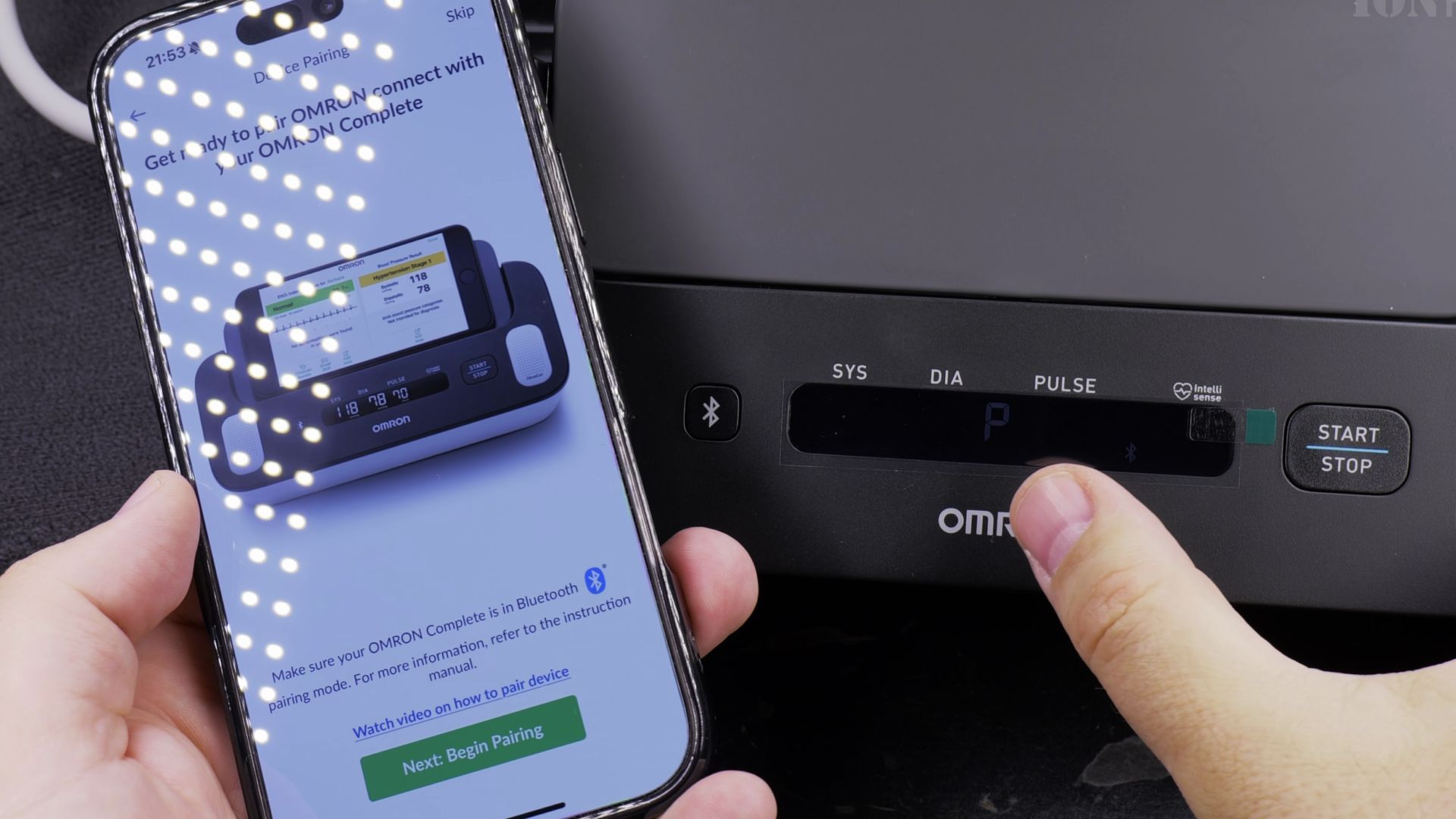
Before taking your first blood pressure and ECG reading on the Omron Complete monitor, you need to pair the unit with the Omron Connect app on your phone over Bluetooth. I’ll show you how to set up the app and put the monitor into pairing mode in a few steps.
Quick Steps and Scenarios Overview
| What You Need to Do | Quick Jump |
|---|---|
| Install Omron Connect and Select Omron Complete | Jump to Step 1 |
| Hold the Bluetooth Button on the Monitor Until P Flashes | Jump to Step 2 |
| Tap Pair and Complete the App Setup | Jump to Step 3 |
Recommended Amazon Gear and Accessories
Disclosure: This article contains Amazon affiliate links. As an Amazon Associate, we earn from qualifying purchases at no extra cost to you.
1. Install Omron Connect and Select Omron Complete
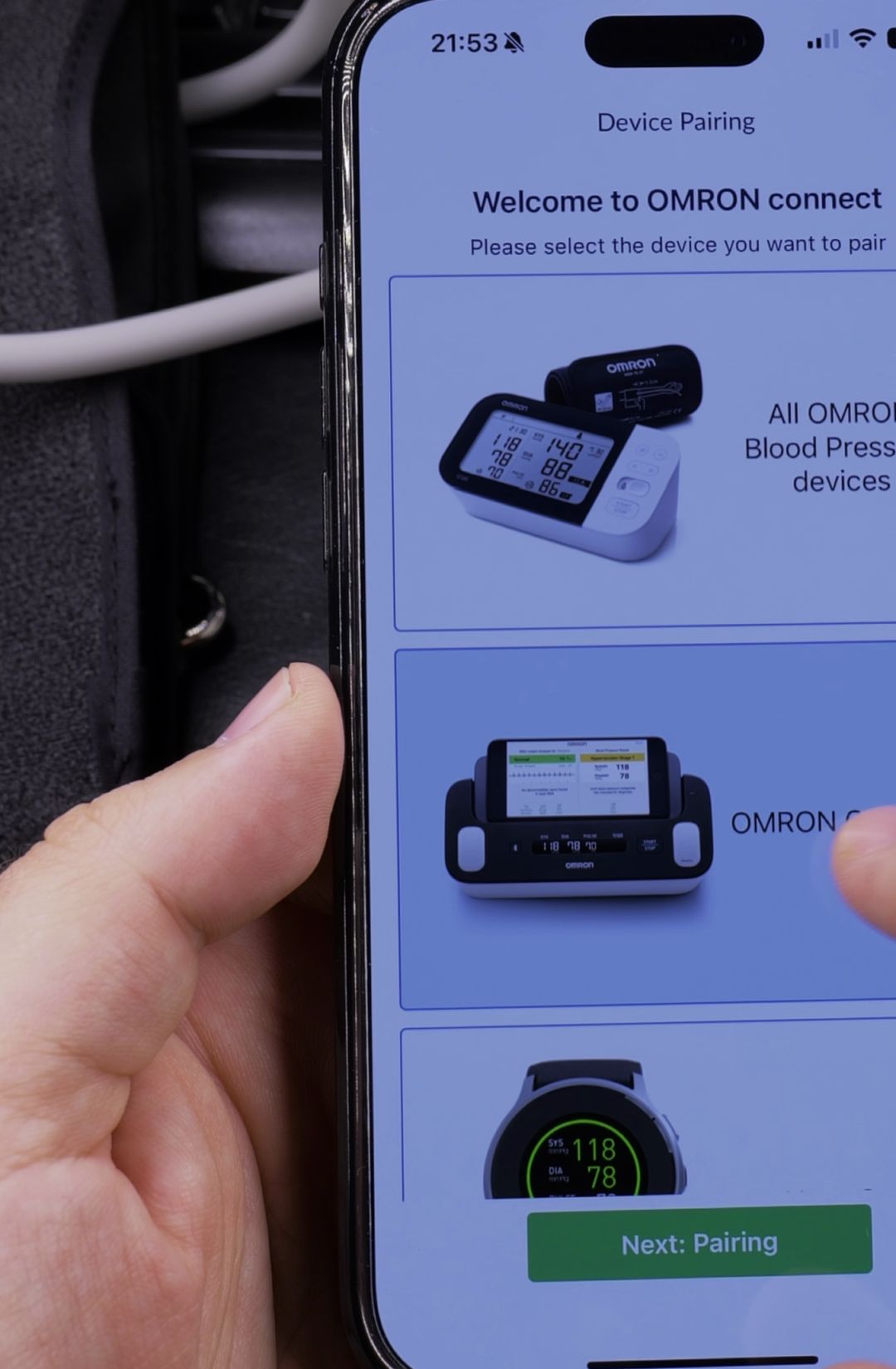
Download and open the OMRON connect app from the App Store on your iPhone or the Google Play Store on your Android phone, and tap Allow when asked for Bluetooth access. Sign in or create a free account, then scroll down the device list and tap Omron Complete.
2. Hold the Bluetooth Button on the Monitor Until P Flashes
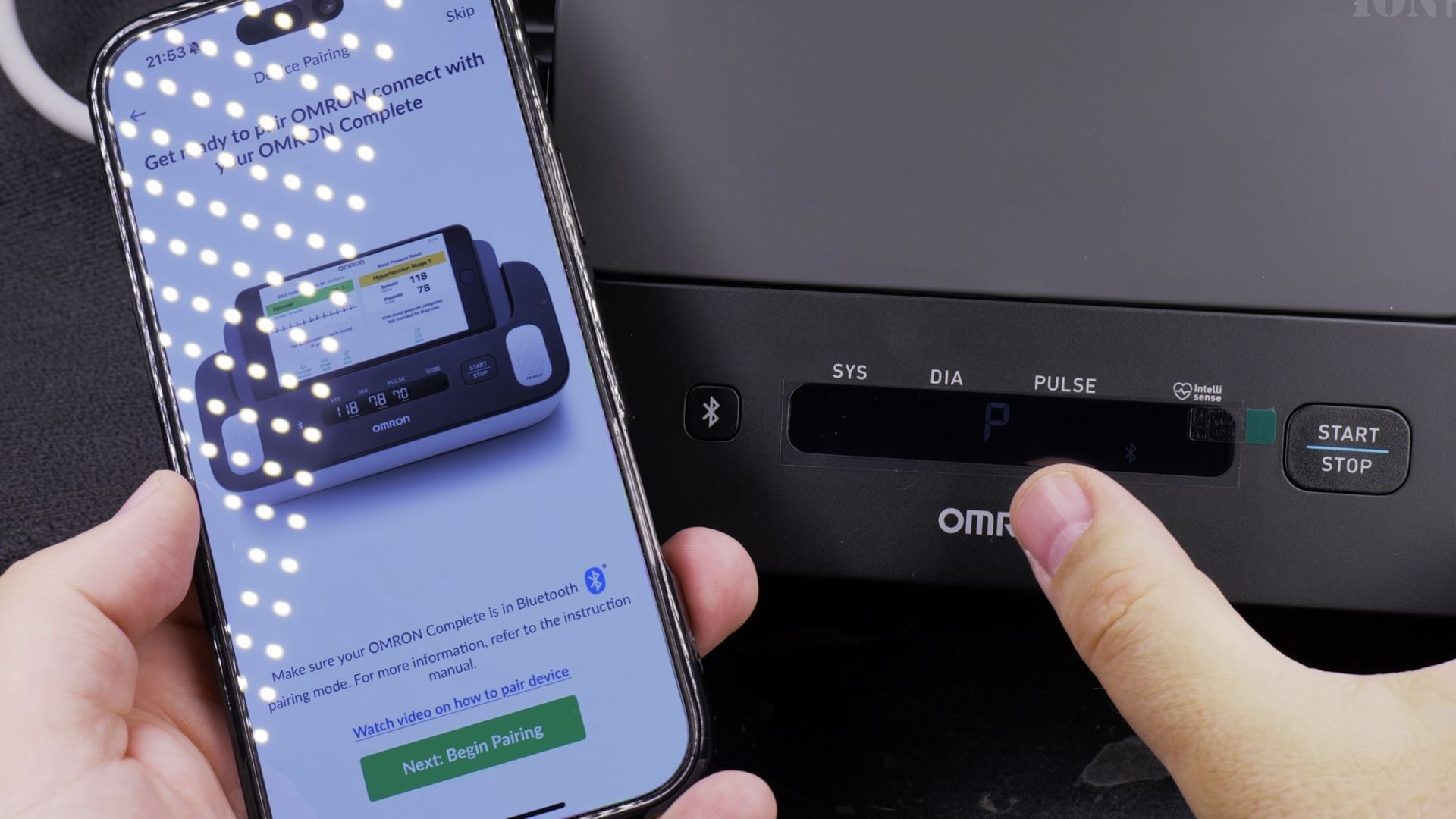
Make sure the batteries are installed in your monitor, then press and hold the round Bluetooth button (to the left of the screen) for a few seconds until a flashing letter P appears on the monitor’s display. On your phone screen, tap the green Next: Begin Pairing button.
3. Tap Pair and Complete the App Setup
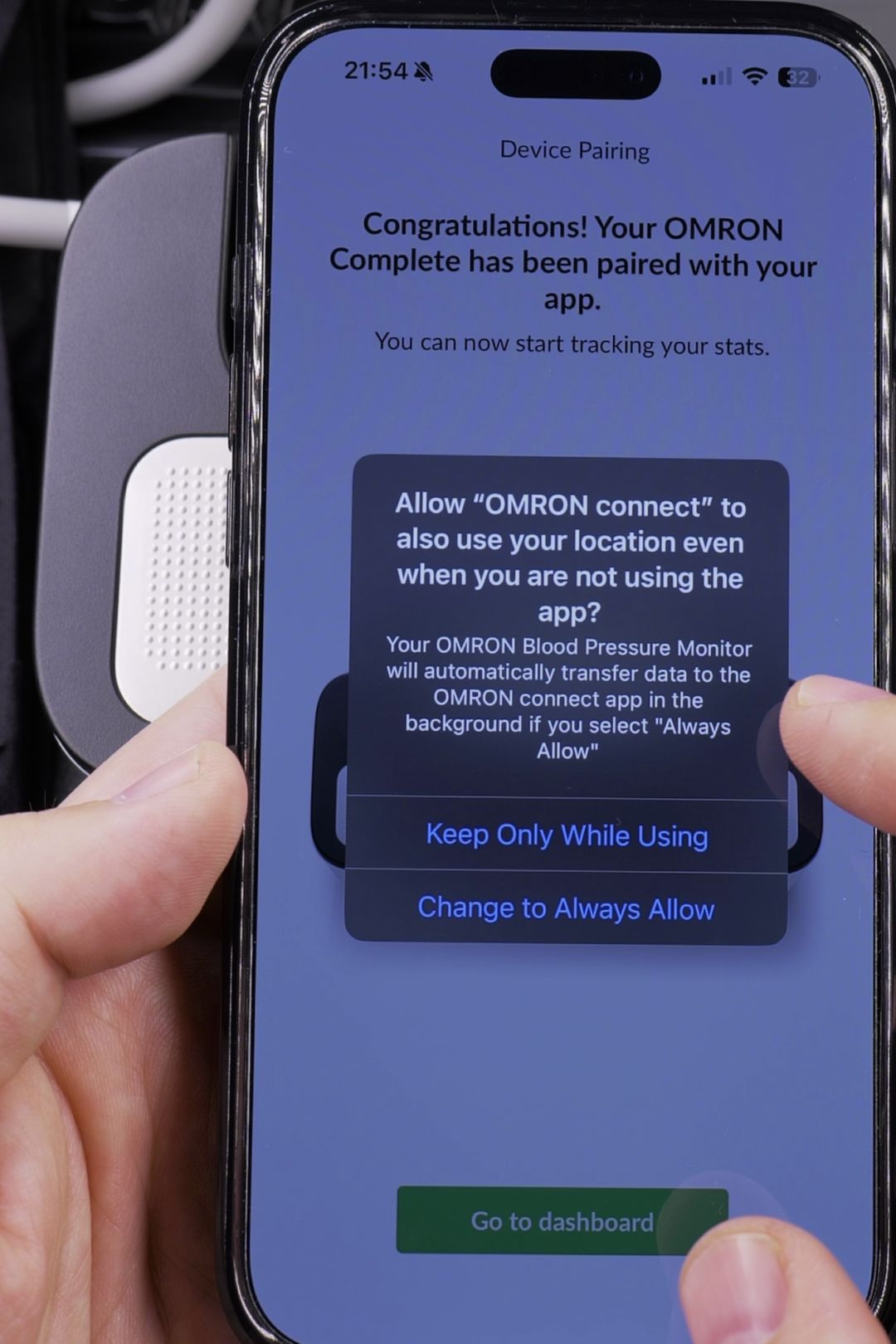
When the Bluetooth Pairing Request box pops up on your phone, tap Pair and allow location access if prompted so the app can sync readings in the background. Tap Go to dashboard at the bottom of the screen, and tap + Record Blood Pressure + ECG whenever you are ready to take your first measurement.
Helpful Tips
- Skip optional paid subscriptions: During setup, the app may offer a premium cloud reward trial; you can tap No, I do not want access to premium features or Do it later to use all standard blood pressure and ECG recording features for free.
- Why Android asks for Location permission: Android requires location permission for Bluetooth Low Energy medical devices to scan and pair; the app does not need to track where you live.
Related Guides
- How to Fix a Broken Rubber Power Button on a Philips Sonicare Toothbrush
- How to Connect to Wi-Fi While in Airplane Mode on iPhone
- How to Use Wi-Fi and Bluetooth While in Airplane Mode on Android


Leave a Reply