
If your Android phone keeps showing mobile data alerts or blocking your 5G connection, you can turn off both warnings in a few taps. I show you how to disable the data warning and data limit on a Google Pixel 11 Pro XL running Android 17.
Helpful Pixel accessories (Amazon affiliate links): Android Phone Case | Phone Accessories | USB-C Charger | USB-C Cable | Wireless Charger Stand. As an Amazon Associate I earn from qualifying purchases.
Quick Steps
- Open Settings and Tap Network & Internet
- Select Your Active Mobile SIM
- Open Data Warning & Limit
- Switch Off Set Data Warning and Set Data Limit
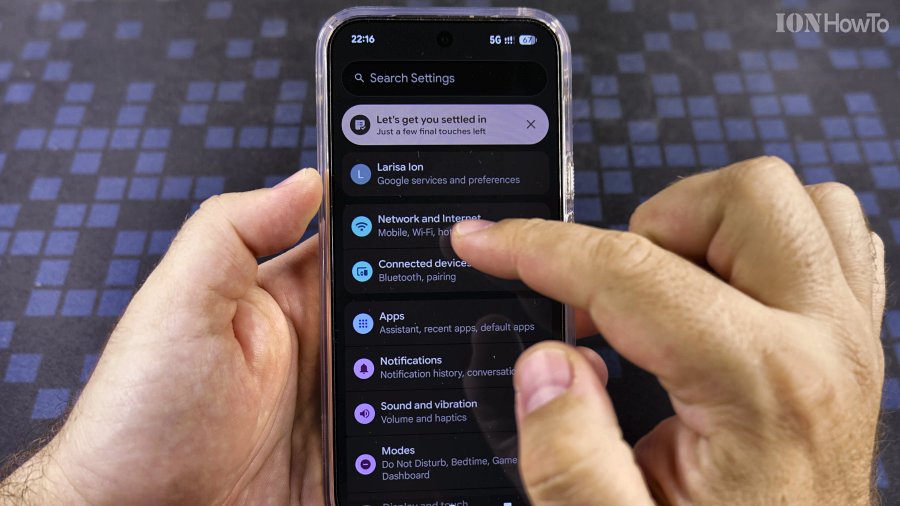
1. Open Settings and Tap Network & Internet
Open the Settings app on your Google Pixel. Tap Network & internet near the top of the list.
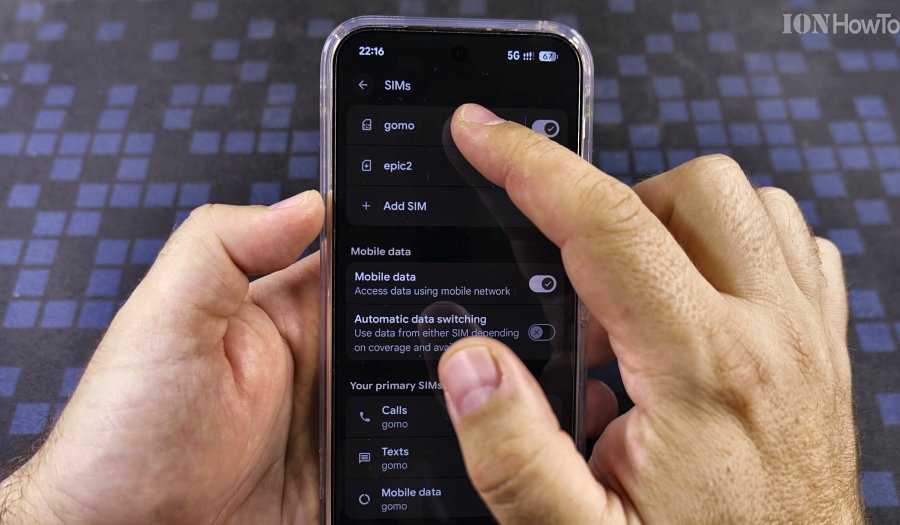
2. Select Your Active Mobile SIM
Tap SIMs to see your mobile lines. Choose the active SIM card or eSIM that you use for 5G mobile data.
3. Open Data Warning & Limit
Scroll down the SIM settings screen until you see Data warning & limit. Tap it to open the warning and limit switches.
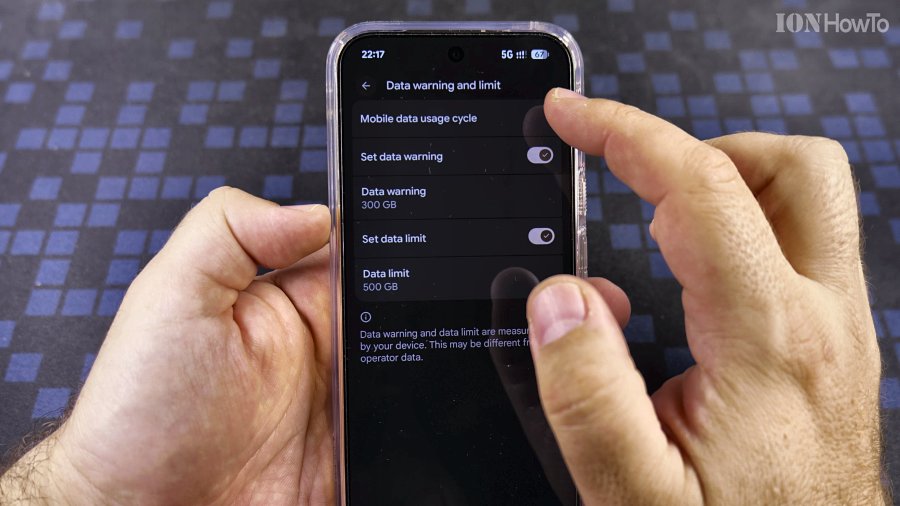
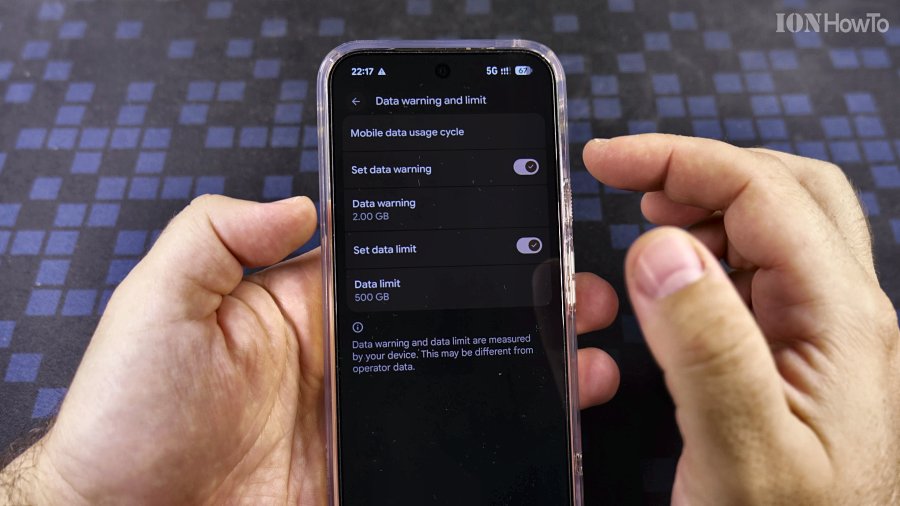
4. Switch Off Set Data Warning and Set Data Limit
Tap the toggle next to Set data warning to turn it off. Then tap the toggle next to Set data limit so your phone stops pausing mobile data automatically.
Helpful Tips
If you have a limited monthly mobile plan, you can leave Set data warning on and only turn off Set data limit so your data never cuts out unexpectedly.
Related Guides
- How to Increase Data Warning Limit on Android 17 Google Pixel 11 Pro XL
- How to Power Off Your Android Device


Leave a Reply