
When you are plugging in your phone to charge at night or in a quiet room, the charging sound can be disruptive.
Amazon links
As an Amazon Associate I earn from qualifying purchases:
- Phone Cases
- Mobile Tripods
- Usb-c charger
- Usb-c cable
- Docking stations
- Wireless car chargers
- Wireless charger stand
- SIM card removal tool
- SIM card holder
This guide will help you silence charging notifications on different Android devices.
Quick Steps and Scenarios Overview
| What You Need to Do | Quick Jump |
|---|---|
| Disable Charging Sounds | Jump to Step 1 |
| Additional Tips | Jump to Step 2 |
| Charging Sound Options | Jump to Step 3 |
Charging sounds can be annoying in many situations:
- During nighttime charging
- In quiet environments like offices or at home
- interruption during meetings
- When your phone is charging near sleeping family members
Disable Charging Sounds
For Many Android Devices
- Open your phone “Settings” app
- Go to “Sounds” or “Sound & Notification”
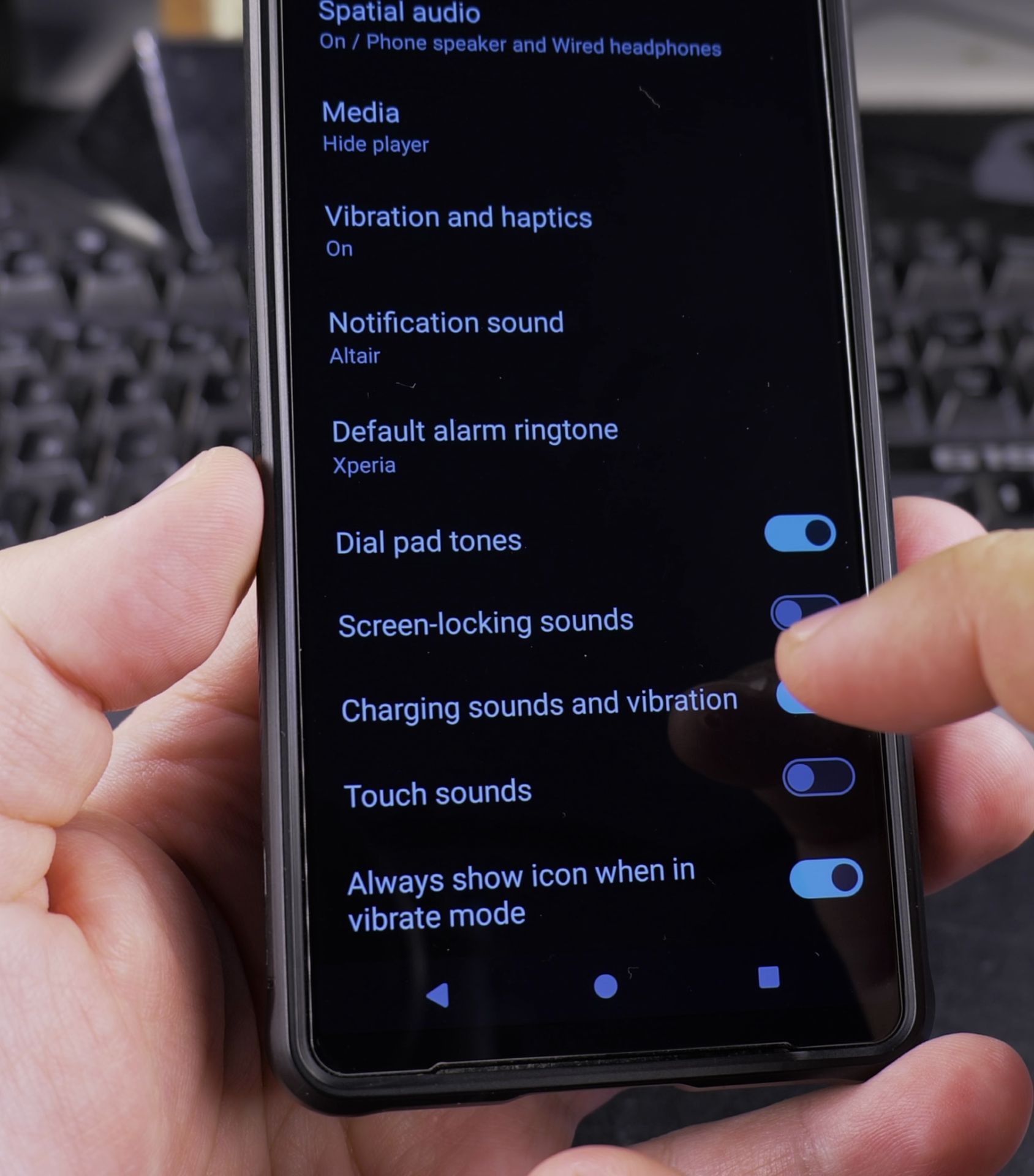
- Look for “Charging sounds” or “Charging sound”
- Toggle the switch to turn off the charging sound
- Exit settings
Brand-Specific Instructions
Samsung Devices
- Go to Settings
- Tap “Sounds and Vibration”
- Scroll to “System”
- Uncheck “Charging sounds”
Google Pixel
- Open Settings
- Select “Sound”
- Find “Charging sounds”
- Disable the toggle switch
Sony Devices (Xperia)
- Go to Settings
- Tap “System”
- Select “Sounds”
- Turn off “Charging sounds”
Additional Tips
In the sound settings consider:
- Customizing notification sounds
- Adjusting system volume levels
- Exploring vibration settings for a personalized experience
Troubleshooting
If you can’t find the charging sound setting:
- Use the search function in settings
- Check under different menu names like “System sounds” or “Audio settings”
- Check your device user manual
- Visit the manufacturer support website
Charging Sound Options
Some Android devices offer different types of charging sound settings:
- Charging start sound
- Charging disconnect sound
- Wireless charging sounds
- Battery-related notification sounds
Conclusions
Disabling charging sounds is a way to personalize your Android device and create a quiet environment. These simple steps can help you manage your device’s audio experience more effectively.
Steps might vary slightly between Android versions and device manufacturers. Things look a bit different on your specific device but using the search function in settings can help you.
Helpful Tips
Take your time and check the screen carefully after each tap so you can confirm the setting changed as expected. If an option appears in a slightly different spot on your device, watch the embedded video above for a closer look.
Related Guides
- Remove Apps from Samsung Android Home Screen – How to Remove Apps from Home Screen on Samsung Android.
- Add Apps to Samsung Android Home Screen – How to Add Apps to Home Screen on Samsung Android.
- Remove App From Android Home Screen – How to Remove an App from Your Home Screen on Android.
- Android & Mobile – Browse more tutorials and practical guides in this section.


Leave a Reply