
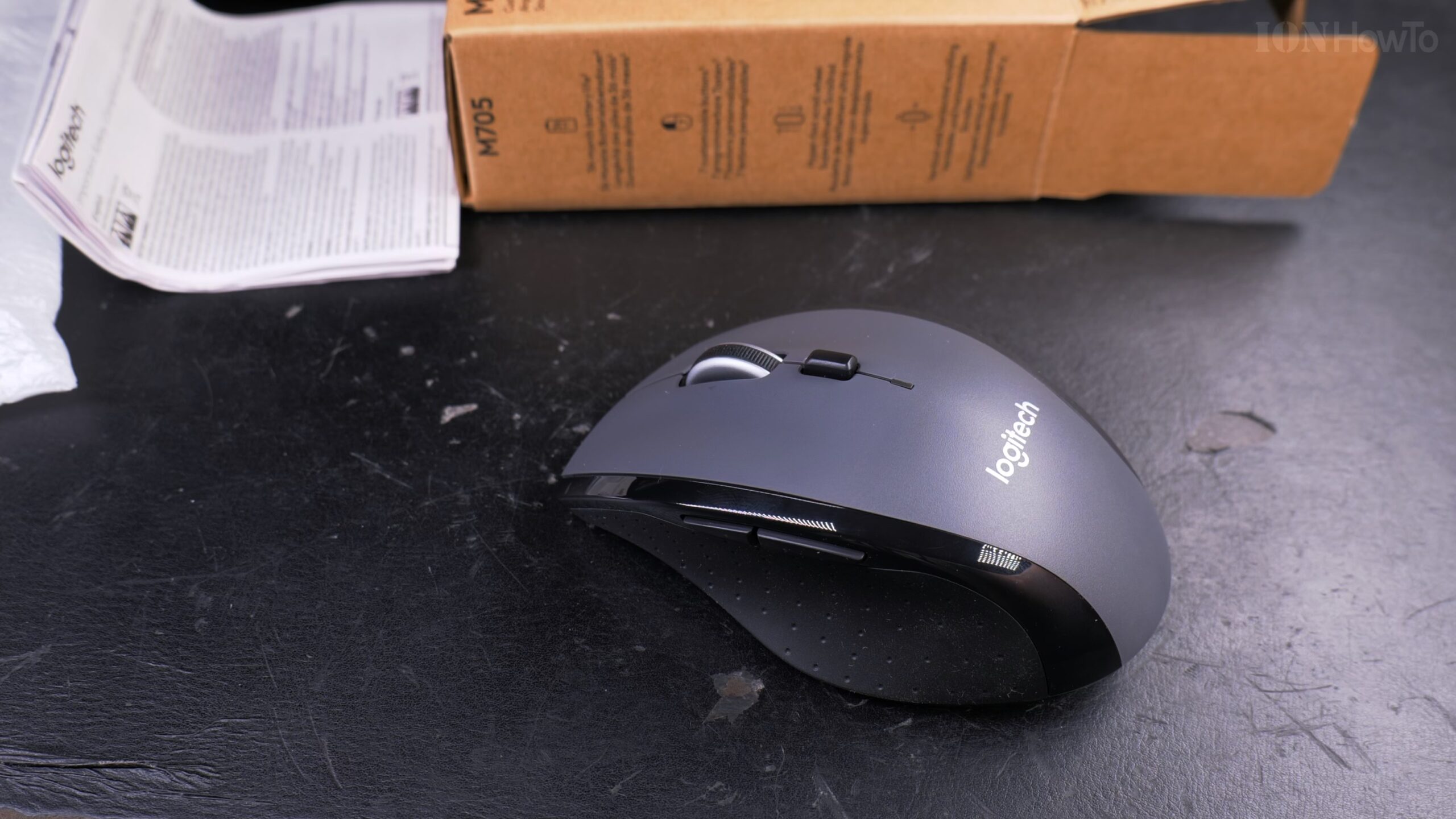
Logitech M705 Mouse Unboxing and Setup on Android & Windows.
Looking for a reliable, full-size wireless mouse for your computer or even your phone? I recently got the Logitech M705 Marathon mouse and tested how quickly it works with both Windows 11 and an Android phone. Learn how this affordable wireless mouse performs in a real-world setup.
First Impressions and Unboxing
Right out of the box, the M705 feels like a practical, no-fuss mouse. It comes with everything you need to start using it immediately.
What’s in the Box:
- The Logitech M705 mouse
- A USB wireless receiver (the tiny dongle)
- Two AA batteries (already included in the mouse)
- Documentation
The mouse itself is lightweight and has a smooth, slightly plasticky feel. It doesn’t feel cheap, but it’s not heavy either. The shape is ergonomic with a nice groove on the right side, which makes it easy to grip and lift. All the parts feel solid with no creaking or rattling.
Setting Up on Windows 11 (Extremely Fast)
Learn how to get the mouse working on a Windows PC. It’s one of the easiest setups you’ll do.
Step 1: Insert the Batteries
Flip the mouse over and open the battery compartment. Insert the two included AA batteries. The mouse has a clear diagram so you can’t put them in the wrong way.
Step 2: Plug in the USB Receiver
Take the small USB receiver and plug it into any free USB port on your Windows 10 or Windows 11 laptop or desktop.
Step 3: Turn On the Mouse
Slide the power switch on the bottom of the mouse to ON.
That’s it. In my test, Windows recognized the mouse immediately. The cursor appeared and was fully responsive within 2-3 seconds of plugging in the receiver. There is no software to install for basic pointing and clicking; it’s truly plug-and-play.
Testing on Android 14 (It Works!)
Here’s a cool feature: you can use this mouse with an Android phone or tablet that supports USB peripherals.
How to Connect to Android:
- Turn on the mouse.
- Plug the USB receiver into a USB-C hub.
- Connect that hub to your Android phone (your phone needs to support USB OTG or desktop mode).
In my test with a phone running Android 14, it worked perfectly. The cursor appeared on the screen, and I could navigate the interface, click, and right-click just like on a computer. This is great for presentations or if you’re using your phone in a desktop mode.
Performance and Feel
Responsiveness: I compared the wireless M705 to my old, trusted Logitech G9 wired gaming mouse. The difference in everyday responsiveness is barely noticeable. Wireless technology has come a long way, and there’s no perceptible lag for office work, browsing, or general use.
The Scroll Wheel: The wheel is a highlight. It has a textured rubber grip and feels very precise. You can press it to toggle between a standard clicky scroll and a hyper-fast, nearly frictionless free-spin mode – perfect for flying through long documents or web pages. You can also tilt the wheel left and right for horizontal scrolling.
Buttons: It has standard left and right click, a clickable scroll wheel, and two side buttons (forward/back) by your thumb. The side buttons are a bit soft, which is good to prevent accidental presses.
Final Thoughts
The Logitech M705 Marathon is a great, affordable wireless mouse for anyone who needs reliable performance without the clutter of a cable. The setup on Windows is instant, and the bonus is that it works with Android devices if you have the right adapter.
It feels comfortable for long sessions, the battery life is famously long, and you just can’t beat the convenience. If you need a simple, dependable mouse for your laptop or desktop, the M705 is a solid choice that won’t let you down.


Leave a Reply