
Lift Doors Not Closing? Sensor Not Working? Problem Fixed.
Ever been stuck waiting for an elevator because the doors won’t close? Or worse, have you seen them close even when someone is standing right there? Let me show you how to check if the door sensors are working properly.
How elevator door sensors work
Most elevator doors use infrared (IR) sensors to detect people. There is an IR LED on one side of the door frame. It sends out invisible light. On the other side of the door frame, there is a sensor that picks up that light.
If something or someone blocks that light beam, the doors should stay open. When the light beam is clear, the doors can close safely.
If the doors are not responding correctly, the problem might be a weak or failing IR LED.
What you need to check the sensors
You only need one thing: your phone camera.
Most phone cameras can see infrared light even though your eyes cannot. Try pointing your TV remote at your phone camera while pressing a button. You will see a faint light on your screen. That is the same principle.
How to check elevator door sensors
Step 1: Stand in front of the elevator doors
Step 2: Look at the sides of the door frame. You will see small dark plastic panels. These are the IR sensors. One side has the IR LED (emitter). The other side has the receiver.
Step 3: Open your phone camera app
Step 4: Point your phone camera at the sensor on one side of the door frame
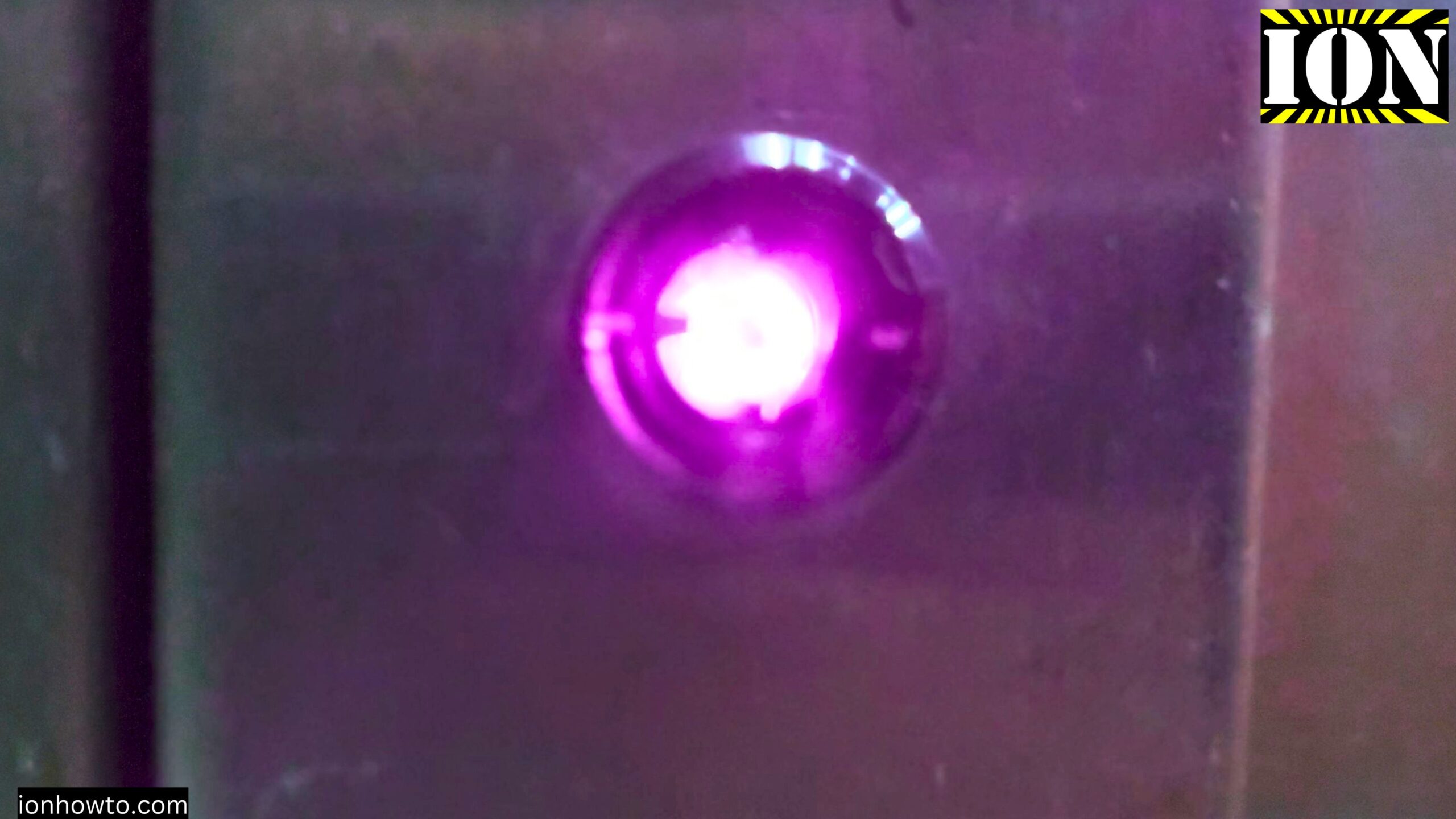
Step 5: Look at your phone screen. Do you see a faint light coming from the sensor?
Step 6: Repeat on the other side
What the results mean
Strong IR light visible on your phone screen:
The IR LED is working well. The doors should detect people properly. The problem might be something else, like a dirty sensor or a mechanical issue.
Weak IR light or no light at all:
The IR LED might be failing. The signal is too weak for the receiver to detect when someone breaks the beam. This is why the doors are not closing or are closing when someone is standing there.
IR light is visible but doors still not working correctly:
The receiver side might be dirty or faulty. Try cleaning the sensor panels gently with a dry cloth.
Why your phone camera can see IR light
Your eyes cannot see infrared light. But most phone camera sensors can detect it. There are filters inside phone cameras to block IR and UV light, but these filters are not perfect. Usually, a little bit of IR light gets through.
That little bit is just enough to see if a TV remote, elevator sensor, or other IR device is working.
What to do if the IR light is weak
If the IR light looks weak or is missing, the IR LED needs to be replaced. You cannot fix this yourself. You need to call the elevator technicians.
Tell them: “”The door sensors may have a weak IR LED. The doors are not detecting people correctly.””
After they replace the IR LED, check again with your phone camera. The IR light will be much brighter. The doors should work like they should: staying open when someone is there and closing safely when nobody is blocking the beam.
A note about different phone cameras
Some phones might not show IR light as well as others. Newer phones have stronger IR filters. If you do not see anything on your phone:
- Try a different phone camera (front camera sometimes works better than rear camera)
- Try in a darker area (less ambient light helps)
- Test with a TV remote first to confirm your phone camera can see IR
If your phone absolutely cannot see IR light, ask someone else with a different phone model to check.
Safety first
Elevator doors that close when someone is standing in the doorway are dangerous. This can cause injury, especially for children, elderly people, or anyone with mobility issues.
If the doors are not detecting people properly, do not ignore it. Report the problem to the building manager or elevator maintenance company immediately.
Before and after comparison
In the video example, you could see the IR light was much weaker before the repair. After the technician replaced the IR LED, the light was strong and bright. The doors started working normally again.
Quick summary
To check if elevator door sensors are working:
- Open your phone camera
- Point it at the IR sensors on the elevator door frame
- Look for a faint light on your screen
Strong visible light: Sensors are likely working well
Weak or no visible light: IR LED may be failing. Call elevator technicians.
After repair: Check again. The IR light should be much brighter.
Remember: This is a quick check, not a professional diagnosis. If elevator doors are not working correctly, always report the problem to qualified technicians. Safety first.
Thanks for reading. If your elevator is acting up, check the sensors with your phone camera. It takes 30 seconds and might help identify the problem before someone gets hurt.


Leave a Reply