
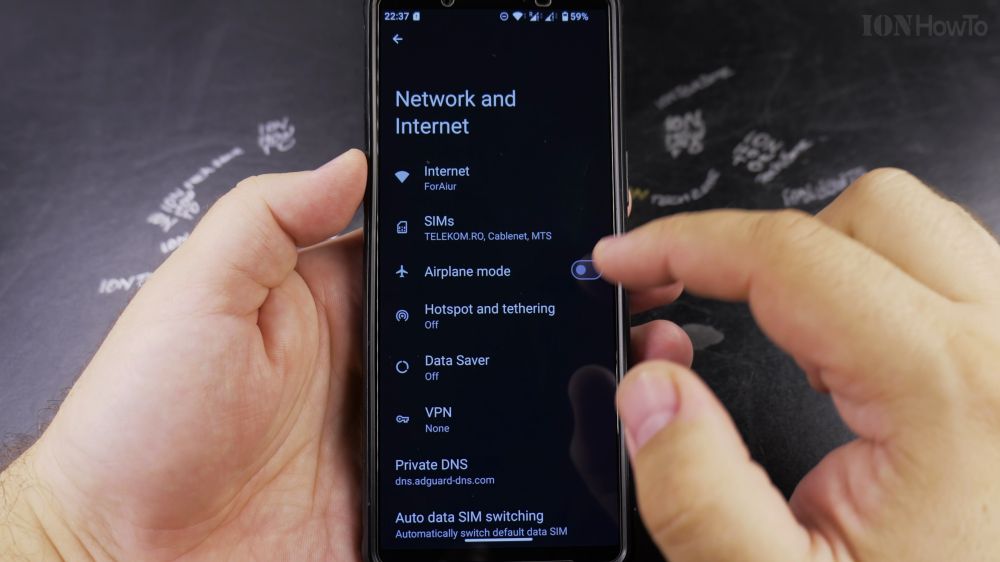
If your phone calls drop frequently or sound robotic on cellular data, turning off VoLTE can give you a clearer connection. I’ll show you how to disable 4G calling in your Android network settings in a few quick taps.
1. Open Settings
Swipe down from the top of your screen and tap the gear icon to open **Settings**.
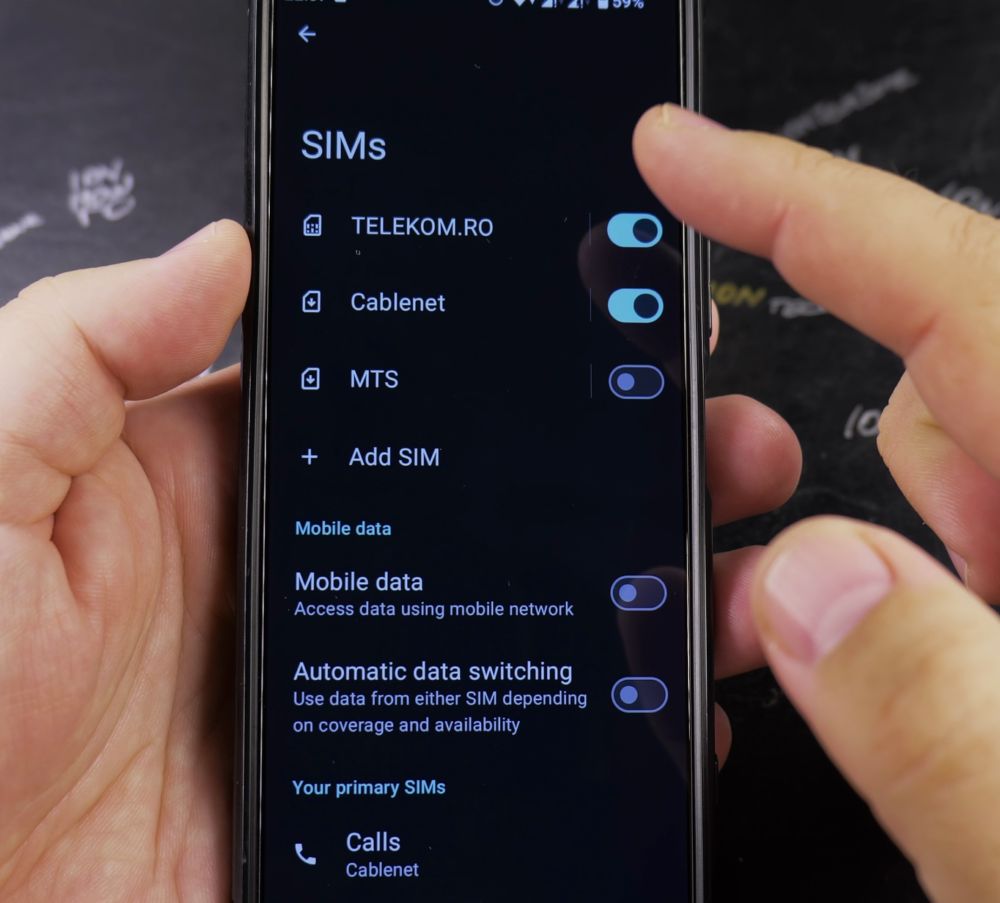
2. Tap Network & Internet
Near the top of the settings list, tap **Network & internet** (or **Connections** on Samsung phones).
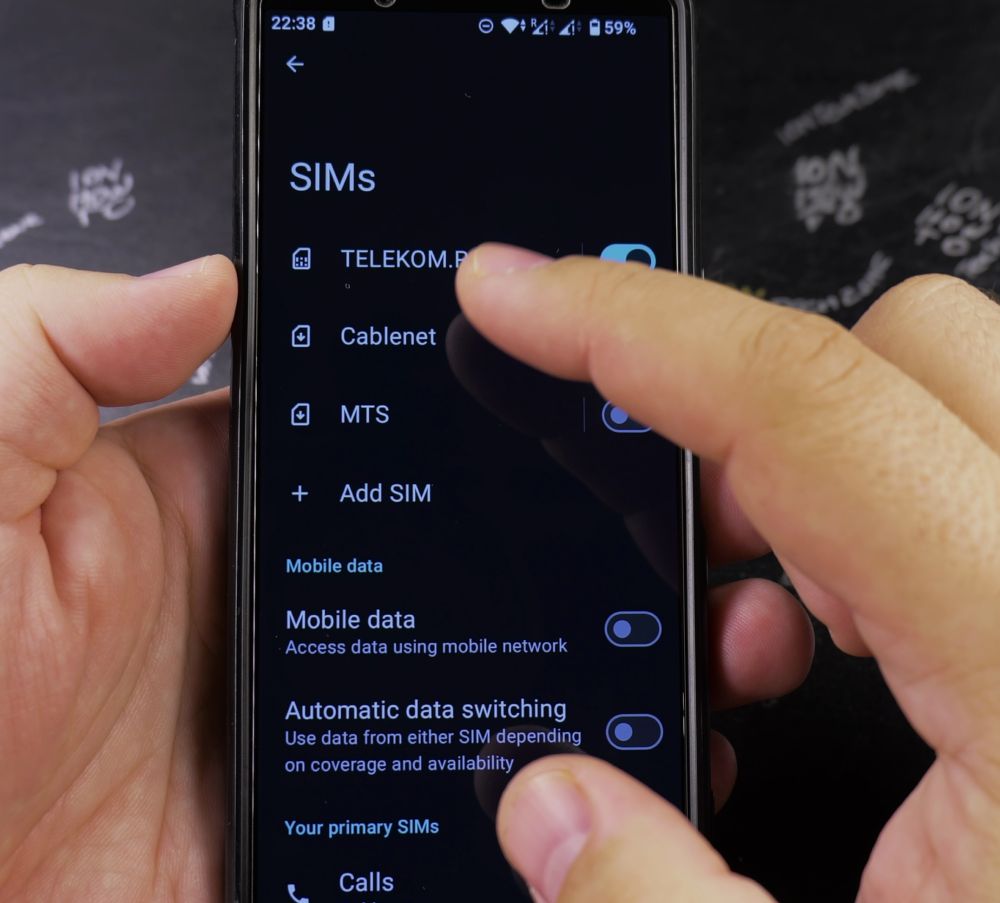
3. Select SIMs
Tap **SIMs** to display all the cellular lines currently installed on your phone.
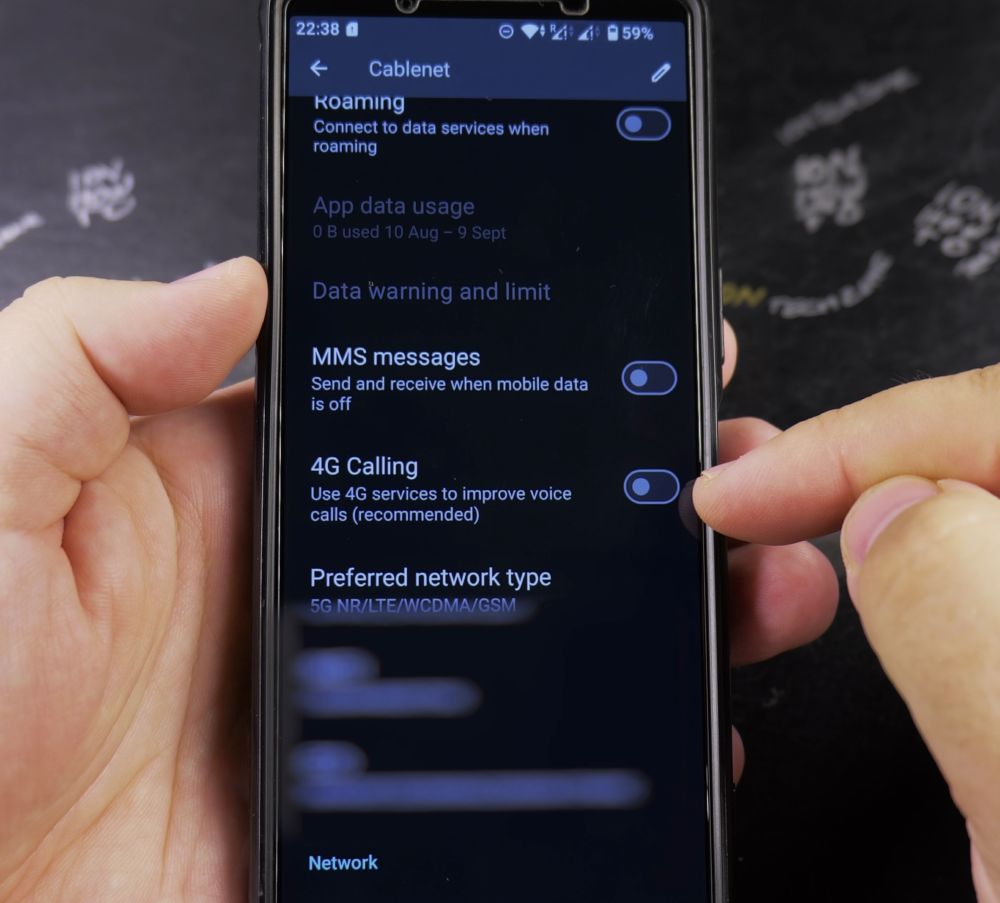
4. Choose Your SIM Card
Tap the carrier name of the SIM card you want to adjust.
5. Disable 4G Calling
Scroll down to the Calling section and tap the switch next to **4G Calling** (or **VoLTE calls**) to turn it **Off**.
Helpful Tips
Some mobile providers lock VoLTE to ‘Always On’ because they retired older 2G and 3G voice networks. If the switch is grayed out or missing, your carrier requires 4G voice routing. For more mobile tips, check out our Android Guides hub.


Leave a Reply