
Repair Your Mi Box 4S Remote to Fix Unresponsive Buttons.
Learn how to fix the buttons on your Mi Box 4S remote control. If your remote has stopped working or some buttons feel mushy and don’t click, I’ll show you the steps to open it up and clean it. This is a common fix for remotes that get a lot of use.
What You’ll Need
You don’t need many tools for this job. Here’s a simple list:
- A small Phillips-head screwdriver (size #00 or #0).
- A plastic prying tool or a guitar pick (to avoid scratches).
- Isopropyl alcohol (rubbing alcohol, 70% or higher is fine).
- Cotton swabs (Q-tips).
- A clean, dry cloth.
Step 1: Open the Remote
First, you need to safely open the remote’s case.
- Remove the battery cover and take out the two AAA batteries.
- Look at the back of the remote. You will see two small Phillips-head screws. Use your small screwdriver to remove them.
- Now you need to separate the front and back halves of the plastic shell. This is where your plastic prying tool or guitar pick comes in.
- Carefully insert the tool into the seam between the front and back pieces, near the battery compartment.
- Gently slide the tool along the seam, releasing the plastic clips that hold the case together. Work your way slowly around the remote until the two halves come apart.
Be patient here. The plastic clips can be tight, and forcing it can break them.
Step 2: Clean the Button Contacts
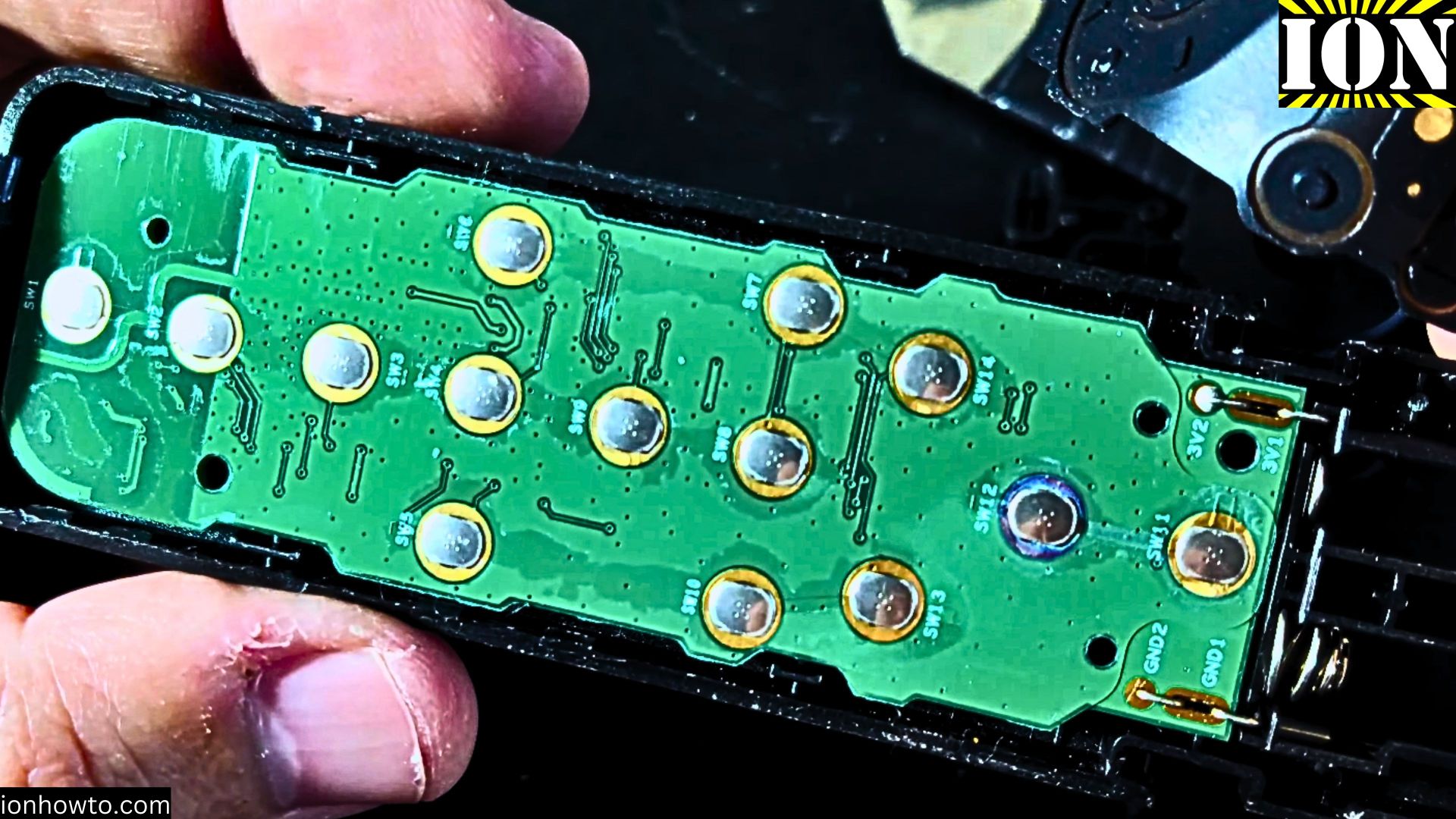
Once the remote is open, you’ll see the main circuit board and the rubber button pad.
- Lift out the rubber button pad. It should come out easily.
- Look at the back of the rubber pad. You’ll see little black conductive circles on the underside of each button.
- Now, look at the circuit board. You’ll see matching circular contact points where those black pads press down.
- Take a cotton swab, dip it in a little isopropyl alcohol, and gently wipe the black conductive circles on the rubber pad. Let it air dry completely.
- Next, use a clean cotton swab with a tiny bit of alcohol to gently clean the circular contact points on the circuit board. Be very gentle here.
- You can also use a dry cloth to wipe any dust or debris from inside the remote shell.
Step 3: Reassemble and Test
After everything is clean and dry, it’s time to put it back together.
- Carefully place the rubber button pad back into the front half of the remote shell. Make sure it’s seated correctly and all the buttons are aligned.
- Place the circuit board (attached to the back shell) back on top.
- Gently press the two halves together until you hear all the plastic clips snap into place.
- Insert the two screws back into the holes on the back and tighten them. Don’t over-tighten.
- Finally, put the two AAA batteries back in and test the remote with your Mi Box.
If Cleaning Doesn’t Work
Sometimes, the problem isn’t dirt. The conductive pads on the rubber button sheet can wear out over time. If cleaning didn’t fix your issue, you might need a replacement part.
Learn how to find the right part:
- Search online for “Mi Box 4S remote replacement button pad” or “Xiaomi Mi TV remote rubber keypad.”
- You can often find just the rubber sheet for sale on sites like eBay or AliExpress.
- If the entire remote is broken, you can also buy a brand new universal Bluetooth remote that is compatible with the Mi Box.
This simple clean-and-reassemble process fixes most remote control issues. It’s a quick, free repair that can save you from buying a new remote.


Leave a Reply